About this app
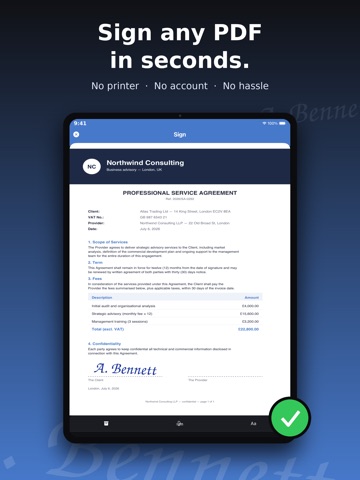
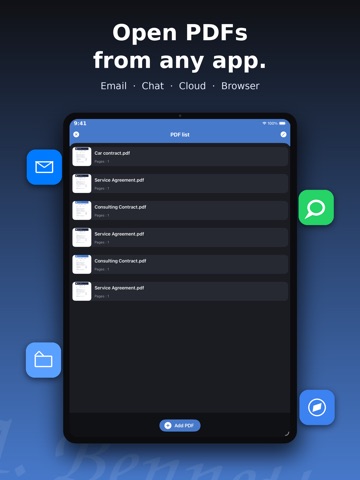
Sign any document in seconds — right from your iPhone and iPad. Got a contract by email? Sign it and send it back in under a minute: no printer, no scanner, no stress. SIGN IN 3 SIMPLE STEPS 1. Import any PDF or scan a paper document with your camera 2. Draw your signature with your finger — save it once, reuse it forever 3. Place it on the document, save and share EVERYTHING YOU NEED • Create and save multiple signatures and your initials • Built-in scanner: turn paper into a signable PDF • Add text and today's date with one tap • Fill and sign contracts, forms, quotes and leases • Sign multi-page documents, page by page • Your documents never leave your device: private and secure • Works offline — no account, no registration Perfect for freelancers, small businesses, real estate agents, HR — and anyone who hates printers. Download Sign PDF and sign your first document in less than a minute! Unlock all Sign PDF Pro features by choosing the plan that best fits your needs: Auto-Renewing Subscriptions * Monthly: Full access to all Pro features. * Yearly: Full access with a 3-day free trial. Subscription Details: * Payment will be charged to your iTunes account at confirmation of purchase. * Subscriptions automatically renew unless auto-renew is turned off at least 24 hours before the end of the current period. * Your account will be charged for renewal within 24 hours prior to the end of the current period. * You can manage your subscriptions and turn off auto-renewal by going to your Account Settings after purchase. * Any unused portion of a free trial period, if offered, will be forfeited when you purchase a subscription. One-Time Purchase * Lifetime Access: A one-time payment for lifetime access to all Pro features of Sign PDF. No recurring fees. Pro features include: unlimited signed documents, built-in document scanner, and an ad-free experience. Legal Information * Privacy Policy: https://www.freeprivacypolicy.com/privacy/view/000ea101de4e771dc9cc10e883deab0c * Terms of Use: https://www.apple.com/legal/internet-services/itunes/dev/stdeula/
Latest release
What’s New
• Sign multiple pages of the same PDF in one go • New page indicator and thumbnail grid to jump straight to the right page • Improved design and many small fixes
Audience growth
Ratings growth
Baseline captured. Growth appears after the crawler observes a changed rating count.
Momentum comes from crawler snapshots for the tracked storefront. “Viral growth signal” means unusually fast recent rating gains; it is an indicator, not download data.
Price tracking
Price intelligence
First snapshot captured. The trend line starts after the next crawler price observation.
- First observed Aug 11, 2026 · 6:13 AM Free
Screenshots