About this app
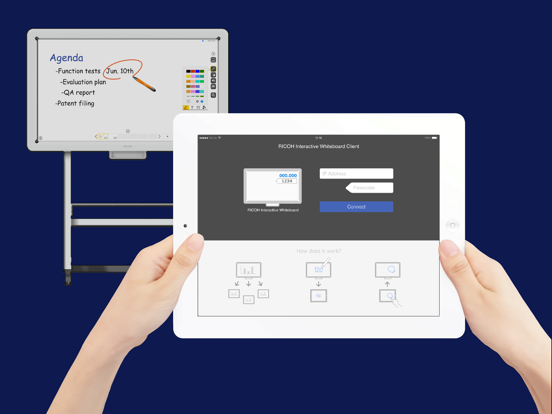
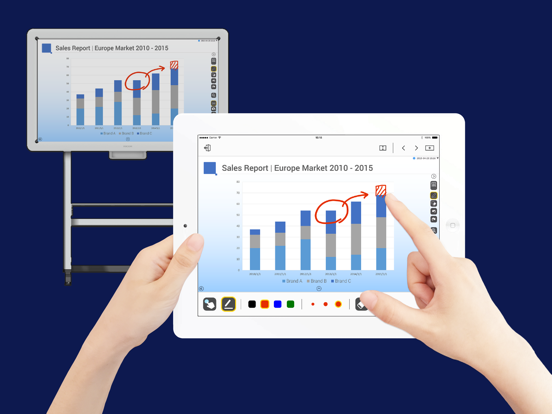
RICOH Interactive Whiteboard Client can enforce your discussion more interactively by connecting your device to RICOH Interactive Whiteboard via local network. ※To use RICOH Interactive Whiteboard Client, RICOH Interactive Whiteboard (http://www.ricoh.co.jp/iwb/) and the license for remote whiteboard function are required. ■Features available ・View screen of RICOH Interactive Whiteboard ・Draw strokes on the screen of RICOH Interactive Whiteboard ・Draw markers on RICOH Interactive Whiteboard (drawn marker automatically disappears in a few seconds after it is drawn) ・Delete strokes on RICOH Interactive Whiteboard ・Add new pages on RICOH Interactive Whiteboard ・Turn pages of RICOH Interactive Whiteboard ・Switch external inputs of RICOH Interactive Whiteboard ・Upload image file to RICOH interactive whiteboard ■How to use 1. Start a RICOH Interactive Whiteboard, and start a Remote Whiteboard session 2. Run the RICOH Interactive Whiteboard Client 3. Input IP Address or host name of the RICOH Interactive Whiteboard and the passcode displayed on the RICOH Interactive Whiteboard ■Supported OS Please refer to the list of supported OS from the linked "Notes for Users". http://support.ricoh.com/bb_v1oi/html/oi/r/model/op10/op10en.htm ■Connectable RICOH Interactive Whiteboard ・D5510 (firmware version 1.6 and later) ・D2200 ・RICOH Interactive Whiteboard Controller Type 1 ・RICOH Interactive Whiteboard Controller Type 2 ・RICOH Collaboration Board Controller Type 3 ・RICOH Interactive Whiteboard Controller OP-5/OP-10 (with RICOH Interactive Whiteboard Lt for Open Controller)
Latest release
What’s New
- Security update.
Audience growth
Ratings growth
Baseline captured. Growth appears after the crawler observes a changed rating count.
Momentum comes from crawler snapshots for the tracked storefront. “Viral growth signal” means unusually fast recent rating gains; it is an indicator, not download data.
Price tracking
Price intelligence
First snapshot captured. The trend line starts after the next crawler price observation.
- First observed Aug 17, 2026 · 12:23 AM Free
Screenshots