About this app
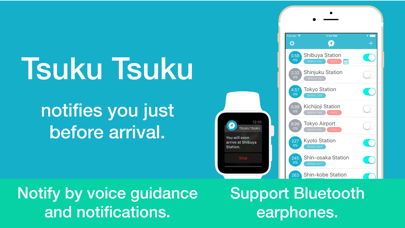
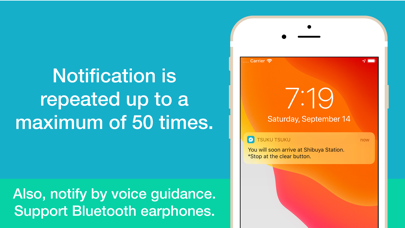
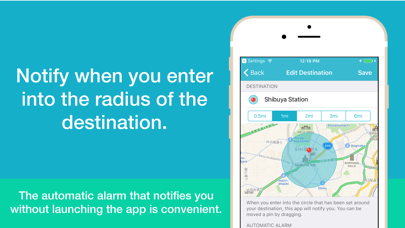
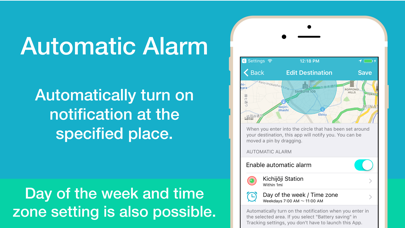
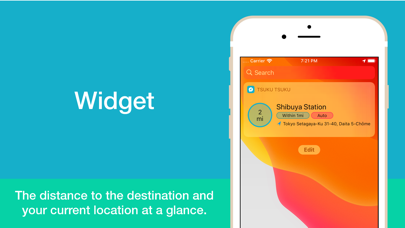
◆ Best for traveling by train or bus. ◆ Notifies before you reach your destination. ◆ Notify by voice and notification. ◆ Notification is repeated up to a maximum of 50 times. ◆ On the Apple Watch, it vibrates, making it even more convenient. ◆ Automatically turn on notification of the destination without launching the application. ◆Supports iOS 13 Dark Mode. ▼ Perfect for these situations - When you doze off on the train or bus. - When you’re listening to music and can’t hear the announcement of arrival on the loudspeaker. - When you’re traveling for pleasure or business to a place you’ve never been to before. ▼Notification - Up to 50 times are notified continuously. - Notification interval can be set up to 10 seconds. - Notify by voice and notification. - Select a voice for voice guidance on Settings. - Edit a message of voice guidance for each destination. - Supports Bluetooth earphones. ▼Automatic Alarm - Automatically turn on the notification when you go through in the specified place. - When you specify the nearest station or the station you always go through, the notification of the destination will be turned on automatically when you go through that place. - If you select "Battery saving" in Tracking settings, you don't have to launch this App. - You can set the day of the week and time zone to enable the automatic alarm. ▼Tracking settings - Battery saving This app does not track your location. Obtains your location only after significant changes to avoid battery loss. Most suitable if another app is already tracking your location. *Can be set using the automatic alarm without launching the app. *If you receive no notification before arrival, please switch “Tracking location” in the settings. - Tracking location Your location is being tracked during moving. The accuracy of the notification will increase. When you stop moving, the app will automatically stop tracking you. *To begin/resume tracking, the app must be launched. ▼ Note - This app only works with "Always" in Location Services. In iOS 13, you cannot select “Always allow” for Location Services at installation. Please select "Always" for Privacy>Location Services in Settings. - Continued use of GPS running in the background can dramatically decrease battery life. (Tracking location) - In places such as subways and tunnels where location information cannot be obtained, no notification will be received prior to arrival at the destination. - If Wi-Fi is enabled, you can get the current location more accurate. ▼ In App Purchase - Remove Ads - Unlimited add points ▼ Apple Watch Supports Watch OS 4.0 and later.
Latest release
What’s New
▼ Thank you for your support. - Now compatible with iOS 15, watchOS 8. - Performance improvements. - Fixed minor bugs.
Audience growth
Ratings growth
Baseline captured. Growth appears after the crawler observes a changed rating count.
Momentum comes from crawler snapshots for the tracked storefront. “Viral growth signal” means unusually fast recent rating gains; it is an indicator, not download data.
Price tracking
Price intelligence
First snapshot captured. The trend line starts after the next crawler price observation.
- First observed Aug 24, 2026 · 1:57 AM Free
Screenshots