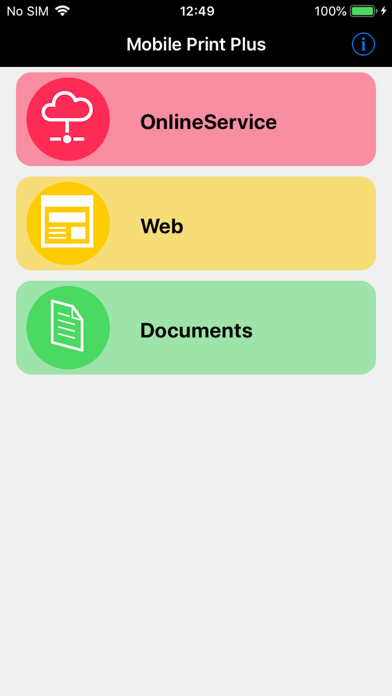
About this app
Mobile Print Plus for brother is application of brother Print SDK for printers of Brother Industries, Ltd. Print web pages and files to Brother printers from iPad/iPhone with Moble Print Plus for Brother. A connection method is wireless LAN or Bluetooth. [Keyfeatures] - Print files from iPad/iPhone Supported file formats: PDF(The encryption PDF is un-corresponding)(*1), JPEG(*2) - Print the file is being saved to the online service(*3) Supported online service:Dropbox Supported file formats: PDF(The encryption PDF is un-corresponding), JPEG(*2) - Print web page(*3)(*4) Web authentication is not supported. (SSL, Digest, Basic) - Print preview - Printer Setup (*1) In addition to PDF in application, a PDF file can also be received and printed from other applications using an Open In function. (*2) RJ-3035B and RJ-3055WB do not support JPEG printing. (*3)At the time of Adhoc connection, when it is a model without 3G or LTE, Web connection cannot be performed. (In the case of Wi-Fi model, printer and Internet connection simultaneously is not possible.) (*4)HTTP connection not supported. HTTPS connection support. Printers Supported <Brother Industries, Ltd> ・PJ-773 (Ad-hoc mode, infrastructure mode, Wireless Direct mode) ・PJ-763MFi (Bluetooth) ・PJ-673 (Ad-hoc mode, infrastructure mode) ・PJ-883 (infrastructure mode, Wireless Direct, Bluetooth) ・PJ-863 (Bluetooth) ・PJ-862 (Bluetooth) ・MW-145MFi (Bluetooth) ・MW-260MFi (Bluetooth) ・RJ-4040 (-hoc mode, infrastructure mode) ・RJ-4030Ai (Bluetooth) ・RJ-3150 (Ad-hoc mode, infrastructure mode, Wireless Direct mode) ・RJ-3150Ai (Bluetooth) ・RJ-3050 (Ad-hoc mode, infrastructure mode, Wireless Direct mode) ・RJ-3050Ai (Bluetooth) ・RJ-2050 (Ad-hoc mode, infrastructure mode, Wireless Direct mode, Bluetooth) ・RJ-2140 (Ad-hoc mode, infrastructure mode, Wireless Direct mode) ・RJ-2150 (Ad-hoc mode, infrastructure mode, Wireless Direct mode, Bluetooth) ・RJ-4230B (Bluetooth) ・RJ-4250WB (infrastructure mode, Wireless Direct mode, Bluetooth) ・MW-170 (Bluetooth) ・MW-270 (Bluetooth) ・RJ-3230B ・RJ-3250WB ・RJ-3235B (Bluetooth) ・RJ-3255WB (infrastructure mode, Wireless Direct, Bluetooth) ・RJ-4235B (Bluetooth) ・RJ-4255WB (infrastructure mode, Wireless Direct, Bluetooth) ・TD-4550DNWB (infrastructure mode, Wireless Direct mode, Bluetooth) ・TD-2320D (203, 300) (infrastructure mode) ・TD-2320DSA (203, 300) (infrastructure mode) ・TD-2320DF (203, 300) (infrastructure mode) ・TD-2350D (203, 300) (infrastructure mode, Wireless Direct, Bluetooth) ・TD-2350DSA (203, 300) (infrastructure mode, Wireless Direct, Bluetooth) ・TD-2350DF (203, 300) (infrastructure mode, Wireless Direct, Bluetooth) ・TD-2350DFSA (203, 300) (infrastructure mode, Wireless Direct, Bluetooth) ・TD-4425DN (infrastructure mode, Wireless Direct) ・TD-4525DN (infrastructure mode, Wireless Direct) ・TD-4455DNWB (infrastructure mode, Wireless Direct, Bluetooth) ・TD-4555DNWB (infrastructure mode, Wireless Direct, Bluetooth) ・TD-4425DNF (infrastructure mode, Wireless Direct) ・TD-4555DNWBF (infrastructure mode, Wireless Direct, Bluetooth) ・RJ-3035B (Bluetooth) ・RJ-3055WB (infrastructure mode) Support OS ・iOS 16~26
Latest release
What’s New
Now compatible with iOS 26. Now compatible with the following models: ・TD-4425DN ・TD-4525DN ・TD-4455DNWB ・TD-4555DNWB ・TD-4425DNF ・TD-4555DNWBF ・RJ-3235B ・RJ-3255WB ・RJ-4235B ・RJ-4255WB ・RJ-3035B ・RJ-3055WB
Audience growth
Ratings growth
Baseline captured. Growth appears after the crawler observes a changed rating count.
Momentum comes from crawler snapshots for the tracked storefront. “Viral growth signal” means unusually fast recent rating gains; it is an indicator, not download data.
Price tracking
Price intelligence
First snapshot captured. The trend line starts after the next crawler price observation.
- First observed Aug 10, 2026 · 11:59 PM Free
Screenshots