About this app
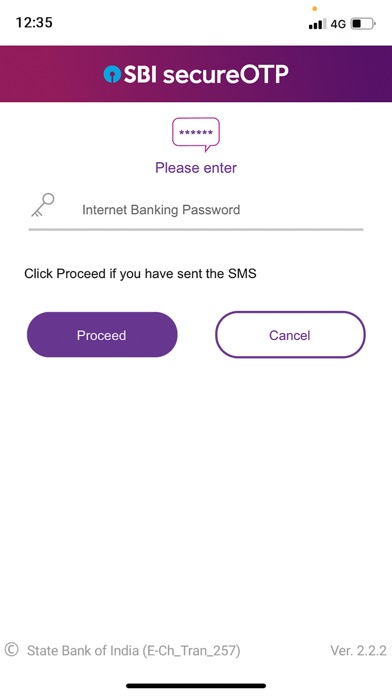
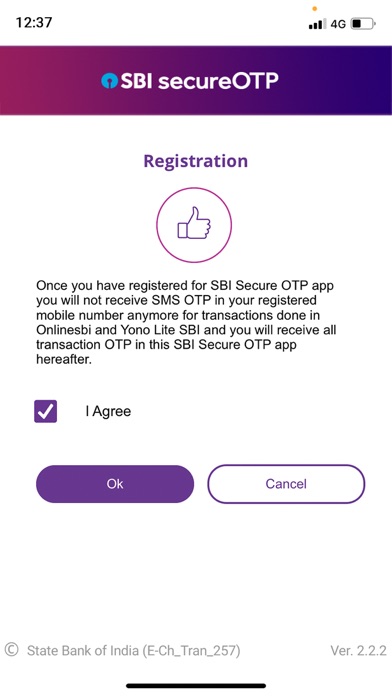
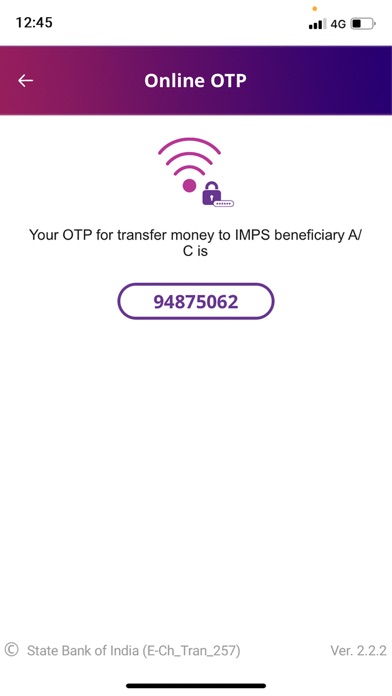
SBI Secure OTP is an OTP generation App for verifying or authenticating online banking transactions done through SBI Internet Banking and Yono Lite SBI App. Customer can generate Online OTP through this app with Internet connection. One time registration with your INB credentials is required for using the App. Service provider independent, hassle free OTP service is now available to you. Registration process: - Download and open SBI Secure OTP app, enter username and select SIM 1 or SIM 2 to register SBI Secure OTP application. No SIM selection required in case of single SIM. User should have SIM Card to send out the messages. - A message will be shown on the screen regarding sending an SMS from the device for validating mobile number. - Click on ‘Proceed’ button and an SMS containing a unique code will be sent from the device to a pre-defined Number. Kindly note that for sending the SMS standard SMS charges are applicable as per your SMS plan. - Enter password and click on ‘Proceed’. Accept the Terms & Conditions for registration by selecting the check box and click ‘Ok’ button. - An OTP will be sent to the registered mobile number. - Enter the OTP received and after OTP validation, user will be asked to set the MPIN for SBI Secure OTP app. - After that an activation code will be sent to the registered mobile number. This activation code is valid for 10 minutes. - User has to complete the activation by login to OnlineSBI. Activation Process at OnlineSBI: - Login to OnlineSBI, go to profile section and click on Activate Secure OTP link. - Enter the activation code received. - User registration to SecureOTP app will be completed after successful validation of activation code. - Please note that mode of OTP authentication for Internet Banking/Yono Lite will changed to State Bank Secure OTP. User will no longer receive OTP over SMS. - Login to SBI Secure OTP application using MPIN. Note: Ensure the same SIM is in place for sending the registration SMS and completing the registration. Reference URL for demo video of registration process: https://drive.google.com/file/d/1WjwvEw6mfvOjSZYAPAeYc_cM5eP3ydKk/view?usp=sharing
Latest release
What’s New
Minor Security Enhancement
Audience growth
Ratings growth
Baseline captured. Growth appears after the crawler observes a changed rating count.
Momentum comes from crawler snapshots for the tracked storefront. “Viral growth signal” means unusually fast recent rating gains; it is an indicator, not download data.
Price tracking
Price intelligence
- First observed Aug 21, 2026 · 1:23 AM Free
Screenshots