About this app
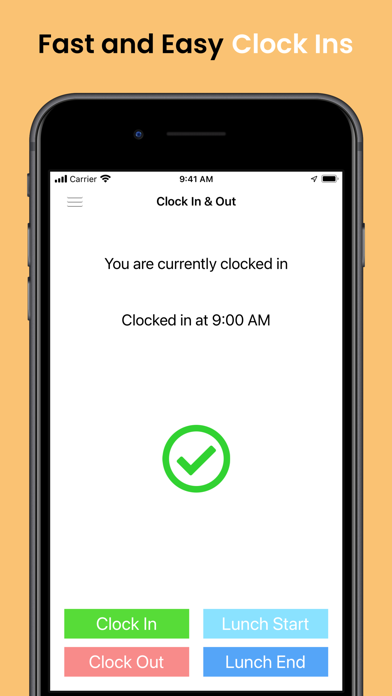
Employee Time Clock with GPS Tracking and Calculate Payroll & Overtime. Designed for small businesses, it’s the easiest way to manage timesheets. Employees can clock-in from the internet, smartphone, dial-in from a phone or SMS. Payroll management is vital for success and Breeze Clock can help make it easy. Breeze Clock is an online time clock, allowing you to effectively log and collate workers' hours. It's a step towards making time tracking a breeze! Our iOS app includes GPS tracking functions, so you can monitor your work-site staff and issue invoices that are accurate and avoid billing disputes. Ideal for non-office staff, such as construction, trades, delivery route, and workers staffed at client-site. SIMPLE TIME TRACKING & TIMESHEETS WITH GPS TRACKING • Real-time punch clock • Geofence reminders • Manual time entry • GPS tracking • View and edit time entries, assign job codes to track billable hours to clients • Edit shift reports for better employee tracking MANAGE APPROVALS AND REVIEW GPS LOCATIONS • Managers can review GPS location history of the time entries for the entire team • Managers can approve time entries for payroll reporting, created from the web dashboard STAY IN SYNC WITH TEAM STATUS • View teammates’ status in real-time from the dashboard • Manage Paid Time Off (“PTO”), holiday, and vacation time PLUS, using the Web dashboard: • Payroll and Overtime reports • Meal Breaks and Holiday settings for payroll reports • Powerful, real-time reports in multiple formats (PDF, EXCEL, online, HTML) • Calendar Scheduling All time and PTO entries, and GPS history, are seamlessly synced with your Breeze Clock account and completely viewable online via our Web dashboard or mobile app. Sign in to Breeze Clock from the Web dashboard for access to more features like the payroll reports for overtime calculation or calendar scheduling. With Breeze Clock, you’ll be spending less time managing your timesheet, and more time focusing running your business. Get started today! Disclaimer: 1) Continued use of GPS running in the background can dramatically decrease battery life. 2) Push notifications are used for in-app messaging for help & support.
Latest release
What’s New
- Fixed testing bug when clocking out - Prevent accidental clock-outs when not clocked in
Audience growth
Ratings growth
Baseline captured. Growth appears after the crawler observes a changed rating count.
Momentum comes from crawler snapshots for the tracked storefront. “Viral growth signal” means unusually fast recent rating gains; it is an indicator, not download data.
Price tracking
Price intelligence
First snapshot captured. The trend line starts after the next crawler price observation.
- First observed Sep 13, 2026 · 2:48 AM Free
Screenshots