About this app
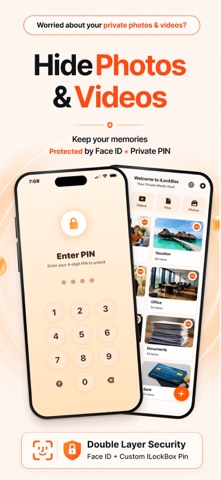
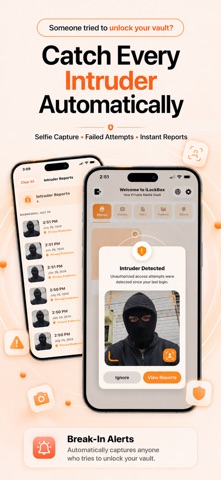
Your iPhone may already be unlocked, but your private content does not have to be. iLockBox is a private Photo Vault that helps protect your photos, videos, files, documents, and notes with Face ID, Touch ID, or a private PIN. Your personal content remains protected on your device, and no account is required for core privacy features. PHOTO AND VIDEO VAULT Keep personal photos and videos inside a protected private vault. - Secure access with Face ID, Touch ID, or PIN - Create private albums and folders - Preserve original photo and video quality - Organize your media with an easy-to-use interface - Import only the photos and videos you select using Apple’s system photo picker Whether you are protecting family memories, travel photos, important documents, or personal media, you remain in control. LOCK SCREEN CUSTOMIZATION Personalize how you access your vault. - Choose from multiple lock screen styles - Select custom app icons - Follow clear instructions for each lock screen - Use a consistent experience across iPhone and iPad FOCUS Use Apple’s Screen Time controls to manage access to selected apps during Focus sessions. - Choose apps for each Focus profile - Create and manage multiple Focus profiles - Start or stop a Focus session at any time - Control selected apps using authorized Screen Time access Screen Time access is optional and is requested only when you choose to use Focus. SECURE FILE STORAGE Keep important files and documents inside your private vault. - PDFs and documents - Personal records - Identification documents - Organized folders - Imported files from the Files app PRIVATE NOTES Store reminders, confidential notes, passwords, and other personal information in one protected location. ADVANCED PRIVACY FEATURES Privacy controls designed for everyday use. - Intruder Selfie records unauthorized access attempts when enabled - Quick Exit immediately leaves sensitive content - Flip to Lock automatically secures your vault - Album Protection adds another layer of security to selected albums - Two-Step Authentication combines biometric verification with your private PIN PRIVATE BROWSER Browse privately and download supported files directly into your vault. Browsing activity remains separate from your everyday browser history. BACKUP AND RESTORE Create protected backups of your photos, videos, files, albums, and notes. Restore your content when needed. BUILT FOR EVERYDAY PRIVACY Use iLockBox to: - Protect personal photos and videos - Store confidential work documents - Organize private notes and files - Secure important memories - Keep personal information private YOUR PRIVACY iLockBox does not require an account for core vault features. Core privacy features work offline, allowing your photos, videos, notes, and files to remain available without relying on an online account. Photo Library access is requested only when required for an action you choose. Importing uses Apple’s system photo picker, which provides iLockBox access only to the items you select. Additional permission may be requested when you choose to save items back to Photos or remove selected original items. ILOCKBOX PREMIUM Upgrade to unlock the complete iLockBox experience. Premium includes: - Unlimited private photo and video storage - Unlimited secure file storage - Backup and Restore - Album Protection - Additional privacy and organization features Monthly, Yearly, and Lifetime plans are available where supported. Payment will be charged to your Apple Account after purchase confirmation. Subscriptions automatically renew unless canceled at least 24 hours before the end of the current billing period. You can manage or cancel your subscription in your Apple Account subscription settings. Privacy Policy https://appreator.com/privacy-policy/ Terms of Use https://appreator.com/terms-of-use/ Support admin@appreator.com
Latest release
What’s New
Version 4.1 introduces a major Lock Screen update, expanded customization, redesigned security tools, and improved support across iPhone and iPad. WHAT’S NEW - New Clock Lock Screen with analog and digital PIN entry - Five customizable Lock Screen styles - Redesigned Lock Screen settings with clearer instructions - New app icon themes for a personalized experience - New Focus profiles using authorized Apple Screen Time controls - Improved PIN entry and recovery guidance - Redesigned Break-In Alerts and Intruder Selfie reports - Larger intruder photo previews after unauthorized access attempts - Improved activity history organization - Updated privacy settings with easier navigation - Better adaptive layouts across iPhone and iPad - Improved support for all available app languages - Performance improvements and bug fixes CONTENT RECOVERY UPDATE Decoy Vault has been discontinued. Existing Decoy Vault content remains safe and is now available inside the Recovered Content folder in the main vault.
Audience growth
Ratings growth
Baseline captured. Growth appears after the crawler observes a changed rating count.
Momentum comes from crawler snapshots for the tracked storefront. “Viral growth signal” means unusually fast recent rating gains; it is an indicator, not download data.
Price tracking
Price intelligence
First snapshot captured. The trend line starts after the next crawler price observation.
- First observed Aug 15, 2026 · 6:15 PM Free
Screenshots