About this app
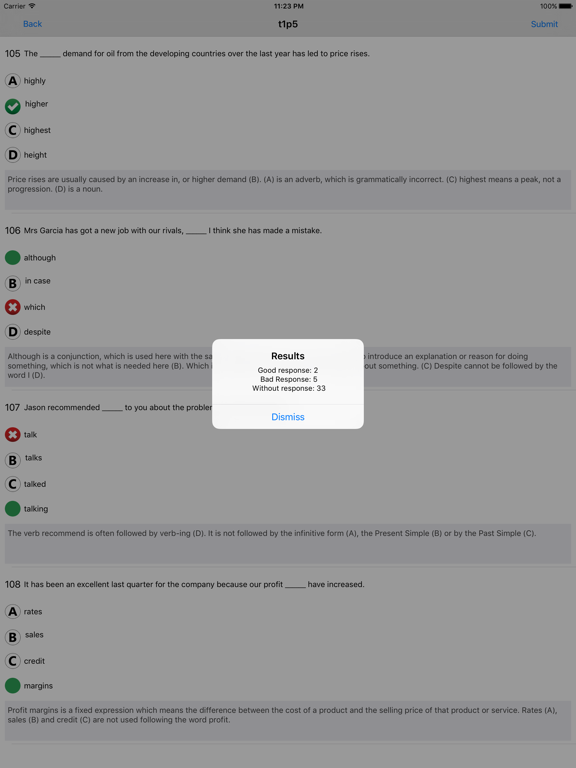
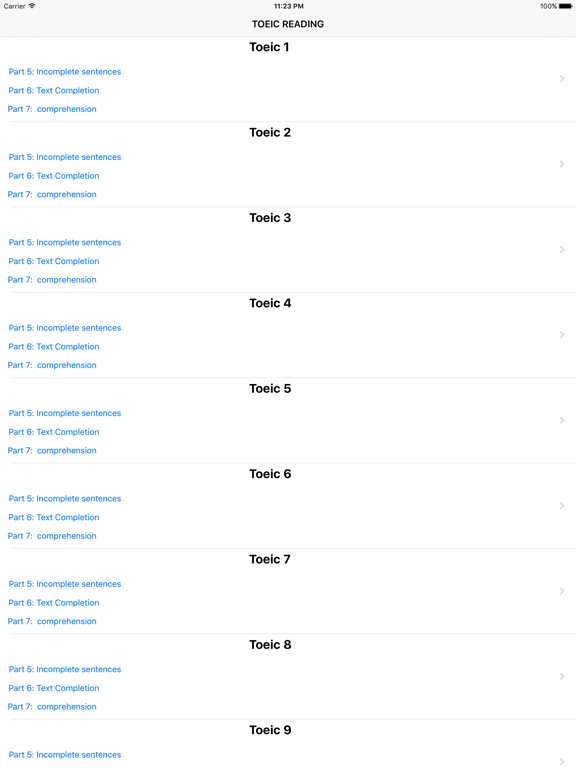
TOEIC is a registered trademark of Educational Testing Service (ETS) in the United States and other countries. This app is not approved or endorsed by ETS. This application provides you with 29 full part Reading tests for a total of more than 2,900 questions so you can conveniently prepare your TOEIC with corrections. Test your current level with exercises for each part of the language exam. Detailed explanations are available at the end of each exercise. Happy training! Parts : Reading Part 5 - Incomplete sentences On the application: Part 5 is composed of 40 fill-in-the-blank sentences that will appear 5 at a time. There will be 4 possible responses for each fill-in-the-blank sentence. You need to choose the best answer. On Exam Day: A word or phrase is missing in each of the 40 sentences written in the test book. Four answer choices are given below each sentence. Select the best answer to complete the sentence. Then mark the letter (A), (B), (C), or (D) on your answer sheet. Writing in the test book is strictly forbidden. Tip: You are supposed to take 30 seconds per fill-in-the-blank sentence. Thus, you should ideally spend no more than 20 minutes on this part. Reading - Part 6 - Text completion: On The application : Part 6 is made of 12 fill-in-the blanks which are based on 2 to 4 different texts. Each text will appear independently with the corresponding fill-in-the-blanks. To help you, there will be 4 possible responses per fill-in-the-blank. Select the correct response. Reading Part 7 - Single and Double passages On The application : Part 7(A) is composed 28 questions on 7 to 10 texts depending on the exam sessions. The texts will appear independently. Each text will be followed by 3 to 5 questions. To help you, 4 possible responses will appear per question. Select the good response. On the D-day : In this part you will read a selection of 7 to 10 simple texts followed by 4 double texts. On the exam day, the simple texts are directly followed by the double texts. Each text is followed by 3 to 5 questions. The simple texts followed by the corresponding questions and the double texts followed by the corresponding questions will all be written in your test book. Select the best answer for each question and mark the letter (A), (B), (C), or (D) on your answer sheet. Writing on the test book is strictly forbidden. Tip : Read the questions and memorize the key words before beginning to read. Select an answer as soon as you find it. On the D-day : Read the 2 to 4 texts that follow with the 12 fill-in-the-blanks. A word or phrase is missing in some of the sentences. Four answer choices are given below each of the sentences. Select the best answer to complete the text. Then mark the letter (A), (B), (C), or (D) on your answer sheet. Writing on the test book is strictly forbidden. Tip : You are supposed to take 30 seconds to one minute per fill-in-the-blank. Thus, this part should take you between 6 and 10 minutes.
Latest release
What’s New
Optimizations, bug fixes, and new features added.
Audience growth
Ratings growth
Baseline captured. Growth appears after the crawler observes a changed rating count.
Momentum comes from crawler snapshots for the tracked storefront. “Viral growth signal” means unusually fast recent rating gains; it is an indicator, not download data.
Price tracking
Price intelligence
First snapshot captured. The trend line starts after the next crawler price observation.
- First observed Aug 19, 2026 · 9:59 PM Free
Screenshots