About this app
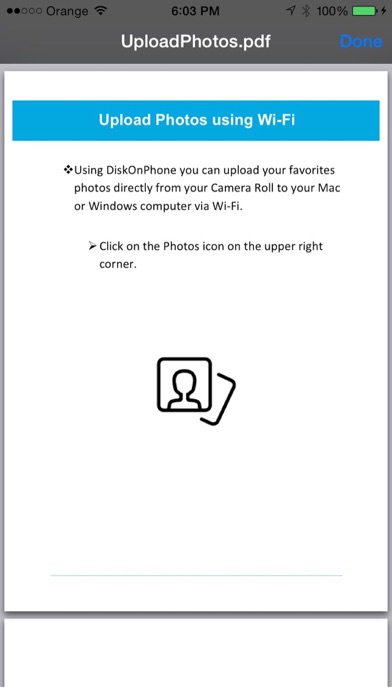
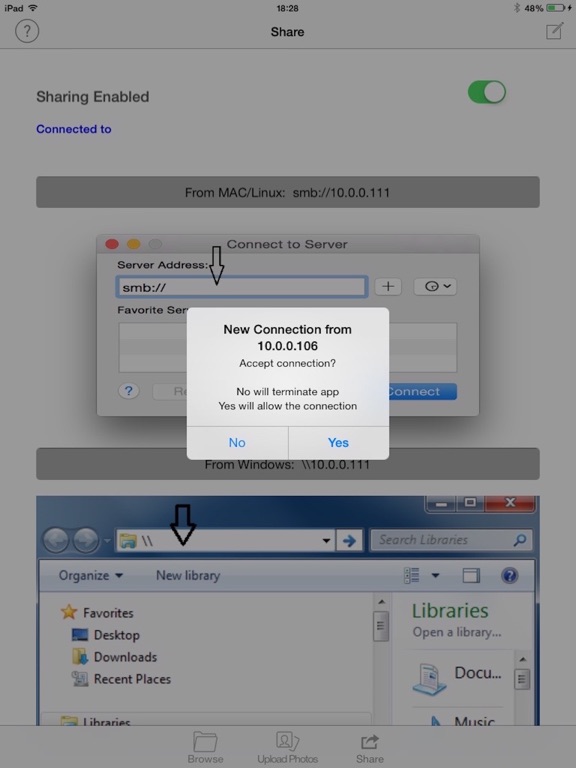
Turn your iDevice into a smart wireless mobile external disk drive. Use your iPhone, iPad or iPod as a shared network disk drive. Share, copy, and backup your files to and from your PC / Mac / Linux / or any other device. DiskOnPhone comes with 7 days free trial period. After this you may purchase an auto-renewing subscription through an In-App Purchase. (If you do not maintain a subscription you will not be able to transfer files to/from other devices) • Auto-renewable subscription • 1 month ($0.99) • Your subscription will be charged to your iTunes account at confirmation of purchase and will automatically renew (at the duration selected) unless auto-renew is turned off at least 24 hours before the end of the current period. • Current subscription may not be cancelled during the active subscription period; however, you can manage your subscription and/or turn off auto-renewal by visiting your iTunes Account Settings after purchase. Note: ------ In case of a problem to identify an already purchased subscription, please try first to quit and re-open the app. In case it does not work please click on "Restore Purchases". DiskOnPhone uses smb version 1. If you have trouble using it with Windows 10, please make sure that smb1 is enabled. https://zappiti.uservoice.com/knowledgebase/articles/1830778--network-smb1-sharing-protocol-on-windows-10 HOWTO (Sharing Files) --------------------------- 1. Connect your device to WiFi network 2. Click the Share icon and enable sharing 3. Connect from your PC using File Browser as described in the share tab 4. Accept the new connection on your device 5. Use GUEST account if prompt by your File Browser 6. Copy files from/to your device FEATURES ------------- - SMB Server - Transfer files from/to your PC running Windows or from/to your Mac/Linux using the built in SMB(Samba) protocol. - Copy your favorite photos wirelessly using Wi-Fi. - Browse locally on your device and see your saved files. - Open your saved photos, music or save PDF documents with the built in viewers. - Delete or Email your saved files from the app or from your PC. - Search for files from the app or from your PC. - Use your iPhone/iPad/iPod as a streamer to stream your saved files. - Work flawlessly with any OS that supports SMB protocol - Support unlimited number of files or folders - Support unlimited file size - Support unicode file names or folder names from any language - iTunes File Sharing USE ----- - Backup your files - Copy Files to Friends - Use it at work - Archive Software, Movies, Games - Keep important Documents - USB Drive - Copy your favorite photos wirelessly - Stream your files directly from your device EULA ------ https://www.apple.com/legal/internet-services/itunes/dev/stdeula/ Privacy Policy -------------- http://www.gutherz.org/privacy_policy_diskonphone.html Support -------- support@novniv.com
Latest release
What’s New
- Minor bug fixes - Enable monthly subscription for $0.99 / month (Free 7-day trial period) - Monthly auto-renewal subscription for $0.99 (can be canceled by the user 24 hours before the end of current period)
Audience growth
Ratings growth
Baseline captured. Growth appears after the crawler observes a changed rating count.
Momentum comes from crawler snapshots for the tracked storefront. “Viral growth signal” means unusually fast recent rating gains; it is an indicator, not download data.
Price tracking
Price intelligence
First snapshot captured. The trend line starts after the next crawler price observation.
- First observed Aug 14, 2026 · 12:13 AM Free
Screenshots