About this app
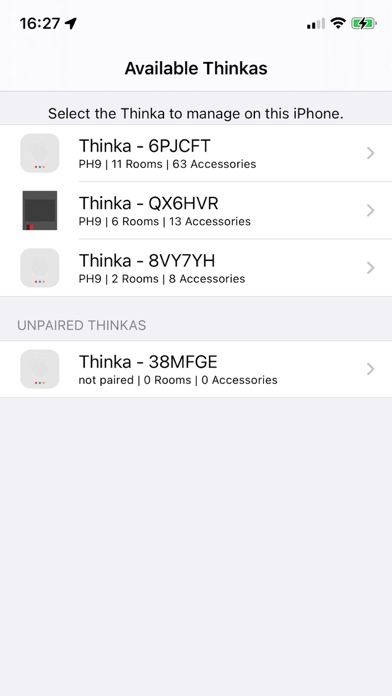
Thinka Setup is the companion app for the Thinka smart-home bridge. It’s the fastest way to bring your Z-Wave and KNX devices into Apple HomeKit and keep them in sync as your home grows. WHAT THINKA SETUP DOES • Discovers every Thinka on your Wi-Fi automatically — no IP addresses, no manual configuration. • Pairs your Thinka into the HomeKit home of your choice, using Apple’s secure pairing flow. • Syncs the Thinka’s internal accessory list with HomeKit so all your Z-Wave and KNX devices appear natively in the Home app and Siri. • Adds new Z-Wave devices with SmartStart by scanning their QR code — no controller inclusion mode, no walking back and forth. • Manages multiple Thinkas from one place, whether you have one bridge in an apartment or a fleet across a building. BUILT FOR IOS 26 Thinka Setup has been rebuilt from the ground up in SwiftUI and Swift 6, with Apple’s modern concurrency model end-to-end. Discovery, pairing, and sync all run as first-class async streams — the UI stays responsive even while a large home is being synced for the first time. REMOTE SUPPORT, ON YOUR TERMS Need a hand from Thinka support? A single toggle opens a secure, authenticated tunnel so a Thinka engineer can inspect your bridge — and the same toggle closes it when you’re done. Nothing is ever left open in the background. VACATION MODE Heading away? Enable Vacation Mode from the app and Thinka will simulate presence for you. Turn it off from anywhere with one tap when you get home. PRIVACY Thinka Setup talks to your Thinka on your local network and to Apple HomeKit on your device. Your accessory data does not leave your home. See our privacy policy at https://thinka.eu/privacy. REQUIREMENTS • iOS 26 or later • A Thinka Z-Wave or KNX bridge on the same Wi-Fi network • An Apple ID with iCloud + HomeKit enabled
Latest release
What’s New
This is the first release of the fully rewritten Thinka Setup app. • Rebuilt in SwiftUI for iOS 26, with a faster, cleaner interface from discovery through sync. • Swift 6 strict-concurrency engine: discovery, pairing, and HomeKit sync now run as async streams — the UI never stalls, even on large homes. • Live search: new Thinkas on your Wi-Fi appear in the list the moment they come online, with a subtle “Searching…” indicator so you always know the app is working. • Clearer per-Thinka details screen, with typed navigation and state restoration so returning to the app puts you exactly where you left off. • Improved Z-Wave SmartStart QR pairing with a redesigned scanner. • Remote support toggle and Vacation Mode moved into their own focused screens with better feedback and error handling. • Under the hood: full rewrite of networking as a per-Thinka actor, keychain-backed credential storage, and a HomeKit sync planner that shows step-by-step progress. Requires iOS 26. If you were on an older Thinka Setup version, your existing pairings and credentials will carry over — no re-pairing needed.
Audience growth
Ratings growth
Baseline captured. Growth appears after the crawler observes a changed rating count.
Momentum comes from crawler snapshots for the tracked storefront. “Viral growth signal” means unusually fast recent rating gains; it is an indicator, not download data.
Price tracking
Price intelligence
First snapshot captured. The trend line starts after the next crawler price observation.
- First observed Aug 24, 2026 · 1:40 AM Free
Screenshots