About this app
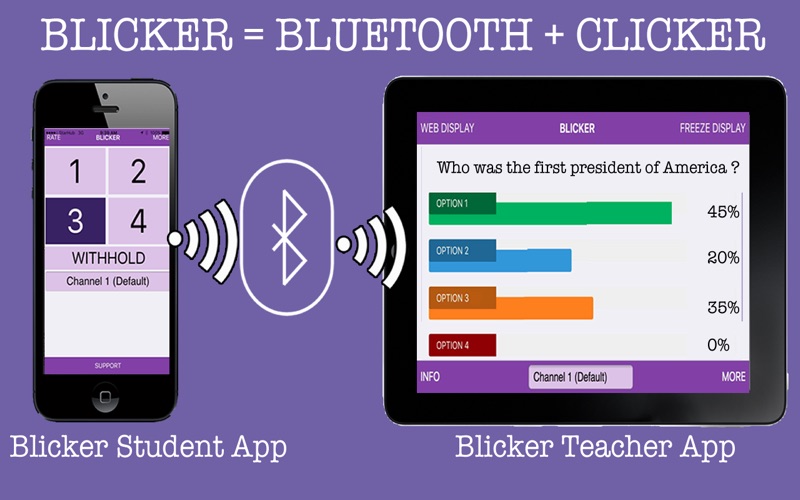
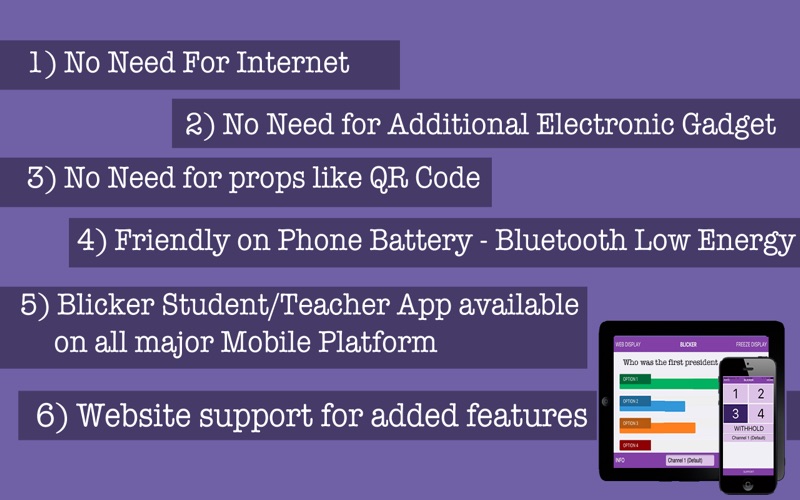
Blicker is the result of evaluating the different classroom response solutions out there in the market. Blicker seeks to eliminate all their disadvantages and combining all their benefits. Blicker is the Teacher’s best tool to gather the student’s responses. There is no set-up required, no need for additional gadget, no physical props required, no QR codes, no need for Teacher to scan QR code, and very importantly NO NEED for any internet connectivity. In fact, the only requirement that is needed is what most students would already have with them – A Smartphone – likely a iPhone or other Smartphone on other mobile platform. All the student needed is to download the Free Blicker Student App. The app uses the new Bluetooth Low Energy Technology to transmit small data packets containing the student selected responses into the air. As there is no setup or any internet connectivity needed, all the student would need to response is to tap on their desired responses and the Blicker Teacher App will immediately show all the consolidated results in a simple bar chart. A recommended way for teacher is to airplay (or miracast) the Blicker Teacher App onto the big screen. As there is no need for any internet or sign up, the students will feel at ease to know that his responses remains anonymous if he chooses the Anonymous Mode. In the Identity Mode, the teacher will be able to receive detailed responses from individual student. There is also the Attendance mode whereby the teacher can take automated attendance and with the timestamp recorded for each students. The attendance can then be exported to Excel for record keeping A little bit of technicality here on the Blicker App. The Blicker Student App uses the new Bluetooth Low Energy Advertisement protocol. There is NO NEED for any cumbersome Bluetooth pairing with the Blicker Teacher App. As Bluetooth Low Energy technology is being used, this app actually consumes very low energy. Despite this, the technology allows the Blicker Student App and the Blicker Teacher App to be as far as 75 meters apart. Also, technically, the Blicker Teacher App is capable to consolidate results from hundreds of Blicker Student Apps. Finally, no solution will ever be perfect. The Blicker Student App will work only on iPhone 4s/iPod Touch 5/iPad2 and newer models. For non-ios device, The Blicker Student App will only work on the selected model and as there are so many different models, the best way is to download and try out. And DO REMEMBER to turn on your Bluetooth for both the Blicker Student and Teacher App to work! This is the Blicker Student for Mac OSX. You would need to also download the Blicker Teacher App for iOS or from Windows 10 (Full functionalities)
Latest release
What’s New
Fixed earlier issues for no transmission in option 1 and 2.
Audience growth
Ratings growth
Baseline captured. Growth appears after the crawler observes a changed rating count.
Momentum comes from crawler snapshots for the tracked storefront. “Viral growth signal” means unusually fast recent rating gains; it is an indicator, not download data.
Price tracking
Price intelligence
First snapshot captured. The trend line starts after the next crawler price observation.
- First observed Sep 11, 2026 · 11:36 PM Free
Screenshots