About this app
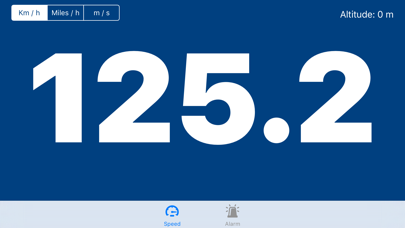
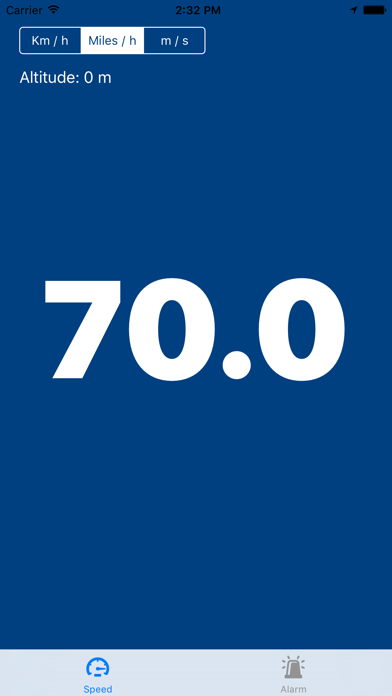
Real Satellite Speed uses your iPhone's GPS to show your true speed in real time - measured directly from satellite data, not estimated by the accelerometer. Whether you're driving, cycling, running, or flying, get the most accurate speed reading possible right from your pocket. SPEED SCREEN - Large, easy-to-read speed display in km/h, mph or m/s - Current altitude - Session maximum speed - see how fast you've gone - Clean dark interface designed for glanceability SPEED ALARM - Set a speed limit threshold - The app plays an alert sound the moment you exceed it - Easily adjust the target speed with + / - buttons or type it directly DESIGNED FOR REAL USE - Works on iPhone and iPad - Portrait mode optimised - Lightweight and battery-friendly - No account required - open and go Real Satellite Speed is perfect for drivers who want to double-check their speedometer, cyclists tracking their rides, pilots monitoring ground speed, or anyone curious about how fast they're really moving. Warning: "Continued use of GPS running in the background can dramatically decrease battery life." Disclaimer: This application is intended to be used for information purposes only. The author will not take any responsibility for any irresponsible use of the application and/or any inaccuracy of the speed displayed on the device due to poor satellite coverage.
Latest release
What’s New
This update brings a completely redesigned interface and several improvements under the hood. REDESIGNED UI • New dark gradient design — easier to read in any lighting condition • Large monospaced speed display with smooth animations • Altitude and session maximum speed shown at a glance • Speed Alarm screen rebuilt with a cleaner card layout • New About screen with app version and privacy options PRIVACY & TRANSPARENCY • Added GDPR consent dialog for users in the European Economic Area • Added App Tracking Transparency prompt (iOS 14+) • Privacy options accessible at any time from the About tab GENERAL • Improved GPS accuracy settings • Banner ads repositioned to avoid overlapping content • Various stability and performance improvements
Audience growth
Ratings growth
Baseline captured. Growth appears after the crawler observes a changed rating count.
Momentum comes from crawler snapshots for the tracked storefront. “Viral growth signal” means unusually fast recent rating gains; it is an indicator, not download data.
Price tracking
Price intelligence
First snapshot captured. The trend line starts after the next crawler price observation.
- First observed Aug 15, 2026 · 3:13 PM Free
Screenshots