About this app
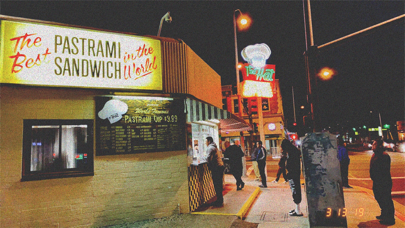
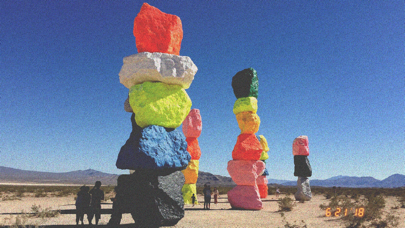
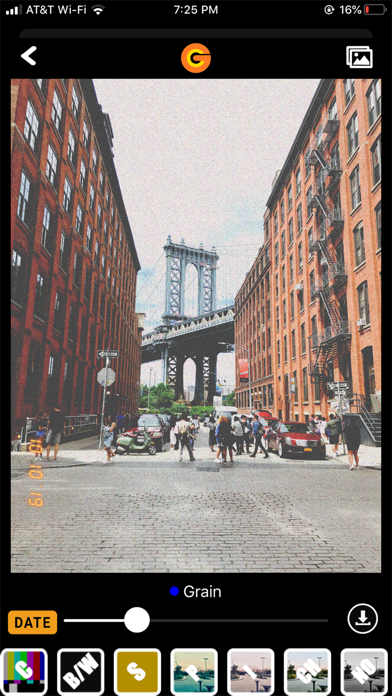
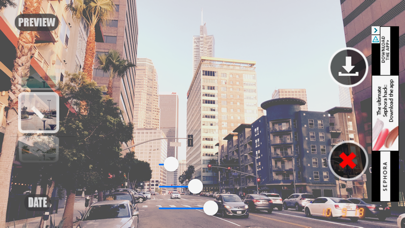
Don't worry about paying those expensive prices for developing film. We have a solution for you! Grain Cam is available and easy to use. We all remember the time before digital cameras existed, we use to capture the moment with our point & shoot film cameras. Do you remember how the photos were grainy and had that nostalgic timestamp on the bottom right corner? Well, it's no longer of the past. Capturing memories is as easy as: 1. Snap (Take Photo) 2. Filter (Adjust Photo) 3. Save/Cancel Features - Photo Gallery 2.0 = Upload photos from your library - Grain -> Fade -> Exposure Effects toggle button - Zoom in photo feature - Saves to Grain Cam album - Timer Button = Set Timer to 3, 5, or 10 seconds - Lightning Button = Turn On/Off Flash (White Lightning indicates on) - Selfie Button = Rotate camera view for selfie pictures - Grain Slider = Adjust Grain level - Fade Slider = Adjust Fade level - Exposure Slider = Adjust filter for different lighting conditions - Preview = Show Photo only without filter options, before saving - Date Button = Turn on or off Date Stamp - Calendar Button = Customize Date Stamp for photos Filters - "N" = Normal or No Filter - "C" = Color - "BW" = Black/White - "S" = Sepia - "P" = Photo Lab - "I" = Instant Print - "CH" = Chrome - "NO" = Noir - "IN" = Inversion When having trouble? - Go to iPhone Settings - Find Grain Cam App at the bottom - Enable Grain Cam to access camera and photos - Relaunch Grain Cam app - Contact us if problem is not resolved (https://www.graincam.com/contact/)
Latest release
What’s New
Minor Release - Removed boarder function - Various code updates Last Major Release - New Inversion (Negatives) filter - Photo Gallery 2.0 - Grain -> Fade -> Exposure Effects toggle button - Zoom in photo feature - Saves to Grain Cam album - Various code updates
Audience growth
Ratings growth
Baseline captured. Growth appears after the crawler observes a changed rating count.
Momentum comes from crawler snapshots for the tracked storefront. “Viral growth signal” means unusually fast recent rating gains; it is an indicator, not download data.
Price tracking
Price intelligence
First snapshot captured. The trend line starts after the next crawler price observation.
- First observed Sep 4, 2026 · 6:27 AM Free
Screenshots