About this app
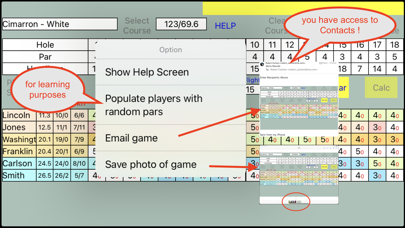
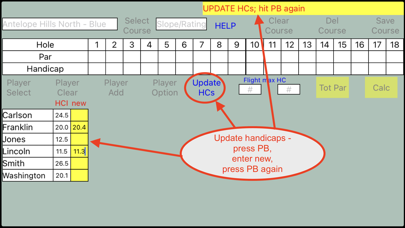
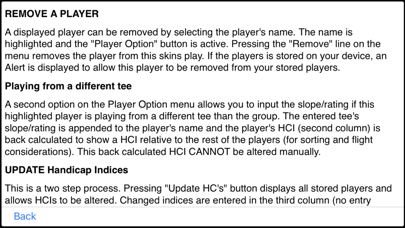
GOLF SKINS II is a single screen app that calculates the SKINS won by up to 24 golfers in up to 3 flights. Designed for phones. Works great on tablets! Pinch/unPinch magnifies display for easy entry on smaller screens. Enter and save "usually played" course and "usual" player data. Then simply select your course and players from the pull down menus, add any guests, enter scores, define any "flights", and press CALC, VOILA !. Even take a photo or send an email of the game. In 2020 the USGA GHIN Handicap System partnered with others to create the World Handicap System. SKINS conform to this system. Past users of SKINS can update their course data by simply displaying each saved course, re-entering the tee's Slope/Rating, and pressing "Save Course". New users will find that SKINS is preloaded with my local course data and a few players. I encourage you to “play with the app” to understand its working and options. A Help -> menu “Populate players with random pars” option should hasten your learnings. Handicap strokes are awarded starting at the most difficult hole - the lowest handicap (in a flight) is subtracted from everyone (in the flight). Overall course handicap strokes and these differential strokes are displayed under the HC column. If you have a player that hits from a different tee than the group - select the name, select Player Option -> different tee”, and enter the Slope/Rating of this tee. SKINS back calculates the players handicap index (HCI) as if he/she were playing from the group’s tee, so he/she will be in the appropriate flight. Further changes to this player’s “different tee” information is not allowed. Simply remove and re-select the player. SKINS can be on ANY hole(s) - one, two, par 3's, front 9, back 9, all 18... Hole handicap strokes are awarded as if 18 holes were being played. If you purchase SKINS - READ the Help screens and familiarize yourself with the workings of the app! WARNING - confirm your course’s score card Slope/Rating numbers are correct. With the 2020 changes, some courses have published Course Handicap Tables for their different tees. I have observed that such Tables have Slope/Rating values that are different than the “older” printed score cards. All course and player data are stored on your device and player handicaps must be updated manually (GHIN handicaps now updated “daily”). SKINS does NOT communicate in any way with the "outside world" - no internet, no Bluetooth, no ads. Permission must be granted for game photos to be stored on the user’s Photos. User must enter email addresses for emailing games screens. SKINS does not access users Contacts, but the email screen allows users to use conventional email addressing methods.
Latest release
What’s New
Overrides Dark mode while in use.
Audience growth
Ratings growth
Baseline captured. Growth appears after the crawler observes a changed rating count.
Momentum comes from crawler snapshots for the tracked storefront. “Viral growth signal” means unusually fast recent rating gains; it is an indicator, not download data.
Price tracking
Price intelligence
First snapshot captured. The trend line starts after the next crawler price observation.
- First observed Aug 21, 2026 · 1:34 AM $0.99
Screenshots