About this app
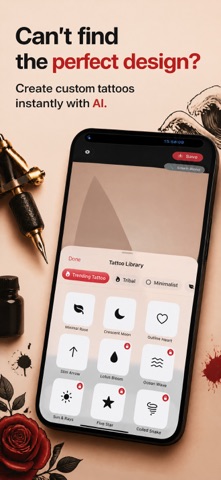
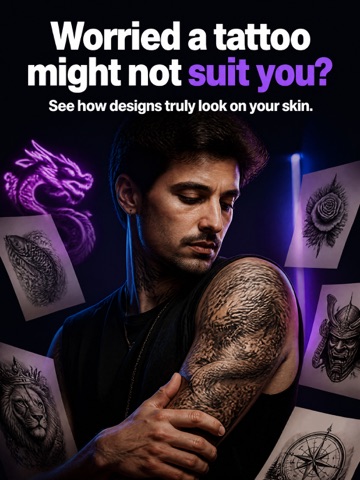
See how a tattoo could look on your body before you commit. Skip messy mockups and flat stickers that look pasted on. Place tattoo art on a photo, blend it to skin, and save a realistic preview you can share. WHAT'S INSIDE • Pick a photo from your library or start with Try Sample Body Photo to test the tattoo editor right away. • Drop designs from the sticker library with styles like Tribal, Minimalist, Floral, Japanese Irezumi, Lettering, Sacred Geometry, Watercolor, Black & Gray Realism, and Trend. • Let Smart Skin Blend work automatically when you place a tattoo, so the ink better matches skin and stays clipped to the body instead of spilling onto clothes or the background. • Fine-tune the look in Adjust with opacity, blend mode choices, and ink tint presets like Ink Black, Charcoal, Real Red, Indigo, Forest, and White Ink. • Use the eyedropper to match a tattoo color to tones already in your photo. • Move each tattoo with drag, pinch, and rotate controls, then manage the stack in Layers with reorder, hide, show, and delete. • Re-sample blend from the Blend Inspector after you reposition a tattoo, or reset it to default ink. • Save your tattoo mockup in HD, then share it from the export screen after it lands in Photos. • Reopen your last canvas automatically, or browse My Projects to jump back into saved tattoo designs. • Type a rough idea into Design with AI, pick Line, Blackwork, or Watercolor, and get suggested matches from the built-in library when available on your iPhone. GREAT FOR Trying a forearm rose before a studio visit, checking whether a dragon works across your back, previewing matching hand tattoos with a partner, mocking up a fake tattoo selfie that looks more natural, or testing a vague moon-and-waves idea with Design with AI and the weekly Trend style before you save a tattoo photo to share. THE DIFFERENCE Real Ink Tattoo Editor helps you preview tattoo designs on your own photos. The canvas-first layout keeps your image visible while Library, Blend, Layers, Adjust, Projects, and AI open in quick sheets instead of sending you through a maze of screens. Smart Skin Blend runs for you in one tap, and the whole tattoo photo editor is built around saving realistic results directly on your iPhone. Paid features Free includes sample photo testing, Smart Skin Blend, HD export, 2 layers, and a selection of free stickers. Pro adds unlimited layers, more stickers, Ultra HD export, watermark-free saves, and richer project search from Spotlight. To save to Photos, the app asks for permission to add your finished image. Try tattoo ideas on a real photo, adjust the look, and save a preview you can come back to anytime. Terms of Use (EULA) - http://www.apple.com/legal/itunes/appstore/dev/stdeula
Latest release
What’s New
Bug fixes and enhancements
Audience growth
Ratings growth
Baseline captured. Growth appears after the crawler observes a changed rating count.
Momentum comes from crawler snapshots for the tracked storefront. “Viral growth signal” means unusually fast recent rating gains; it is an indicator, not download data.
Price tracking
Price intelligence
First snapshot captured. The trend line starts after the next crawler price observation.
- First observed Aug 11, 2026 · 7:48 AM Free
Screenshots