About this app
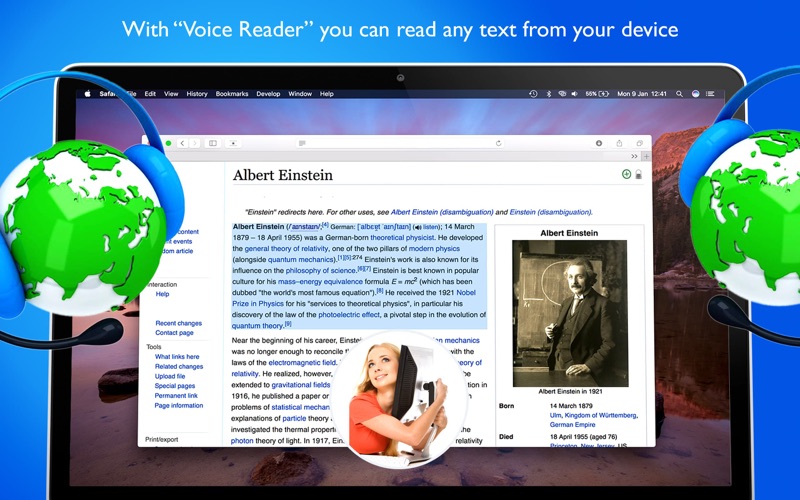
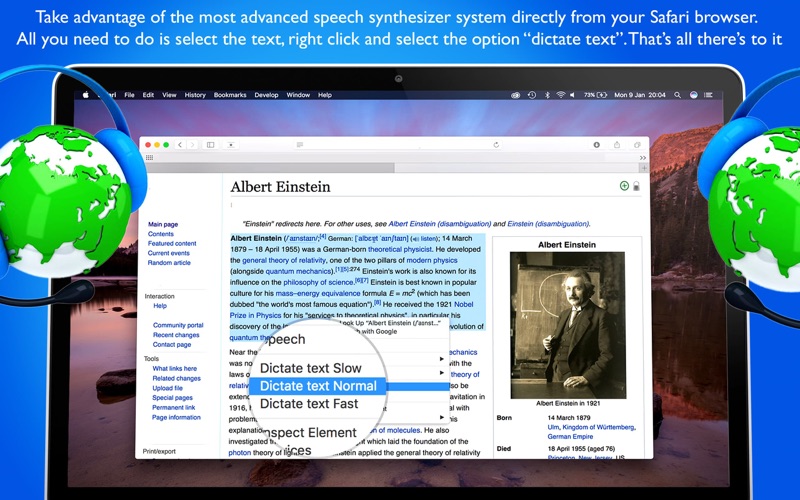
Turn any text into speech with a right-click. Voice Reader for Safari adds three options to your Safari right-click menu — "Dictate Text (Slow)", "(Normal)" and "(Fast)" — so any text you select is read aloud, at the speed you choose. WHY YOU'LL LOVE IT • One click: no other app to open, nothing to copy and paste • Choose your speed: Slow, Normal, or Fast, right from the menu • Stop anytime: pick "Stop Dictation" whenever you want silence • Any text, any page: articles, emails, product pages, PDFs open in Safari • Learn pronunciation: hear how foreign words and phrases really sound • Read hands-free: listen while you cook, walk, or rest your eyes • Right-click menu localized in 16 languages • No ads, no tracking HOW TO ENABLE IT 1. Open Safari, go to Settings (or Preferences) > Extensions, and turn on "Voice Reader for Safari" 2. If Safari asks, allow it to run on the websites you visit 3. Select any text on a page, right-click, and choose "Dictate Text"
Latest release
What’s New
Fixed a bug where selected text was sometimes not read aloud Added the missing "Stop Dictation" option to the context menu Context menu now available in 16 languages
Audience growth
Ratings growth
Baseline captured. Growth appears after the crawler observes a changed rating count.
Momentum comes from crawler snapshots for the tracked storefront. “Viral growth signal” means unusually fast recent rating gains; it is an indicator, not download data.
Price tracking
Price intelligence
First snapshot captured. The trend line starts after the next crawler price observation.
- First observed Aug 11, 2026 · 6:13 AM $1.99
Screenshots