About this app
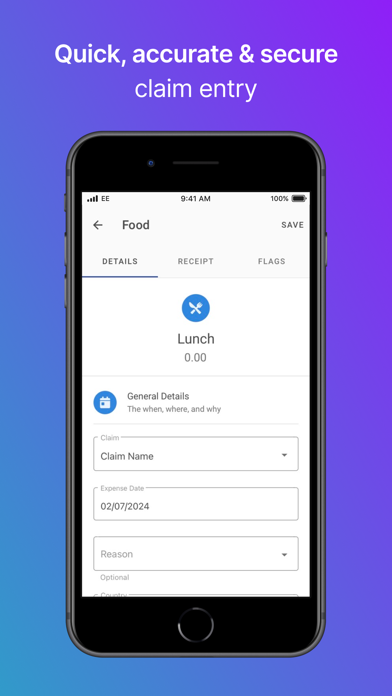
Record, submit, track and approve business expenses on the go without the need to power up your computer. Add your expense claims as they happen and never miss a receipt again. The Assure Expenses Mobile App from RLDatix allows you to manage the entire claim process in the palm of your hand, from submitting your full claim with digital receipts, to the one click approval. In addition, the GPS mileage technology enables pinpoint accuracy so you can effortlessly record your journey, saving you time and reducing error. Simply log, snap and send. *Available to users of the online Expenses solution from RLDatix.* Build your claim as it happens, take a picture of the receipt and approve claims. All taken care of on your mobile. • Quick, accurate and secure claim entry. • Receipt upload from your phone gallery**. • Automatic VAT calculations. • Checks to stay within company policy. • Postcode to postcode look-up. • Record locations with GPS technology. • Flagged out of policy claims. • Submit for approval without needing to log on to Expenses online. • Claims routed instantly for approval. • One click approval of claims. • Edit disputed claims. • Full status history of submitted and previous claims. Expenses Mobile replicates the entire claim and approval process of the award winning Expenses system by RLDatix; the most configurable employee expenses solution designed to reduce time and costs and increase productivity amongst payroll and finance teams. The receipt imaging feature on the app allows you to attach the receipt to your claim, preventing receipts from getting lost or forgotten. GPS technology pinpoints your exact start and stop location to accurately calculate the distance travelled by employees, managers can be assured that claims are 100% accurate with no need to double-check. Increasing efficiencies further, functionality within the app not only allows claims to be reviewed by the approver on the go, one click approval allows for claims to be approved or returned to the claimant for further information at the touch of a button. With the ever-expanding functionality of Expenses and the improved user experience of Expenses Mobile, you have everything you need to seamlessly manage your whole expenses process, in the office or on the go! Download now and login with your online Expenses account to start claiming your expenses. **To upload a receipt from your Gallery or upload a receipt using your Camera swipe left on the expense item and then tap More.
Latest release
What’s New
This release includes minor bug fixes, dependency version updates, and performance improvements. Requires iOS 15.1 or later.
Audience growth
Ratings growth
Baseline captured. Growth appears after the crawler observes a changed rating count.
Momentum comes from crawler snapshots for the tracked storefront. “Viral growth signal” means unusually fast recent rating gains; it is an indicator, not download data.
Price tracking
Price intelligence
First snapshot captured. The trend line starts after the next crawler price observation.
- First observed Aug 22, 2026 · 10:09 AM Free
Screenshots