About this app
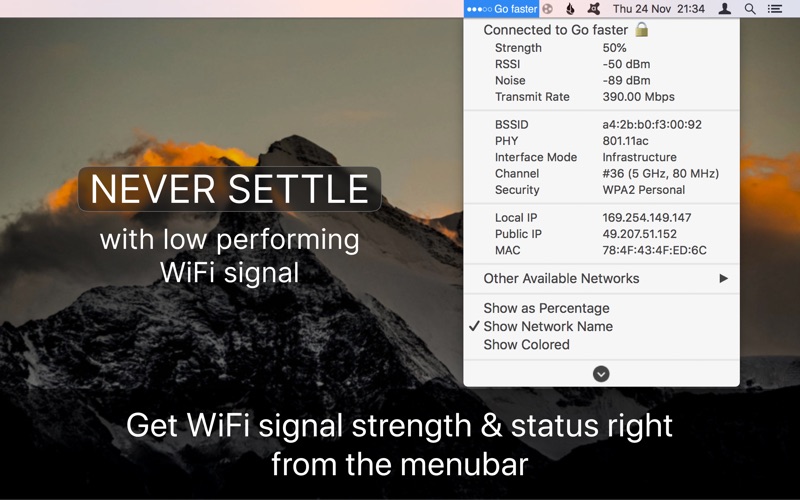
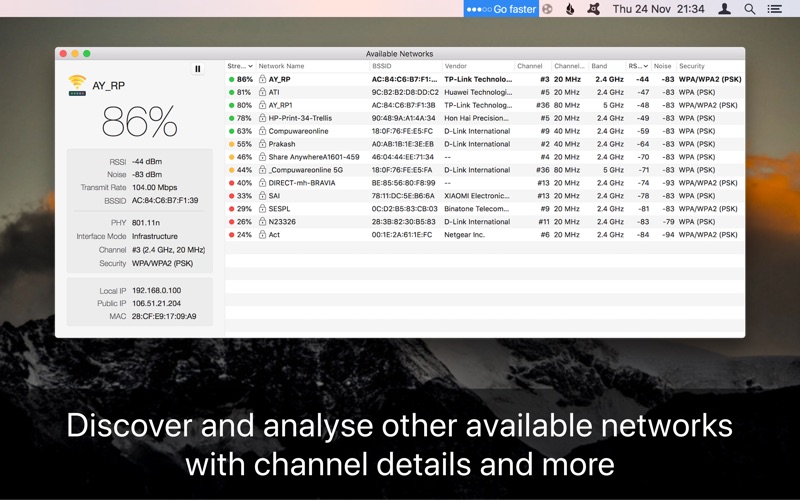
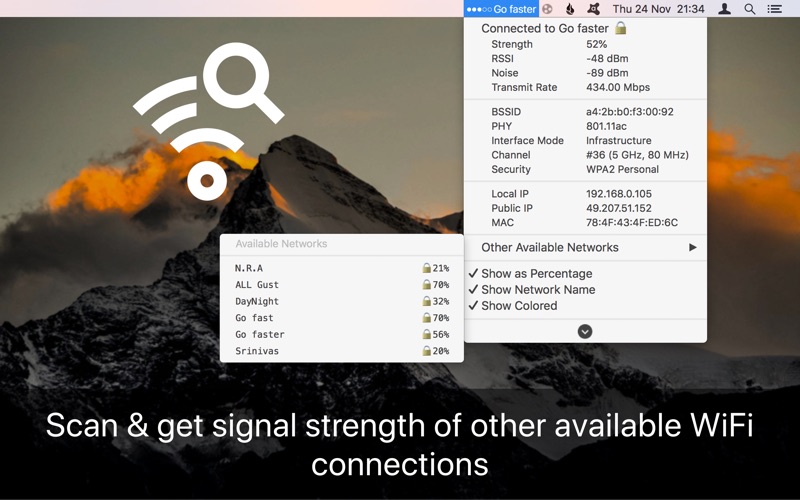
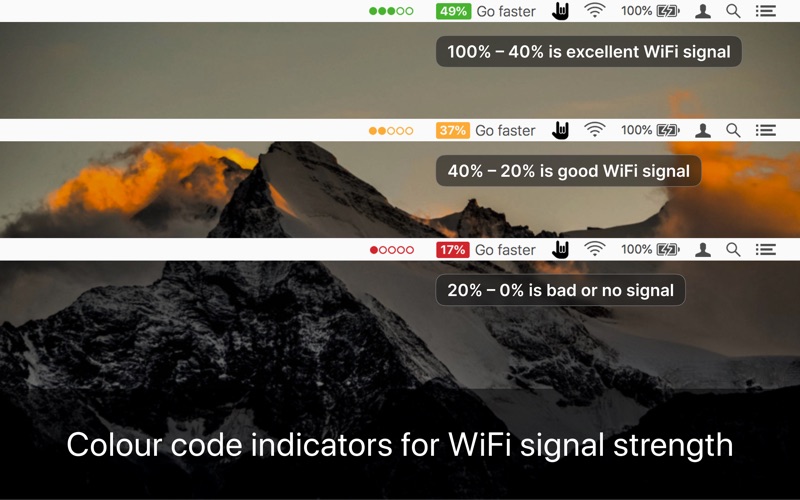
Monitor real-time Wi-Fi signal strength and display the same in percentage with the connected network name in the menu bar. ■ Real-time Wi-Fi Signal Strength Monitor from the Menu bar. ■ Auto-connect, strongest Wi-Fi signal available. ■ Get complete details of other available networks around. ■ Also, get the vendor details router of the available wireless signal. ■ Works with MacBook Air, MacBook Pro, iMac, MacBook, MacPro, and Mac Mini. This utility adds network name, and signal strength with a “neat icon”, “percentage” or “dots” on the menu bar. ▸▸▸ Easy Color code & Percentage indicators rules. Green - Good signal strength (100-40%) Yellow - Ok signal strength (40-20%) Red - Bad signal strength(20-0%) With signal strength & connection status also get an IP address, mac address, open or secured, channels, BSSID, RSSI, Noise, Transmit Rate, PHY, Interface mode, vendor details, Security type, etc. ≈ Features: ≈ ◉ Get the public and local IP addresses. ◉ Connected wireless network name(optional) ◉ Copy IP, and Mac address from the menu ◉ Set refresh rate of signal strength to scan wifi. ◉ Auto-connect to the strongest signal available. ◉ Transmit rate of a connected Wifi network. ◉ Colour code indication for easy sight. ◉ Customizable menu bar info displays. ************************************************************************************** ≈ User Review: ≈ ◎ As a user of Mac for the past 30 years, I think this app is like all the others a must-have for all users. Keeps one in range of the wifi signal at all times – by "Stoyles" ◎ It’s definitely not something you need, but it’s a utility that’s surprisingly useful and great to have. – by "Voltali" ◎ Some things are eminently simple yet so very useful, and this app is one of them. - by "conradb212" ◎ Our house is concrete and even some internal structural walls are of concrete and rebar. I ended up with four routers to hand the attenuated signal strength and this app showed me some weak spots, helping me to move routers for better coverage. Also, it comes in handy when traveling. I use it when there is difficulty in getting some work done and the app indicated to me if the issue is signal strength. - by "MarmotRidge" ************************************************************************************** NOTE: For any questions, or suggestions, or to report bugs, please email us at support@appyogi.com. We want to hear your thoughts, and suggestions to improve future versions of the app. We actively update with improvements and new features. And don't forget to review and rate your experience on the App Store.
Latest release
What’s New
■■■ Thanks for using Wifiry: Wifi Signal Strength Status ■■■ ◎ Support for latest macOS 26 Tahoe. ◎ Improved performance. ◎ Bug Fixes. For any questions, suggestions, or report a bug, please email us at support@appyogi.com. We want to hear your thoughts and make improvements to future versions of this app to keep you happy. We plan to make active updates powered by your love and support! Every bit helps! :)
Audience growth
Ratings growth
Baseline captured. Growth appears after the crawler observes a changed rating count.
Momentum comes from crawler snapshots for the tracked storefront. “Viral growth signal” means unusually fast recent rating gains; it is an indicator, not download data.
Price tracking
Price intelligence
First snapshot captured. The trend line starts after the next crawler price observation.
- First observed Sep 14, 2026 · 8:59 AM $9.99
Screenshots