About this app
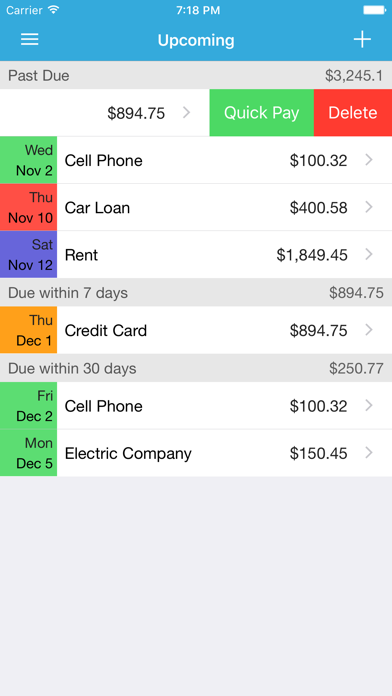
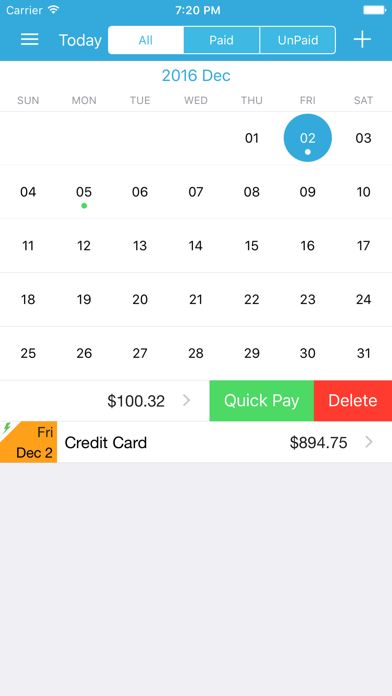
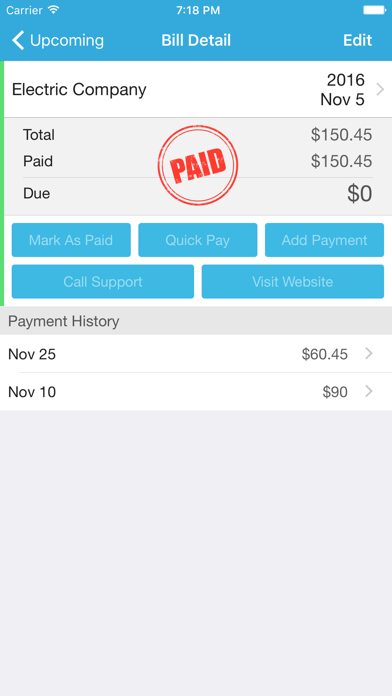
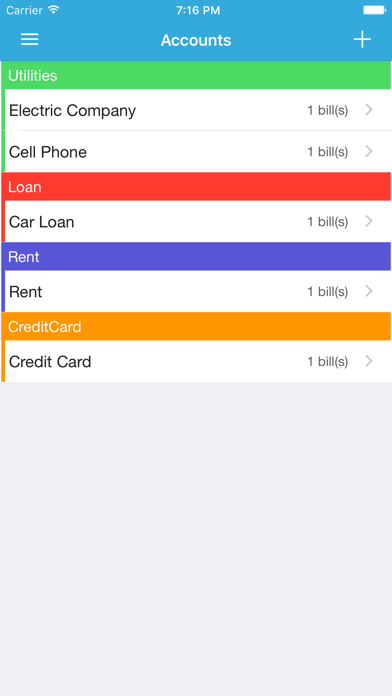
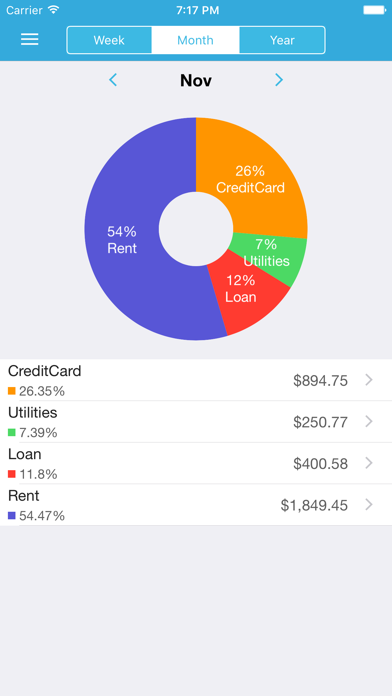
iBill Reminder simplifies your life by helping you manage and organize your bills in one place. With iBill Reminder, you will never pay another later fee! MANAGE YOUR BILLS IN ONE PLACE This app helps you create your accounts and bills simply and easily. Accounts are group by category with beautiful color, so you will track your bills better. MAKE PAYMENT EASILY You can also swipe bills in any list to Quick Pay to save your time. Or you can set bill auto-pay and the app will do the rest when the bill'll come. VIEW UPCOMING DUE In Upcoming screen, you will see your past due, due within 3 days, due within 7 days, and due within 30 days. So you will never miss your bills. SYNC VIA ICLOUD All bills are syncing via iCloud, so you can use the app on both iPhone and iPad and view the same bills without re-entering data. All bills are backed up and can be re-import later. REPEAT AND REMIND Bill can also set repeated with various option (daily, weekly, monthly, yearly,...) to fit your need. With reminder, you can set remind bill at 'time of event', or some days/week before due date. Then the app will auto notify you when the dues come. CALENDAR MODE You can also view bills in calendar mode and see all of your bills within any month and day. Bill are filtered by paid or unpaid status to help you view bills better. PROTECT YOUR DATA Passcode setting has 6 characters in length. Your private data will be safe and can be accessed only by you. VIEW YOUR REPORT IN BEAUTIFUL GRAPH In report screen, you can select any week, month, year and view how much bills you have in beauty graph. So you can keep track and improve your finance. Key feature: - Manage accounts and bills easily with colorful category - Quick view upcoming due within 3 days, within a week, a month or past due - Auto Pay - Quick Pay (By swipe bills on the list in screens like Upcoming or Calendar,...) - Sync bills via iCloud - Repeat and remind bills with multiple options - View bills in calendar mode - Protect data with passcode - Beautiful and useful graph report
Latest release
What’s New
Bug fixes and performance improvement
Audience growth
Ratings growth
Baseline captured. Growth appears after the crawler observes a changed rating count.
Momentum comes from crawler snapshots for the tracked storefront. “Viral growth signal” means unusually fast recent rating gains; it is an indicator, not download data.
Price tracking
Price intelligence
First snapshot captured. The trend line starts after the next crawler price observation.
- First observed Sep 12, 2026 · 7:51 PM Free
Screenshots