About this app
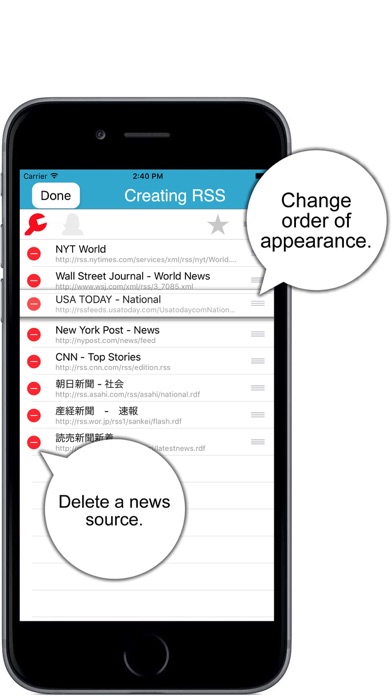
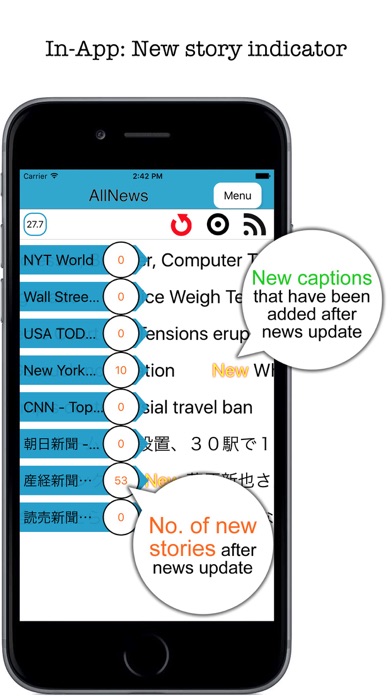
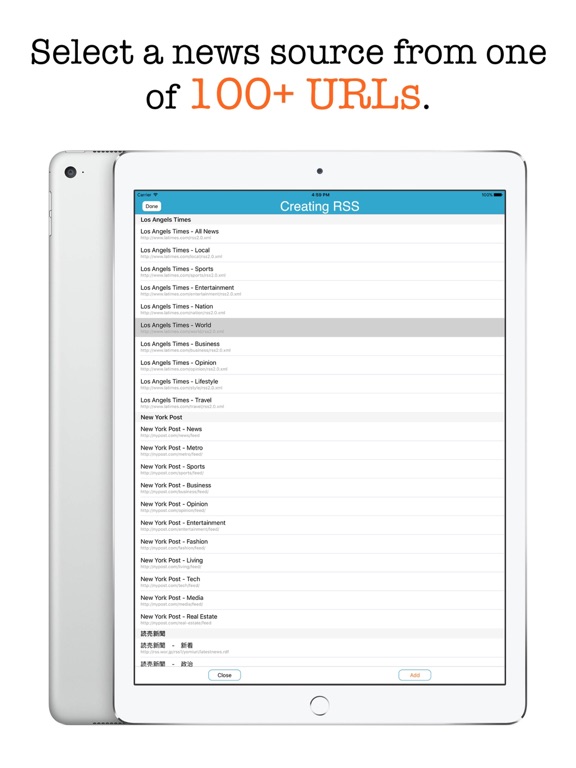
- Read scrolling news from multiple sources at a time - Personally, I don't watch TV at all. I don't even own a TV set. It's not that I'm poor. I just feel that watching TV is a waste of time. Yet, I visit one web site to anther to read news. Yes, I'm a news junkie. Wouldn't it be nice if you could read news from multiple sources at a time instead of visiting one web site to another? That's what AllNews is for. AllNews is a mobile app for iPhone and iPad users who would like to read multiple RSS news feeds at a time instead of visiting one news web site after another. With this app, you don't scroll a list of news captions. Even a teenager could make an app like that. Rather, AllNews will scroll each line of news captions for you. So just watch them and tap a news caption that catches your eyes so that you can read the entire story with a web browser. The app comes with a built-in library of 100+ RSS links. So just pick one or more and get lines of news captions rolling. - Features - 1. Let the application roll multiple lines of news captions from right to left. Right, you don’t have to scroll a list of stories. 2. Read news in the portrait or landscape mode. 3. Let the application automatically update news or tap the force-update button to manually update news. 4. Tap an interesting news caption that catches your eyes so that you can read the entire story with a web browser. 5. Select a news source from 100 URLs that comes with the app or create a news source with a URL of your own. 6. Adjust the scrolling speed. 7. Adjust the frequency of updating news between 600 seconds (10 minutes) and 3600 seconds (60 minutes). 8. Change the order by which lines of news captions appear. 9. Add-on: Be notified of new captions that have been added since the last update. 10.Add-on: Share news stories through social media (Facebook, Twitter, Weibo, TencentWeibo) or other apps (Message, Mail, Notes). 11.The app comes with a 14-page user's guide. 12.Languages: English and Japanese only. 13.Application file size: 32.5 MB. - System requirements - 1. iOS 9.0 or above 2. iPhone 4S, iPhone 5, iPhone 5S, iPhone 6, iPhone 6 Plus, iPhone 6S, iPhone 6S Plus, iPhone 7, iPhone 7 Plus, iPhone SE, iPod Touch, iPad mini, iPad 2, iPad Air, iPad Pro. - Limitations - 1. A WiFi or WWAN connection is required to pull RSS news feeds. 2. The user can tap the menu button to go to other screens only when they hold the device in the portrait mode. 3. This app may be deprived of promised features if the device is jailbroken.
Latest release
What’s New
This update from Apple will improve the functionality of this app. No new features are included. 1. Fixed: The application could fail to probe a valid RSS source. 2. Minor changes are made in line with the latest Swift version. 3. The iOS version is now able to receive a news source file from an updating desktop version through AirDrop.
Audience growth
Ratings growth
Baseline captured. Growth appears after the crawler observes a changed rating count.
Momentum comes from crawler snapshots for the tracked storefront. “Viral growth signal” means unusually fast recent rating gains; it is an indicator, not download data.
Price tracking
Price intelligence
First snapshot captured. The trend line starts after the next crawler price observation.
- First observed Aug 24, 2026 · 11:29 PM Free
Screenshots