About this app
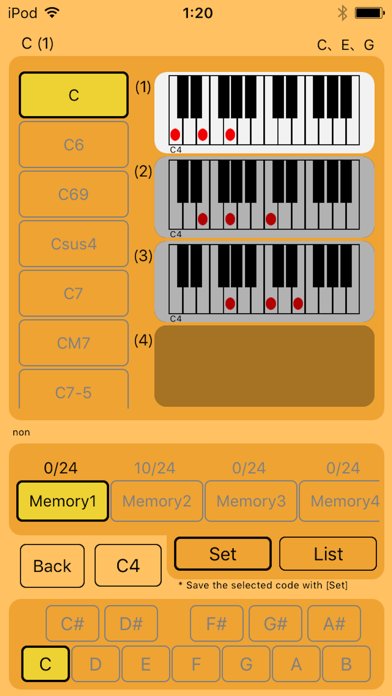
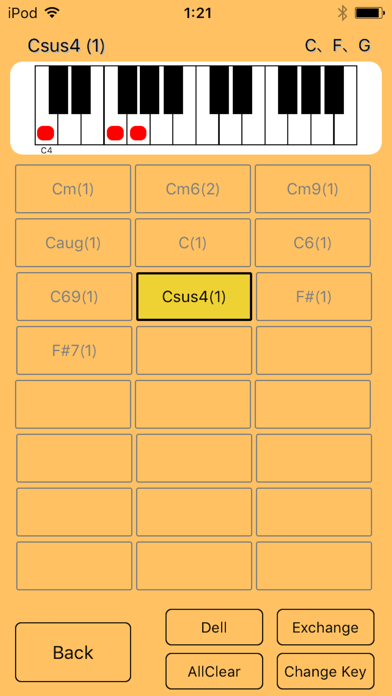
It is an application that you can easily check the piano chords with a list. You can save the chords you care about in the memory function and see it all at once. You can check the sound by touching the displayed piano. · About sound The sound can be confirmed with the criteria of C4, C3, C2 respectively. You can switch by touching the [C4 button] on the screen. (The initial value is C4.) · How to use memory 1. Touch the [Memory button] you want to save. 2. Select the piano chord you want to save. 3. Touch the [Set button]. The contents of the saved memory can be checked by List. You can also delete and edit in the List. * You can save nine codes. (You can save 24 pieces after purchase.) * There are two memories that can be saved. (Up to nine can be increased after purchase.)
Latest release
What’s New
bug fix.
Audience growth
Ratings growth
Baseline captured. Growth appears after the crawler observes a changed rating count.
Momentum comes from crawler snapshots for the tracked storefront. “Viral growth signal” means unusually fast recent rating gains; it is an indicator, not download data.
Price tracking
Price intelligence
First snapshot captured. The trend line starts after the next crawler price observation.
- First observed Sep 17, 2026 · 12:48 AM Free
Screenshots