About this app
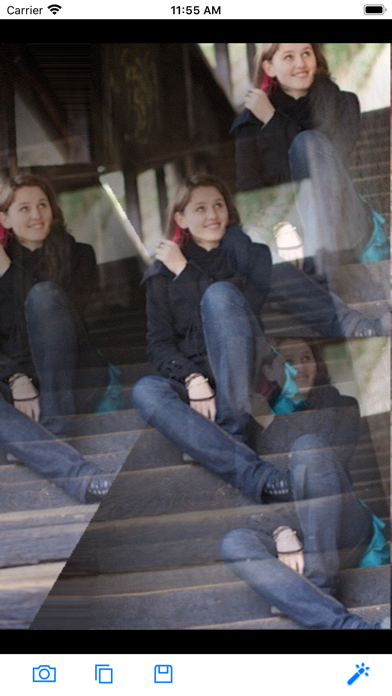
PhotoWonder provides you with 200+ photo effect filters. 200+ effects for editing images: "Amatorka" "Atmosphere" "Banner H" "Banner V" "Big Brother" "Binary" "Black & White" "Blind H" "Blind V" "Block Print" "Blur" "Brick" "Bright Contrast" "Bulge" "Burn" "Canny Edge" "Cartoon" "Clean Glass" "Closing" "Clouds Texture" "Color Quantize" "Color Tone Blue" "Color Tone Green" "Color Tone Yellow" "Comic" "Crosshatch" "Dilation" "Dither" "Edge" "Emboss" "Erosion" "False Color" "Feather" "Film" "Fish Eye" "Flip" "Focus" "Fog" "Freeze" "Gamma" "Gaussian Blur" "Glass Sphere" "Halftone" "Hsl Modify 1" "Hsl Modify 2" "Hsl Modify 3" "Hsl Modify 4" "Hsl Modify 5" "Hsl Modify 6" "Hsl Modify 7" "Hsl Modify 8" "Hsl Modify 9" "Illusion" "Invert" "Laby Rinth Texture" "Lava" "Lens Flare" "Light" "Local Binary Pattern" "Lomo" "Marble Texture" "Metal" "Mirror H" "Mirror V" "Miss Etikate" "Mist" "Monitor" "Monochrome" "Mosaic" "Neon" "Night Vision" "Noise" "Ocean" "Oil Paint" "Old Photo" "Opening" "PST" "Paint Border Blue" "Paint Border Green" "Paint Border Yellow" "Pinch" "Pixelate" "Polka Dot" "Posterize" "Prewitt Edge" "Radial Distortion" "Rainbow" "Raise Frame" "Rect Matrix" "Reflection H" "Reflection V" "Relief" "Ripple" "Saturation Modify" "Scene 1" "Scene 2" "Scene 3" "Scene 4" "Sepia" "Sharp" "Shift" "Sketch" "Smash Color" "Sobel Edge" "Soft Elegance" "Soft Glow" "Sphere Refraction" "Stretch" "Super Nova" "Swap" "Swirl" "Textile Texture" "Three D Grid" "Threshold" "Tile Reflection 1" "Tile Reflection 2" "Tint" "Twist" "Video 1" "Video 2" "Video 3" "Video 4" "Vignette" "Vintage" "Water" "Water Wave" "Wave" "Wood Texture" "X Radiation" "YCB Cr Linear 1" "YCB Cr Linear 2" "Zoom Blur" ... To use PhotoWonder simply: 1. Select. Take a new photo from inside the app or choose one from your library. 2. Filter. Choose a filter and apply it. 3. Save. You can save the same photo in multiple styles to the Camera Roll. 4. Share. You can share with your friends via MMS or email, FaceBook, Twitter... It enables you to obtain photos in highest possible quality. You are only restricted by the camera hardware itself. The user interface is very clear and easy-to-use, giving you a professional experience of iPhone photography. We use current technology to ensure your pictures come out looking perfect. Enjoy!
Latest release
What’s New
- Bug fixes and performance improvements
Audience growth
Ratings growth
Baseline captured. Growth appears after the crawler observes a changed rating count.
Momentum comes from crawler snapshots for the tracked storefront. “Viral growth signal” means unusually fast recent rating gains; it is an indicator, not download data.
Price tracking
Price intelligence
First snapshot captured. The trend line starts after the next crawler price observation.
- First observed Sep 28, 2026 · 10:12 PM Free
Screenshots