About this app
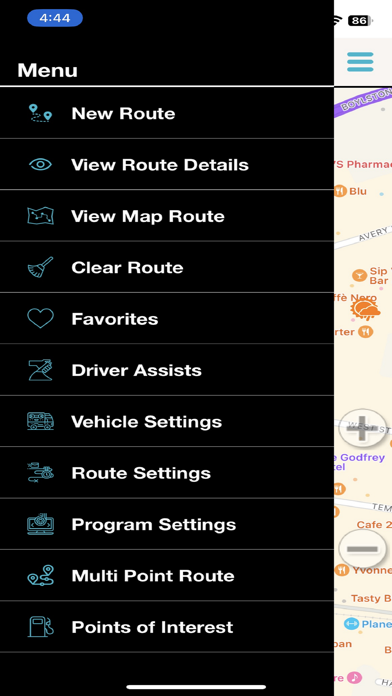
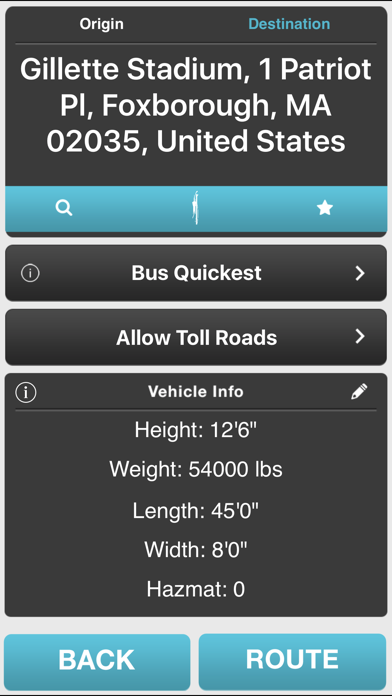
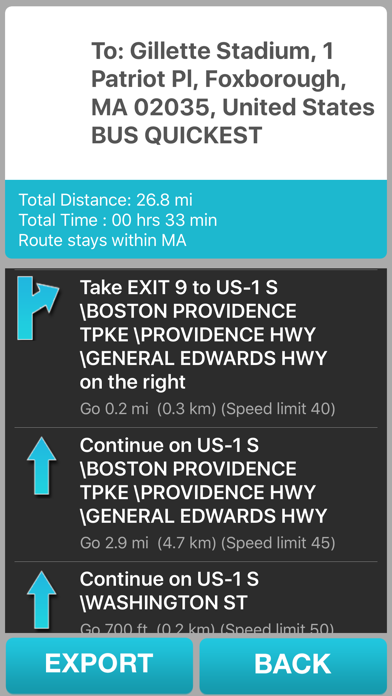
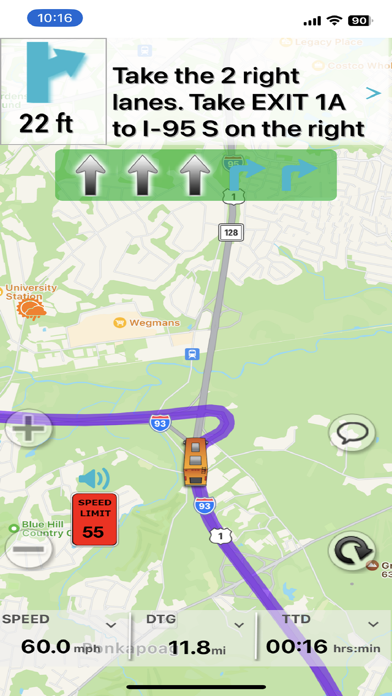
SmartBusRoute is built specifically for coach drivers to avoid low bridges and bus restricted areas to safely deliver passengers on time. This app knows the difference between a bus and truck so the routes are appropriate for bus drivers. The SmartBusRoute app is a GPS app with turn by turn motor coach driving instructions built with the experience of 40 years in the industry. Coach drivers navigate with confidence knowing that SmartBusRoute follows roads that are suitable for bus travel. The app helps you avoid permanent and temporary restrictions, avoid low bridges, and keeps you away from areas that have weight limitations. SmartBusRoute helps avoid costly tickets and keep you and your passengers safe. SmartBusRoute is powered by WorldNav, pioneers in truck routing for portable GPS. * Navigate any size bus with the convenience of using a mounted iPhone or iPad. * Offers the latest bus specific maps and routes, updated daily. * Provides turn-by-turn instructions with voice with lane guidance. * Navigate in Street, Hybrid, or Satellite View mode. * Specify Height, Length, Width, and Weight to insure accurate bus routing. * Use the phone's built-in speaker to say your destination address or point of interest (such as a rest area). * Built-in Odometer function allows you to track state mileage for easy tax filing. * State border crossing, weigh scale, and speed limit alerts. * Navigation does not interrupt other functions of the phone. * Unique driver feedback loop provides best in bus navigation. * Free Updates * Unlimited number of user entered destinations. * Unlimited number of routes, use as often as you wish. The app is intended for coach drivers conducting charters and tours. The app is not intended to support school bus drivers and other fixed route bus applications.
Latest release
What’s New
Pre-plan mode allows you to more easily plan a route from a different origin other than your current position. The mode turns off automatically if you travel more than 3 mph. Back end changes to interactively assist in free 2 day trial mode. Menu > View Route Map > initial display zooms closer to route.
Audience growth
Ratings growth
Baseline captured. Growth appears after the crawler observes a changed rating count.
Momentum comes from crawler snapshots for the tracked storefront. “Viral growth signal” means unusually fast recent rating gains; it is an indicator, not download data.
Price tracking
Price intelligence
- First observed Aug 20, 2026 · 4:01 PM Free
Screenshots