About this app
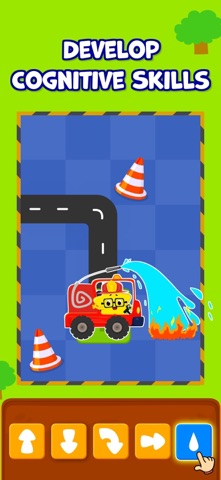
KidloLand Coding School is an educational program to teach kids the basics of coding, an essential skill in today's world. It teaches coding with 200+ fun games like firefighting, popping balloons, or playing a dentist. KidloLand Coding School helps kids improve their problem-solving skills, boosts memory, increases logical thinking skills, and prepares them for school. KidloLand Coding School has recently won: * NAPPA 2018 - National Parenting Product Award * 2018 Academics' Choice Smart Media Award * Tillywig Brain Child Award * Mom's Choice Gold Award * Educational App Store certification with five stars There are 1000+ levels to teach these basic programming concepts: Sequences: A sequence is the first step and an essential part of coding. Here the command is executed exactly in the same order of events the coder gives. Loops: Loop is a concept for repeating a set of commands. Functions: Functions are a set of commands that can be used anytime as per the coder's wish or requirement. Debugging: Debugging is finding and correcting errors in a given computer program. Arrays: An array is a collection of similar objects used to arrange things in a particular way. Advanced: Solving by a combination of the above commands. Coordinate: Learn the movements based on X & Y coordinates. What skills will kids learn with these coding games? - Recognize patterns to complete all levels - Order actions in a logical sequence - Learn to implement patterns in their day-to-day life - Easy instructions to apply in their daily lives - Discover the suitable actions needed to solve each level Subscription Details: - To access the premium content, choose between yearly or monthly auto-renewable subscription plans. - Payment will be charged to the Apple Account at confirmation of purchase. - Cancel subscription renewal anytime under Subscriptions in your Apple Account Settings. - Subscription automatically renews unless auto-renewal is turned off at least 24 hours before the end of the current period. - Account will be charged for renewal within 24 hours before the end of the current period. - Use the subscription on any iPad/iPhone/iPod with your Apple account. - No cancellation of the current subscription is allowed during an active subscription period. Privacy Policy: http://www.kidlo.com/privacypolicy.php Terms of service: http://www.kidlo.com/terms_of_service.php If you need help or have any feedback, email us at support@kidlo.com Download KidloLand Coding School for your kids to train their brains in a fun and easy way!
Latest release
What’s New
We've eliminated significant bugs and optimized the app to enhance user experience. Update Now!
Audience growth
Ratings growth
Momentum comes from crawler snapshots for the tracked storefront. “Viral growth signal” means unusually fast recent rating gains; it is an indicator, not download data.
Price tracking
Price intelligence
- First observed Aug 10, 2026 · 10:14 AM Free
Screenshots