About this app
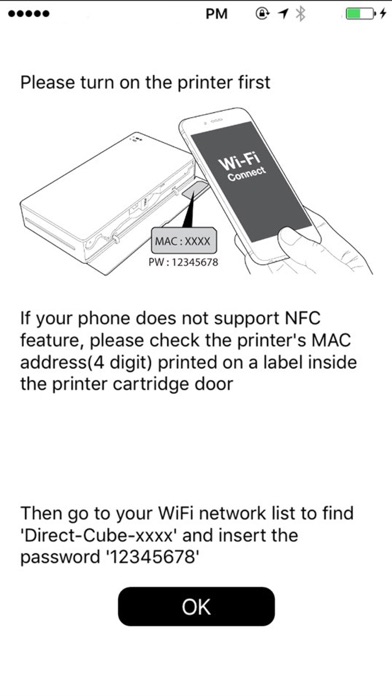
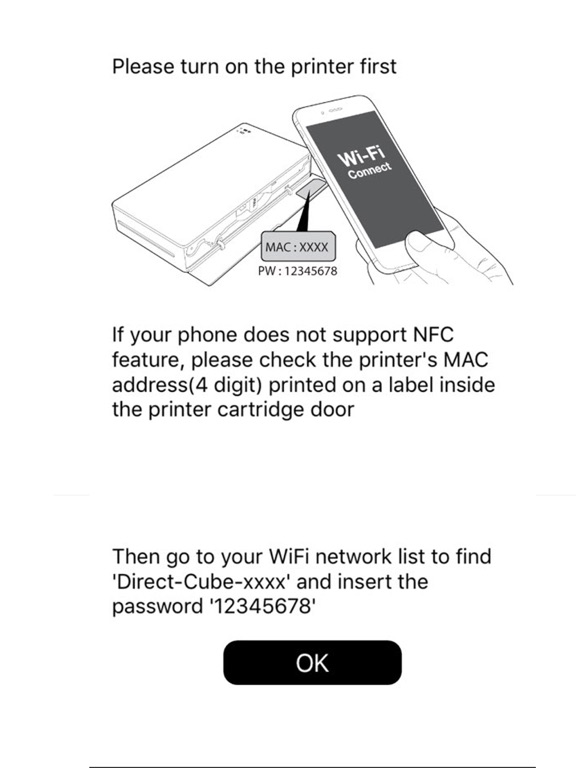
Sharper Image Portable Photo Printer Note: - A genuine Sharper Image Portable printer is required to print using this application. Please contact sales@prinics.com for more details. - Default WiFi password is "12345678". Easily print amazing photos with the Sharper Image Portable printer via WiFi using this application. The "Sharper Image" photo printer can be used to print images from smartphones by simply printing via Wi-Fi. You can take and edit pictures on smartphones or tablets. This portable SI printer will instantly print your precious moments. 1. Turn on the printer. 2. Find the WiFi (DIRECT-Cube-xxxx) (pw:12345678) from the WiFi network list in Settings. 3. Select an image from the Gallery or take a photo with your smartphone. 4. Once image has been selected, edit the image with your personal preference. 5. Now press print when editting is completed. 6. When you print for the first time, it may need to update the firmware. Please follow the instruction shown on the screen of your smartphone. 7. I will take about a minute to fully print. Please do not pull the photo until it is completely printed. Thank you for purchase Sharper Image Portable photo printer.
Latest release
What’s New
This update from Apple will improve the functionality of this app. No new features are included.
Audience growth
Ratings growth
Baseline captured. Growth appears after the crawler observes a changed rating count.
Momentum comes from crawler snapshots for the tracked storefront. “Viral growth signal” means unusually fast recent rating gains; it is an indicator, not download data.
Price tracking
Price intelligence
First snapshot captured. The trend line starts after the next crawler price observation.
- First observed Aug 10, 2026 · 11:59 PM Free
Screenshots