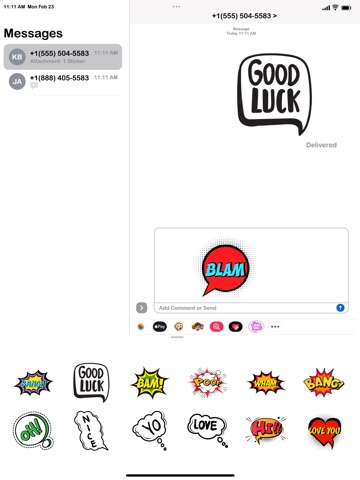
About this app
Bring your conversations to life with fun, expressive animated stickers! How to Use the Stickers on iMessage:- Open the Messages app on your iPhone. Select any existing conversation or start a new one. Tap the “+” icon next to the message input field. Choose Stickers from the menu. Your downloaded sticker packs will appear — just tap and send your favourite one! Make your chats more fun and expressive in seconds.
Latest release
What’s New
- Added new set of Animated Chatting Stickers.
Audience growth
Ratings growth
Baseline captured. Growth appears after the crawler observes a changed rating count.
Momentum comes from crawler snapshots for the tracked storefront. “Viral growth signal” means unusually fast recent rating gains; it is an indicator, not download data.
Price tracking
Price intelligence
First snapshot captured. The trend line starts after the next crawler price observation.
- First observed Sep 13, 2026 · 5:02 AM $0.99
Screenshots