About this app
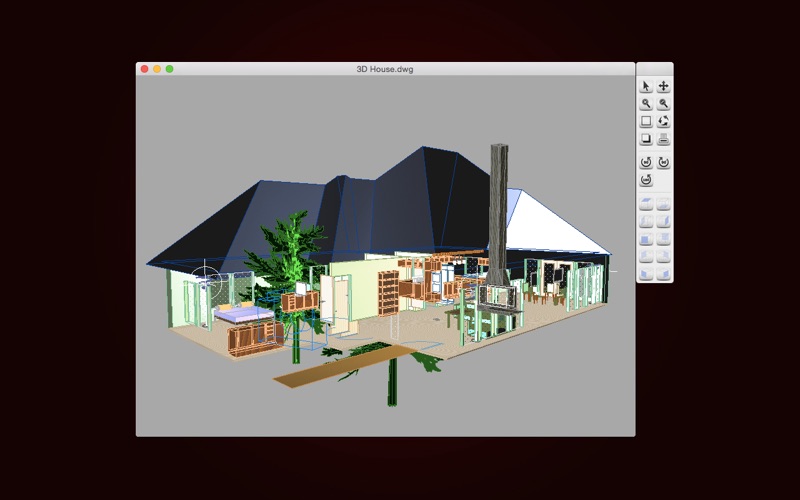
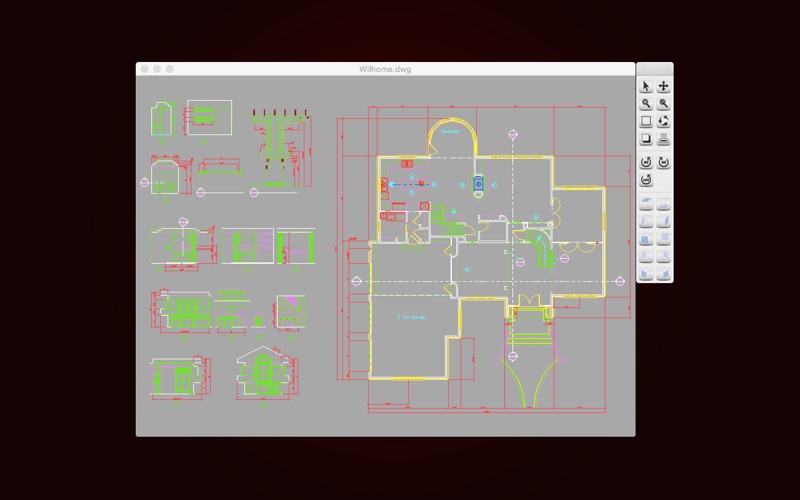
DWG Tools is a tool kit which integrates the common functions of CAD. For example, view and print CAD files(free of .dxf and .dwg files within 300K), import other vector graphics, convert CAD files to other formats, such as PDF(free of .dxf and .dwg files within 100K), DWF, image, etc. Languages: Latin, Arabic, Cyrillic, Greek, Turkish, Hebrew, Baltic, Vietnamese, Thai, Japanese, simplified Chinese, traditional Chinese, Korean. Main features: ◆View and Print 1. Double-click to open the local CAD file. 2. Drag to change the position of the view. 3. Zoom the view: Zoom in and out by clicking on the zoom button. Roll the mouse to zoom in and out of the view. Zoom Extents: zoom the view to the maximum extent. Zoom Window: zoom the selected view to the window. 4. Rotate the view: Rotate the view 90 degrees counterclockwise, Rotate the view 180 degrees counterclockwise, Rotate the view 90 degrees clockwise. 5. Free dynamic observation: look at objects from different perspectives. 6. Switch the background color of the view. 7. 3D View: Face Top, Face Bottom, Face Left, Face Right, Face Front, Face Back. Face SW, Face SE, Face NW, Face NE. 8. Import graphics files in other formats, such as .dwf, .dgn, .dae, .pdf, .svg, .wmf, .emf, etc. 9. Select print mode and parameters for different user needs. Print the current view. Print the selected view through Zoom Window. Print the entire view through Zoom Extents. Change the paper type and size, similar to AutoCAD printing. ◆Tools Export: 1. Export CAD to PDF. Convert CAD(including.dwg and.dxf, the following is the same as here.) to PDF, and the user can adjust the effect of the conversion as needed. For example, transform the specified layout, set the page size, transform the specified area, and adjust the line weight. 2. Export CAD o Image. Convert CAD to Image, and the user can set commonly used picture parameters. For example, select the format of the image, such as jpeg, png and bmp, Set the background color of the image, and set the size of the image. 3. Export CAD o DWF. Convert CAD to a specified version of the DWF. For example, XPS, B6, A6, C5.5, B5.5, A5.5, C4, B4, A4. 4. Export CAD o SVG. Import: 5. Import DWF to CAD. 6. Import DGN to CAD. 7. Import DAE to CAD. Convert other format files to a specific version of CAD. 8. Version Converter. Convert the version of the CAD file(including.dwg and.dxf). Font instructions: By Default, DWG Tools selects a specific alternative font for different languages. Users can customize the alternative font in "Fonts Settings", or turn off the "Use Default Font" function, and manually select the alternative font for the missing font. Note: If the text is scrambled, you can set the default alternative font in "Fonts Settings", and you must choose the language corresponding to CAD files. DWG Tools select the font of the language specified in "Fonts Settings" according to the CodePage of the CAD file. If you don't know which language to choose, you can try to set all the languages to the specified font, and "Reset" will help you restore the default font. If you need to reset the alternative font of the opened file, you need to restart DWG Tools. We regularly update the product, if you have any questions or suggestions, please send a message to the mailbox(moonlight_beauty@yeah.net), or leave a message on our website. If you are enjoying the app, please consider leaving a review or rating.
Latest release
What’s New
Version 6.1 ● Resolve compatibility issues between different versions of macOS. ● Bug fixes and improving drawing conversion.
Audience growth
Ratings growth
Baseline captured. Growth appears after the crawler observes a changed rating count.
Momentum comes from crawler snapshots for the tracked storefront. “Viral growth signal” means unusually fast recent rating gains; it is an indicator, not download data.
Price tracking
Price intelligence
First snapshot captured. The trend line starts after the next crawler price observation.
- First observed Aug 13, 2026 · 3:44 PM Free
Screenshots