About this app
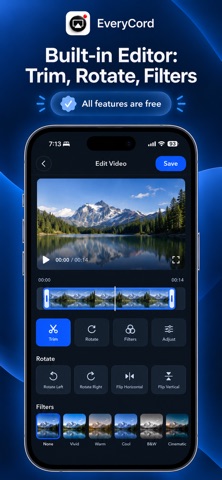
EveryCord is the most powerful screen recorder and live-streaming app for iPhone – and it’s completely free. Record anything on your screen with FaceCam reactions, add voice narration, then edit and share your videos instantly. Our v2.4 release unlocks all features at no cost (no subscriptions or ads). You can go live on YouTube or Twitch right from the app by signing in to your account. Unlike competitors, EveryCord also auto-generates subtitles for your recordings, making tutorials and gameplay videos accessible and engaging. - High-Quality Screen Recording: CaptureHD records your screen in crisp detail for games, apps, or video calls. Our app records both video and audio (even system sound and mic) so no moment is missed. - Live Streaming: Go LIVE in one tap to YouTube/Twitch (RTMP). Just sign in, choose your stream, and share your screen in real time. Perfect for gaming streams or live tutorials. - FaceCam Overlay: Add your face and reactions with an adjustable picture-in-picture camera bubble. You can place the FaceCam anywhere on screen while recording or streaming. Reaction videos and tutorial demos become far more personal and engaging. - Built-In Video Editor: Trim, crop, and enhance your recordings without leaving the app. Merge multiple clips, add background music, or apply filters to polish your video. (We drew inspiration from apps like Go Record which tout built-in editing.) - Automatic Subtitles: EveryCord can auto-generate subtitle captions from your voiceovers. Edit or translate them on-device – ideal for making content accessible or for international viewers. No other iOS screen-recorder offers integrated subtitle transcription out of the box. - 100% Free, No Limits: Every premium feature is unlocked free in v2.4. You won’t see ads or paywalls. We believe in transparent pricing: if our app says “free,” it truly is free, with no hidden fees or “locked” features. This openness builds trust and encourages downloads. - Privacy & Security: Your recordings stay on your device unless you choose to upload them. We do not require account sign-ups (except optional YouTube login), and no data is collected or shared. EveryCord is designed for creators, educators, gamers, and anyone who wants to easily capture and share their iPhone screen. Whether you’re teaching a lesson, demoing an app, streaming gameplay, or creating a how-to video, EveryCord has you covered. Download now and experience the all-in-one recorder that Apple users are talking about! What’s New in v2.4: • All Features Unlocked – 100% Free: Major update removes all paywalls and ads. No subscription needed – everything is available at no charge. • YouTube Live Sign-In: Stream directly to YouTube via account login (plus fixed Twitch stability). • Subtitle Generator: New feature to add/edit video subtitles automatically. • Facecam & Streaming Improvements: Faster camera startup, smoother PiP movement, and new flip/rotate camera controls. • Bug Fixes & Polish: General performance and UI refinements for iOS 17.
Latest release
What’s New
• All Features Unlocked – 100% Free: Major update removes all paywalls and ads. No subscription needed – everything is available at no charge. • YouTube Live Sign-In: Stream directly to YouTube via account login (plus fixed Twitch stability). • Subtitle Generator: New feature to add/edit video subtitles automatically. • Facecam & Streaming Improvements: Faster camera startup, smoother PiP movement, and new flip/rotate camera controls. • Bug Fixes & Polish: General performance and UI refinements for iOS 17. Configure Record and Livestream directly on the home screen. The whole capture button opens Apple's native recording/broadcast confirmation after the relevant preparation checks. Keep selected streaming outputs when switching modes, clear a pending stream when returning to Record, and return library recording shortcuts to the main view. Use slate and blue colors, Avenir Next typography, Dynamic Type, and aligned live metrics throughout the interface. Show a compact “All features are free” notice with a blue checkmark seal and a separate info button across recording, streaming, settings, the library, editing, the live monitor, video actions, facecam and captions. Open a scrollable “What’s free” sheet listing included recording, streaming, editing, facecam, captions and export features. Explain that there are no subscriptions or paid upgrades while keeping the main screens concise. Add a question-mark button at the top left of Home for FAQs covering capture, saved videos, streaming, live monitoring, audio and editing. Add separate question-mark buttons beside all nine settings. Explain what each setting changes, its trade-offs, and when it applies without modifying the selected value. Include VoiceOver help actions and 44-point button targets. Preserve live previews, stream links, automatic metrics, output deduplication and native iOS capture confirmation.
Audience growth
Ratings growth
Momentum comes from crawler snapshots for the tracked storefront. “Viral growth signal” means unusually fast recent rating gains; it is an indicator, not download data.
Price tracking
Price intelligence
- Price decreased Oct 14, 2026 · 3:37 AM Free from 1.99
- First observed Sep 13, 2026 · 12:09 PM $1.99
Screenshots