About this app
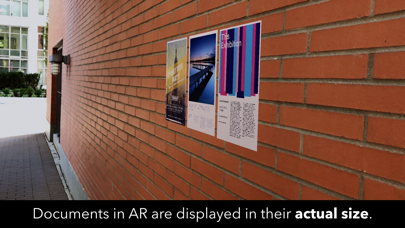
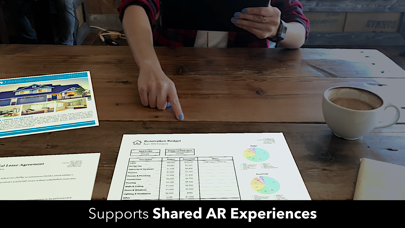
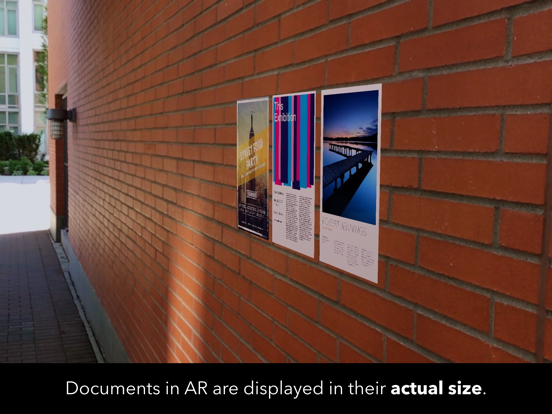
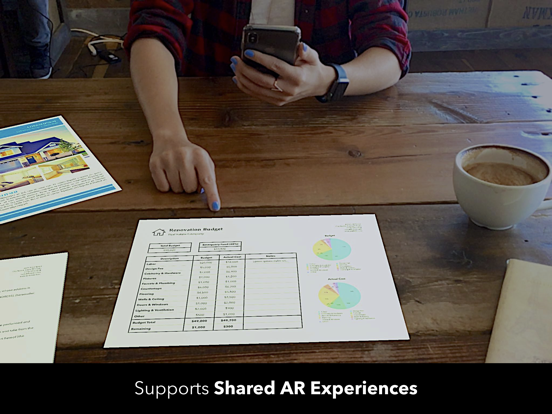
printAR enables you to interact with documents in Augmented Reality. Use printAR to preview design work like Posters, in meetings to present documents or use it to collaborate on a pin board. INTERACT Interact with your documents as if they were printed: Move, rotate or stack them. Double tap to look at them full screen. PREVIEW WITHOUT HAVING TO PRINT Preview your documents before printing them to test font sizes, colors, etc. in a real world environment. Then, only print the final product. SHARED AR EXPERIENCES Enable others to see what you see on their own device. Invite up to 7 other users to join your AR experience. While joining an AR experience is free, starting your own shared AR experience requires a one-time purchase. GREAT FOR MEETINGS AND MORE Place documents on a desk around you and quickly access valuable information by simply moving your device or enable others to see the same documents. ACTUAL SIZE Documents in AR are displayed in their real world dimensions. SURFACE DETECTION printAR can detect horizontal surfaces, such as table tops, and vertical surfaces, such as walls. SUPPORTED FILE TYPES The app currently only supports PDF documents. KEY FEATURES • Shared AR Experiences • Horizontal & vertical surface detection. • Document interaction: Move, rotate, stack. • Full screen PDF viewer. • Document texture mimics real paper. • Lighting estimation to account for real world environment.
Latest release
What’s New
SHARED AR EXPERIENCES You can now invite other users to join your AR experience. Once joined, they will see the same AR content as you on their own device. IMPROVED USER EXPERIENCE FOR ADDING DOCUMENTS You can now add documents at any time without having to leave the AR experience. DETECTION OF MULTIPLE SURFACES printAR can now detect multiple surfaces, allowing you to move documents between different surfaces. For example, you could move documents between a horizontal and vertical surface. LOCALIZATION printAR is now available in German. FIXES We fixed an issue with large PDF files causing the app to crash. We would love to hear from you! Share with us how you use the app or tell us what features you would like to see in the next update: contact@nobodyapps.com
Audience growth
Ratings growth
Baseline captured. Growth appears after the crawler observes a changed rating count.
Momentum comes from crawler snapshots for the tracked storefront. “Viral growth signal” means unusually fast recent rating gains; it is an indicator, not download data.
Price tracking
Price intelligence
First snapshot captured. The trend line starts after the next crawler price observation.
- First observed Sep 2, 2026 · 11:06 PM Free
Screenshots