About this app
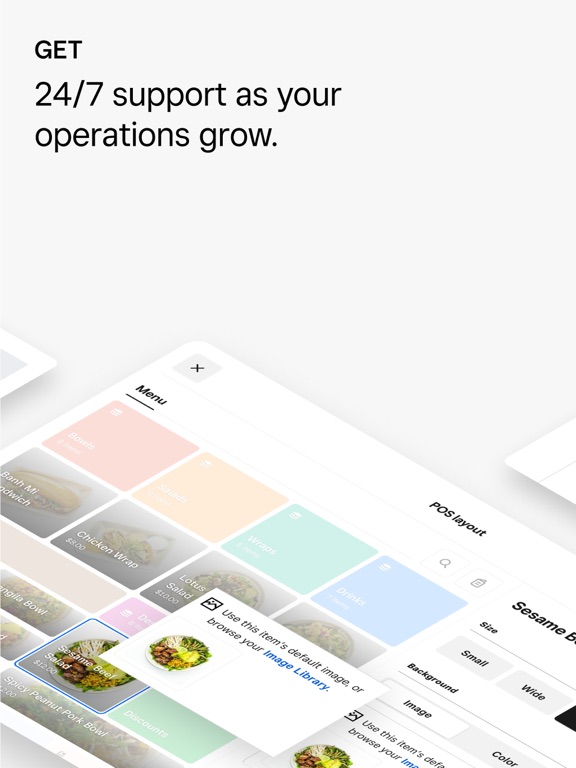
The Square for Restaurants Point of Sale app helps you manage front- and back-of-house operations for your full-service restaurant, quick-service restaurant, fast-casual restaurant, bar, or brewery. Get the powerful point-of-sale system designed to serve guests who are dining in, getting takeout, or ordering online. Handle orders, set up menus, manage table layouts, accept payments, enable coursing, get insights from real-time sales reports, and more. ORDERS & PAYMENTS * Turn tables faster and keep lines moving. Increase staff efficiency with an easy-to-use, intuitive interface. * Empower servers to get every order right with the ability to enter orders the way people talk. * Take orders even when you’re short-staffed with QR codes. ONLINE ORDERING * Create a free, customizable online ordering site. * Manage all orders from your POS, including in-person, online, and third-party delivery orders. * Reach more diners with Google, Instagram, and Facebook selling integrations. MENU MANAGEMENT * Create and customize your menus from the office, remotely, or directly from your POS. * Keep service running smoothly with your staff always in the know of what’s selling and what’s about to sell out. FLEXIBLE PAYMENTS * Accept all major credit cards, Apple Pay, and Google Pay so you never have to turn a diner away. * Set up automatic tipping, move or assign checks to your staff, reopen closed checks, and manage voids with just a few taps. * Never miss a sale with offline payments. Learn more at https://squareup.com/us/en/payments/offline-payments-guide. * Square handles all PCI compliance fees or chargebacks on your behalf. * Get deposits in your bank account as fast as the next business day or access your sales instantly with a Square Checking account. Learn more at squareup.com/us/en/banking. FLOOR MANAGEMENT * Customize your floor plan with intuitive click-and-drag layouts. * Tip out staff, close out the cash drawer, manage comps and voids, and run close-of-day reports all from the POS. * Keep tables turning by monitoring their real-time status. * Stay on pace with coursing — letting the kitchen know when to hold or start firing dishes. SUPPORT * Customer support available to guide you through any questions. Learn more about Square for Restaurants and set yourself up from Square Dashboard before activating this app on an iOS device: https://squareup.com/us/en/point-of-sale/restaurants
Latest release
What’s New
This update includes minor bug fixes and performance improvements. We update our apps regularly to make sure they’re at 100%, so we suggest turning on automatic updates on devices running Square for Restaurants. Thanks for selling with Square. Questions? We’re here to help: square.com/help.
Audience growth
Ratings growth
Momentum comes from crawler snapshots for the tracked storefront. “Viral growth signal” means unusually fast recent rating gains; it is an indicator, not download data.
Price tracking
Price intelligence
- First observed Aug 10, 2026 · 6:16 AM Free
Screenshots