About this app
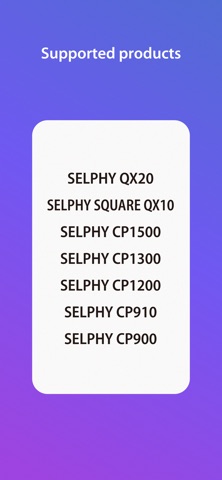
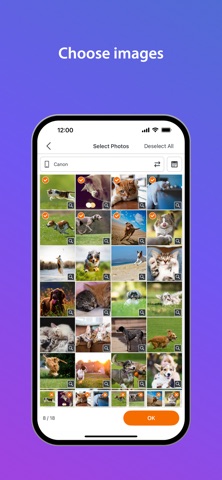
SELPHY Photo Layout is an application that allows you to create/save layouts of images to be printed with SELPHY using images stored on your smartphone or tablet. [Key Features] - Connect your smartphone or tablet wirelessly with SELPHY printers and enjoy high-quality photo printing. ("Canon PRINT" must be installed separately for CP1300, CP1200, CP910, and CP900.) - Easily print photos directly from the ‘Photos’ menu. - Decorate and layout your photos freely with the ‘Collage’ menu before printing. [Supported Products] SELPHY CP Series - CP1500, CP1300, CP1200, CP910, CP900* SELPHY QX Series - QX20, SQUARE QX10 [System requirement] - iOS 17/18/26 - iPadOS 17/18/26 [Supported Images] - JPEG, PNG, HEIF [Supported Layouts / Functions ] SELPHY CP Series - Photos (Easily print an unmodified original photo) - Collage (Have fun decorating or arranging multiple photos before you print) - ID Photo (Print ID photos such as passport and driver’s license pictures from selfies.) - Shuffle (Select up to 20 images, and they will be automatically arranged and printed on one sheet.) - Custom Size (Print in any photo size) - Tiling (split the photo into multiple tiles to print large) - Snap a shot (Take a photo on the spot, decorate, and print) - Bookmark (Print in a bookmark-style layout) - Layout (Simply choose a photo to combine with a frame and print) - Reprint (Print additional copies from your previously printed collection.) - Collage Decoration Features (Include stamps, text, and embedded QR codes.) - Pattern Overcoat Processing (Only for CP1500). SELPHY QX Series - Photos (Easily print an unmodified original photo) - Collage (Have fun decorating or arranging multiple photos before you print) - Custom Size (Print in any photo size) - Snap a shot (Take a photo on the spot, decorate, and print) - Layout (Simply choose a photo to combine with a frame and print) - Reprint (Print additional copies from your previously printed collection.) - Collage Decoration Features (Include stamps, frames, text, and embedded QR codes.) - Pattern Overcoat Processing. - Card & Square Hybrid Printing / Borderless & Bordered Printing (Only for QX20). [Supported Paper Size] - All available SELPHY-specific paper sizes for purchase *1 SELPHY CP Series - Postcard Size - L (3R) Size - Card Size SELPHY QX Series - Square Sticker Paper for QX. - Card Sticker Paper for QX (Only for QX20). *1: availability may differ depending on region. [Important Notes] - If application does not operate properly, try again after shutting down the application. - Features and services available in this application may differ depending on the model, country or region, and environment. - Visit your local Canon Web pages for more details. * CP900 does not support printing in ad-hoc mode with "Canon Print". Please use it in infrastructure mode.
Latest release
What’s New
- Images from Google Photos can now be used. *The services may vary depending on the country/region you reside in.
Audience growth
Ratings growth
Baseline captured. Growth appears after the crawler observes a changed rating count.
Momentum comes from crawler snapshots for the tracked storefront. “Viral growth signal” means unusually fast recent rating gains; it is an indicator, not download data.
Price tracking
Price intelligence
- First observed Aug 10, 2026 · 6:05 PM Free
Screenshots