About this app
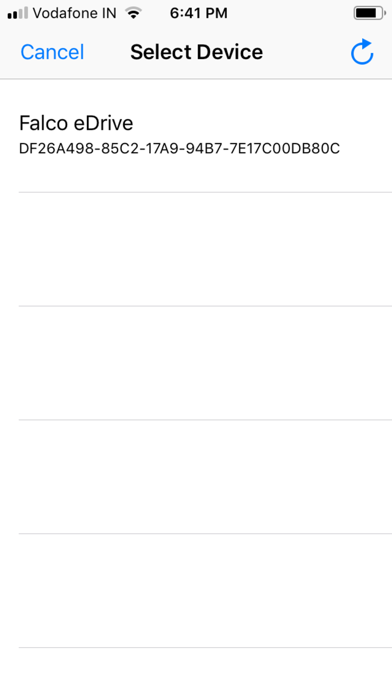
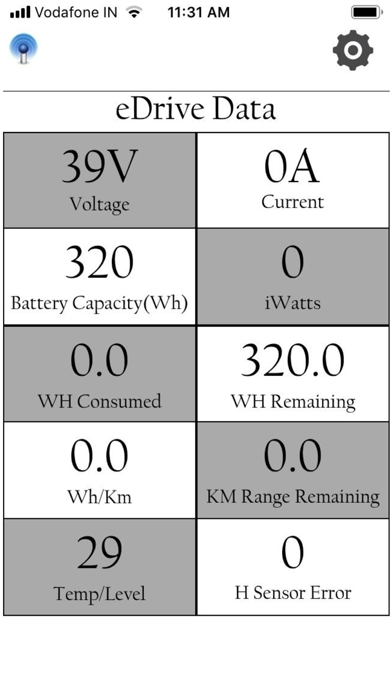
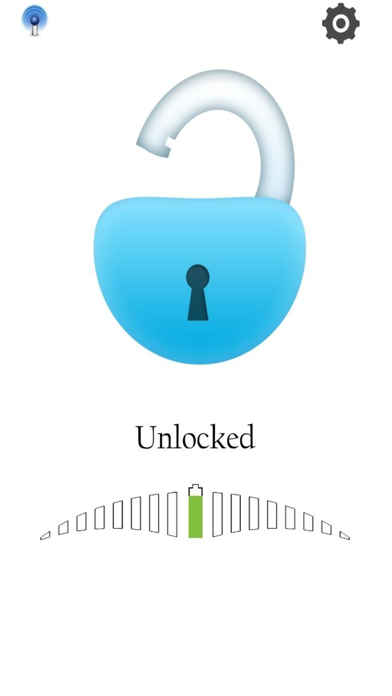
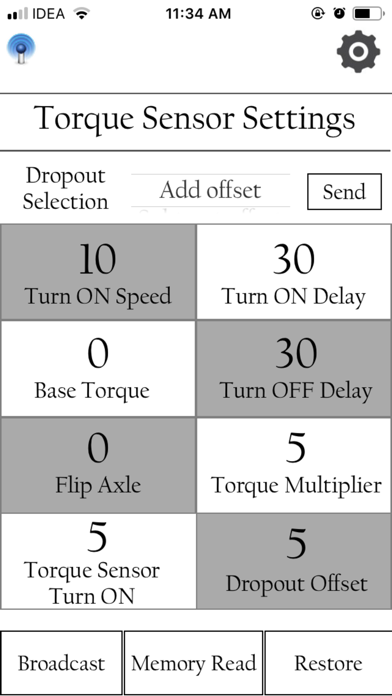
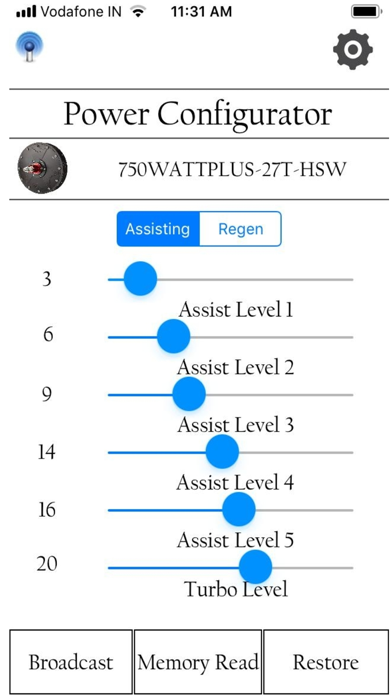
The app has the following functions: Scanner Screen Show list of all available Falco eDrives. after click on any one of them from list, we are connect to same falco eDrive. Main Screen Display speed in MPH or KPH, Battery Charge level (Minimum battery voltage should be 30V). Total Duration of time for which Falco Flash has been connected to eDrive. Display level of assistance Assistance level can be increased by swapping the finger in the upward direction on the main screen (swap length should be more than 1 inch) once Hx motor is connected. Do the same by swapping the finger downwards (swap length should be more than 1 inch) to decrease assistance level. Connect and disconnect Falco Flash by using the single button on the main screen (White/blue round color button on the main screen-White for Start, Blue for Stop). Emergency Stop can be activated by activating the Emergency Stop (Red Color) button on the main screen. Emergency Stop button will set the motor power level to -3. Setting Screen Motor ID Setting(You can see connected device id,also can set on the Falco eDrive through App) Device Information (Displays Firmware Number and Turn On Voltage) CRM Setting(Circumference setting ) Battery Selection eDrive Data Screen Displays following parameters Voltage (V) Current (A) iWatts (Instantaneous Power ) Battery Capacity(Wh) WH Consumed WH Remaining Watt Hour/KM KM/Miles Range remaining Temperature /Level (Power Level) H Sensor Error Torque Sensor Setting App has the same motor control capability as the PC and MAC version. Torque sensor and individual power level adjustments are added. Power Configurator Screen allows Current clamp setting on different power level through Assist/Regen Mode.
Latest release
What’s New
We have been working hard to bring in new updates and features regularly. In this version some notable features include: 1. Added to read as per previous selected battery. 2. Added to read CRM setting message as per previous selected. 3. Replace Vertical as Add offset and Horizontal as Subtract offset in UI Design. 4.Some updates in UI Design.
Audience growth
Ratings growth
Baseline captured. Growth appears after the crawler observes a changed rating count.
Momentum comes from crawler snapshots for the tracked storefront. “Viral growth signal” means unusually fast recent rating gains; it is an indicator, not download data.
Price tracking
Price intelligence
First snapshot captured. The trend line starts after the next crawler price observation.
- First observed Sep 1, 2026 · 3:12 PM Free
Screenshots