About this app
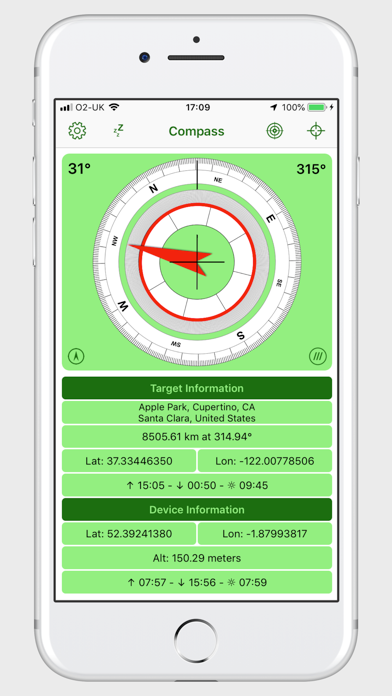
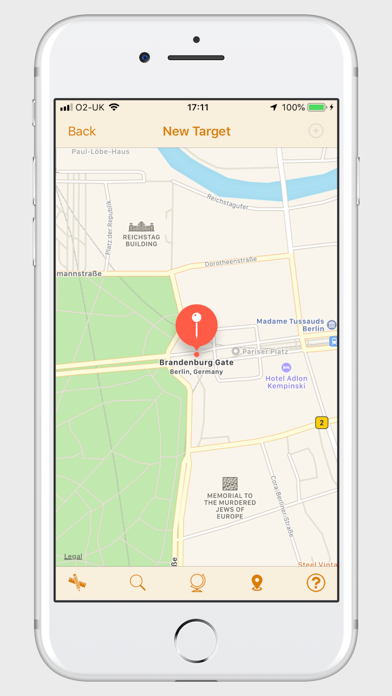
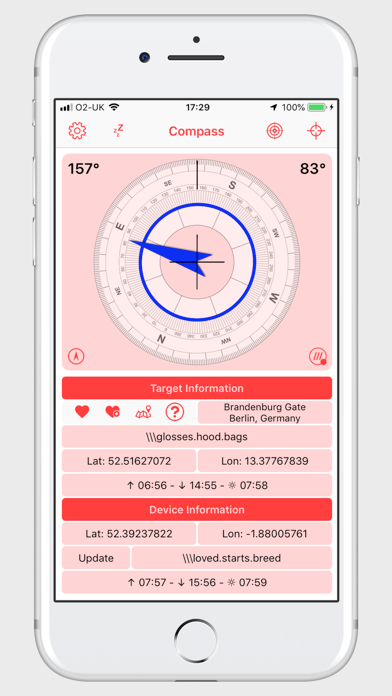
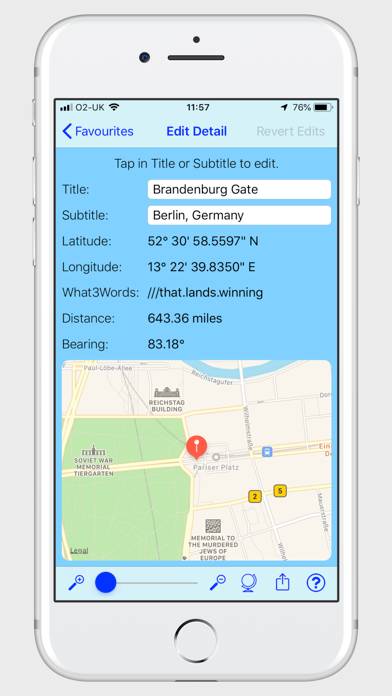
A Standard Compass That Can Display A Bearing/Heading using (True North) Can be used either as a traditional compass or using the location finder to identify a target location, the app can provide you with a direct bearing and distance. The application displays; • User selectable compass bezel and transparency. • Bearing of the iPhone. • User selectable pointer to a target location. Target Information: • Target Address. • Distance and bearing to target. • Latitude and longitude of target. • what3words address for target. • Sunrise and sunset times plus total hours of daylight. Note: The times displayed are based on your mobile device time settings; i.e. if your device is set to GMT, all times will be displayed in GMT. iPhone Information: • Latitude and longitude of iPhone. • what3words address for iPhone location. • Altitude of the iPhone. • Sunrise and sunset times plus total hours of daylight. Settings For: • User selectable outer compass bezel. • User selectable inner compass bezel, used to display the target. bearing. • User selectable transparency of outer compass bezel. • Choose between Lat/Long or DMS or DDM. • Choose distance/altitude format kilometer/meters or miles/feet. • Choose various colour themes for the interface. • Reset option to revert to compass only mode. • Compass bezel 'True North' or 'Magnetic North'. • Display or remove screen aligned cross hairs. • Tap the address field to reveal buttons for; Favourite List, Add current target as favourite, New target from map • Tap the what3words button to reveal what3words target and device addresses. • No Sleep mode prevents the iPhone from sleeping when set. (It is recommended that you connect your Phone to a power source when using this option as it can cause drain on your iPhone battery). Location Finder: • Enter target coordinates directly or pasting in any of three different formats; latitude and longitude, Degrees, Minutes and seconds or Degrees and Decimal Minutes. • Type an address, what3words address or other search criteria to identify the target location on a map. • Scroll the map and long press the target location. • Reverse geocoding will tell you the address, if any. • Location Finder feature requires an internet connection. Favourites List • Store up yo 150 favourite places/bearings. • Sort by Title, Subtitle, Bearing, Distance or user definable order. • Reverse sort. • Filter by Title and/or Subtitle. • Edit Title and/or Subtitle. • Share list of locations. • Share individual location.
Latest release
What’s New
Addition of some sharing options and some minor bug fixes.
Audience growth
Ratings growth
Baseline captured. Growth appears after the crawler observes a changed rating count.
Momentum comes from crawler snapshots for the tracked storefront. “Viral growth signal” means unusually fast recent rating gains; it is an indicator, not download data.
Price tracking
Price intelligence
First snapshot captured. The trend line starts after the next crawler price observation.
- First observed Aug 27, 2026 · 12:40 PM Free
Screenshots