About this app
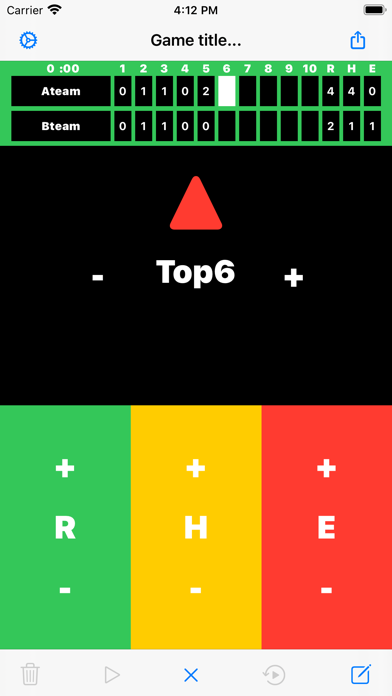
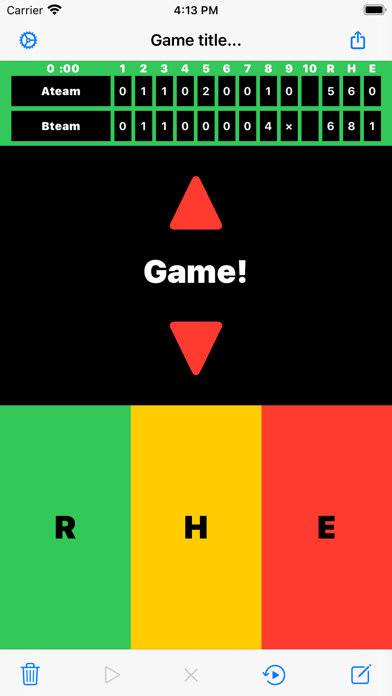
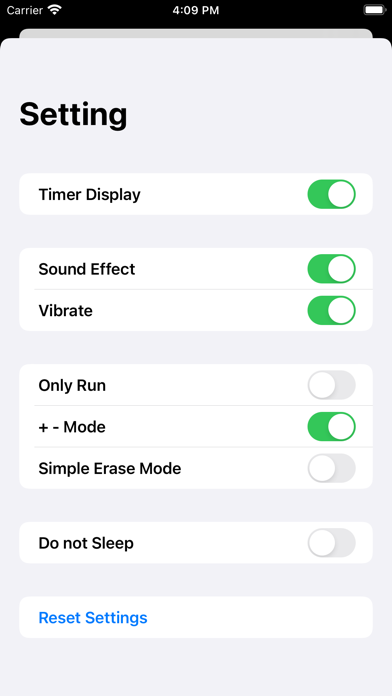
Baseball and softball scoreboard apps. You can enter runs, hits, and errors on the scoreboard with a simple operation, and you can easily share them by various means. The operation is slightly different from the previous version than the 2.0 update. Operation description: * Preparation before the start of the match (optional) - Tap the memo (bottom right of the screen) and enter the title. It will be displayed at the top of the scoreboard screen. - Tap the team name field and enter the Top and Bottom team names. - Tap Play (second from the bottom left of the screen) to start the match. - R run - H hit - E error * Normal mode - Tap the button to count up (plus 1). - Tap "Inning" to advance the innings. - Also, if you press and hold each button for a long time, the value will return (minus 1). * +-Mode - Tap the "+" and "-" of Inning, R, H and E to count up and down. - To end the match, tap the game (bottom center of the screen). The timer will stop. - If you want to modify the scoreboard after the match, tap Edit (second from the bottom right of the screen). The timer retains its end state. - Tap the memo (bottom right of the screen) to display the memo screen. In addition to the title and memo, a new column for recording pitchers and extra-base hits has been added. Please use it. - Tap Share (upper right of the screen) to easily share the scoreboard & memo by various means. - After 11 innings, the scoreboard will switch to 11 to 20 innings. If you want to display 1 to 10 innings, tap the scoreboard or press the "Inning" button to return the inning. Explanation of setting screen (tap the button on the upper left of the screen to display): - Timer Display: Shows the match time on the scoreboard. - Sound Effect: Sound effects on and off. - Vibrate: Vibration on / off. - R (score) only: Only "R" is displayed. "H" and "E" are not displayed. - +-Mode: Display "+" and "-" on each button. Long press is invalid. - Simple erase mode: The inning score is automatically erased when returning the inning. - Do not Sleep: Prevents the app from sleeping when it is in the foreground (note the battery level). - Reset Settings: Resets the settings to their default values.
Latest release
What’s New
Added support for ad tracking permission for iOS14.
Audience growth
Ratings growth
Baseline captured. Growth appears after the crawler observes a changed rating count.
Momentum comes from crawler snapshots for the tracked storefront. “Viral growth signal” means unusually fast recent rating gains; it is an indicator, not download data.
Price tracking
Price intelligence
First snapshot captured. The trend line starts after the next crawler price observation.
- First observed Sep 1, 2026 · 1:59 PM Free
Screenshots