About this app
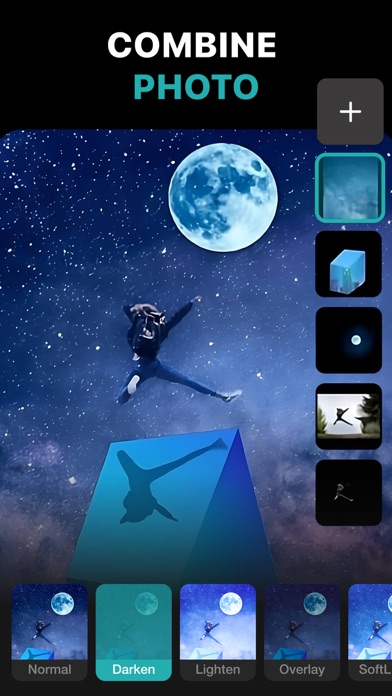
PhotoLeaf : Explore creativity by sleight of hand PhotoLeaf is a powerful, full-featured, layer-based photo editing app at your fingertips. Photo Leaf and a little imagination can make beautiful photo even more beautiful. PhotoLeaf is a photo editing app for everyone : whether you are novice, a pro user or mobile graphic designer. PhotoLeaf app will easily create amazing multi-layered creative with touch of your fingers. Enjoy All rendering, adjustments, brushes and filters are fully hardware accelerated. Overview: • Blend your photos, combine multiple images using layers • Superimpose photos using complex blending modes. • Remove unwanted objects from your image easily. • Custom overlay supported for more flexibility. • Add text layers, shapes and images to create stylish design creative. • Blur, sharpen, lighten, or darken portion/area of an image • Multiple mask modes can be applied on an area. Brush Mask, Color Mask, radial mask, Luminance mask Color correction Like A Pro: • Adjust the brightness and saturation of a color using Hue, Saturation, Lightness • Single-tap color correction presets with color balance, Temperature, Tint, Vibrance, Saturation. • Control the intensity of the respective color channels in the image with Curves: RGB, blue, red, green channels • Color correction with Levels • Tonal color correction with : Highlight and shadow tone, Tone balancing Light Adjustments: • Light: Exposure, Brightness, Contrast, Highlights, Shadows, Whites, Blacks, • Vignette: Amount, Highlights, Roundness General tools & features: 1. Cutout and Photo Background Changer • Use Lasso tool to recognise similar regions and change photo background • You can superimpose your cutout on any photo background and create new content 2. Color Splash Photo Effects • Selectively apply different color, light and gray photo effects on different regions of photos • Smart lasso tool to automatically select similar color splash regions • Powerful brush to selectively edit images 3. Merge photos • Mix photo to create impressive photo effects • Merge photos using different blend modes like darken blend, lighten blend to create double exposure, multiple exposure photo effects 4. Doodle and drawings • Use different doodle brush options to draw on your images • Change color, thickness and size of your doodle brush 5. Text on photo • Add different text on your images and create text memes as well • Option to change thickness, color, font, opacity of the added text 6. Blur Photo Editor • Apply different blur effects like lens blur, bokeh blur and use mask to blur background. • Apply vignette effect on inner and outer regions. 7. Unlimited social fun • Create your own stickers and cartoonize them • Superimpose stickers on different background images to wow your friends • Instantly share on Facebook,Twitter, WhatsApp, WeChat,Instagram and other social networks 8. Standard Editing • Apply global adjustments to your image by changing lighting, tonality and color of your image PHOTOLEAF PREMIUM SUBSCRIPTION : - You can subscribe PhotoLeaf premium subscription for unlimited access to all features within PhotoLeaf app. - Subscriptions are billed monthly, annually at the rate selected depending on the subscription plan. - Subscriptions auto-renew at the cost of the chosen package, unless cancelled 24-hours in advance prior to the end of the current period. - The subscription fee is charged to your iTunes account at confirmation of purchase. - You may manage your subscription and turn off auto-renewal by going to your Account Settings after purchase. - Per Apple policy, no cancellation of the current subscription is allowed during active subscription period. - Once purchased, refunds will not be provided for any unused portion of the term. - Terms of use: https://www.photoleaf.app/terms.html - Privacy policy: https://www.photoleaf.app/privacy.html
Latest release
What’s New
Bug fixes and performance improvements.
Audience growth
Ratings growth
Momentum comes from crawler snapshots for the tracked storefront. “Viral growth signal” means unusually fast recent rating gains; it is an indicator, not download data.
Price tracking
Price intelligence
- First observed Aug 6, 2026 · 12:05 AM Free
Screenshots