About this app
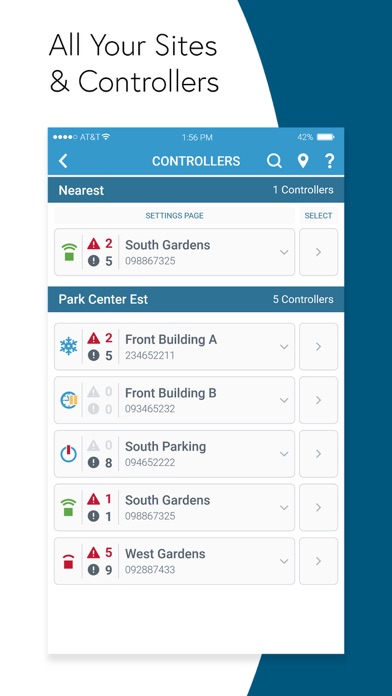
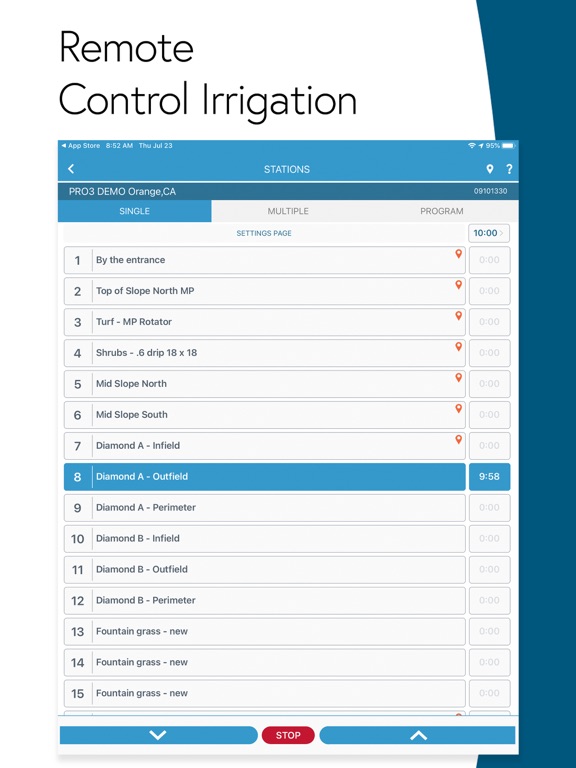
WeatherTRAK Mobile equips you with the tools to manage and operate your WeatherTRAK Smart Irrigation sites. This is performed within one intuitive interface. Access all your Sites, Controllers, and Stations easily and remote water, manage alerts, place assets on a map, troubleshoot issues, and adjust Controller and Station programming. WeatherTRAK Mobile gives you the freedom and flexibility to manage your powerful HydroPoint Smart Water Management solutions. New in version 3.6: New Feature: The new Station High Flow Alert and Manager High Flow Alert test becomes available when an alert containing more than one station has occurred. The test will operate each station and help you determine which station (or mainline) caused the alert. Requires an OptiFlow enabled controller. Workflow Improvements: A selected Controller’s Setting page can now be accessed directly from the Station’s List page via an icon in the top right corner of the page. A selected Controller’s Station List page can now be accessed directly from the Controller Setting page via an icon in the top right corner of the page. In Site Map, the Station Location asset and Station Valve asset, if assigned to the same Station, link to each other via their popup box. In Site Map, the Station Location asset now has complete Start & Stop control of the Station. In Site Map, an icon leading to the Station Programming page has been added to the popup box of the Station Location and Station Valve asset. OptiFlow Controllers in Standard Schedule mode can be programmed via the Program tab on the Controller Settings page. The Active Alerts page will display an Update Alert Status icon when Stations with alerts are present. Starting single station manual irrigation during the scheduled irrigation water window will introduce a new popup dialog with the added option to operate the single station along with any scheduled irrigation. General: The Controller model, firmware version, and modem type can be found listed at the top of the Program tab on the Controller Settings page. The Controller status is now displayed in the Controller icons in Site Map. Various bug fixes and under-the-hood improvements. WeatherTRAK Mobile Features: Site Overview page provides the local weather, Controller mode summary, and Alert summary for each Site. Manage Active Alerts for any selected Controller. View each alert to learn about possible causes. Clear flow and electrical alerts once the repairs are made. Adjust the percentage of each Station in one convenient location. Rain Pause can be created or canceled for any Controller. Create a Master Valve Override to grant access to a mainline. Unlock or Lock the panel of an OptiFlow enabled Controller. Program a WeatherTRAK Controller straight from the app, speeding up the installation or fine-tuning. Remotely operate Stations individually or in groups (Stacked/Overlapped). Start a Program, or queue up several Programs to provide supplemental watering. Build a virtual as-built with the powerful Site Map by identifying system components and Site details, introducing an invaluable time-saving tool that you’ll depend on. Place the Station Location for each Station, enabling from-the-map remote control. Add photos and details to each asset placed on Site Map. Help & Support page links to up-to-date knowledge base articles and WeatherTRAK support contact options. Built-in knowledge base help in both English and Spanish. Supported controllers: • OptiFlow XR • ET Pro3 • LC and LC+ • Pro2 Note: To ensure optimal performance, make sure your controller is always running on the latest firmware.
Latest release
What’s New
Bug Fixes and Performance Improvements
Audience growth
Ratings growth
Baseline captured. Growth appears after the crawler observes a changed rating count.
Momentum comes from crawler snapshots for the tracked storefront. “Viral growth signal” means unusually fast recent rating gains; it is an indicator, not download data.
Price tracking
Price intelligence
First snapshot captured. The trend line starts after the next crawler price observation.
- First observed Sep 1, 2026 · 3:29 PM Free
Screenshots