About this app
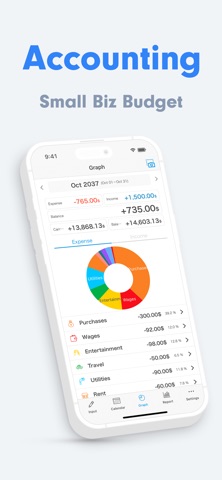
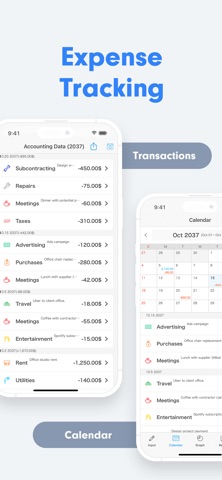
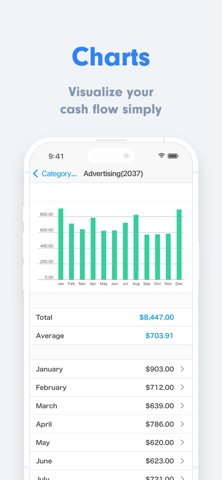
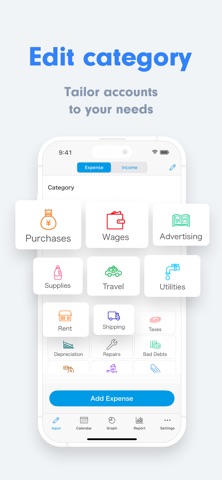
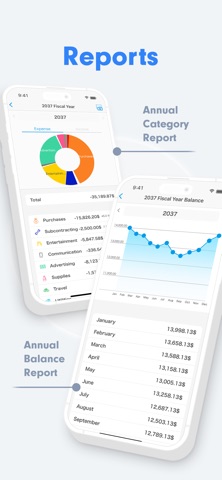
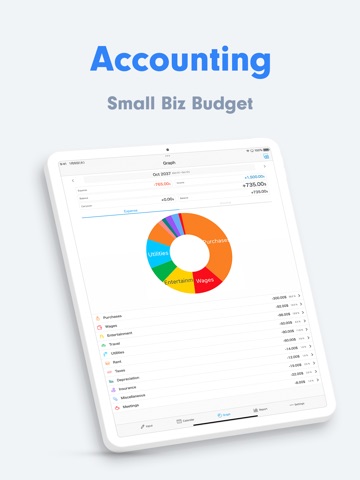
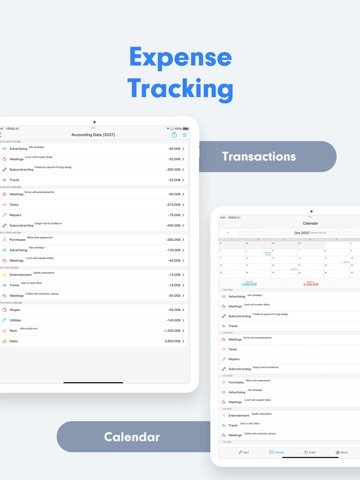
Small Biz Budget Accounting is the most affordable accounting app, designed specifically for freelancers, small business owners, and sole proprietors who want powerful yet simple financial management. Perfect for users looking for an alternative to complicated accounting software. Easily record daily expenses and income, view essential financial data, and export everything directly to Excel. Recommended for: - Prefer low-cost accounting app. - Run a freelance or small-scale business. - Feel uneasy linking bank or credit card accounts. - Need straightforward financial tracking. - Require basic Excel(CSV) outputs without unnecessary features. - Small Biz Budget allows you to fully customize accounts, categories, and notes. Export your data as CSV files, compatible with other accounting software as needed. - Preparing for tax returns and looking for an easy way to organize financial records. Features: - Export and print journal entries. - Transaction search. - Monthly income & expense reports. - Asset balance tracking reports. - Calendar view. - Customizable accounting categories. - 17 selectable theme colors. - Automatic recurring transactions (Optional plan). - Manage up to 5 different ledgers (Optional plan). - Secure your data with Face ID or Touch ID. - Multiple widgets. Detailed Features: ◆ Income & Expense Entry Tap easy-to-use account buttons and enter amounts quickly. A convenient built-in calculator ensures easy numeric input. You can effortlessly record multiple receipts or invoices with the automatic entry mode. Save frequently used memos and transaction descriptions for even faster entry. ◆ Calendar Quickly view your daily financial status directly from the calendar. Customize the starting weekday and fiscal month to match your business cycle. Easily input, edit, or delete transactions directly from the calendar view. Set initial balances and seamlessly track cumulative assets and monthly carryover. ◆ Reports Visualize your monthly income and expenses with clear pie charts, making it easy to identify spending trends and optimize budgeting. ◆ CSV Export Export data effortlessly as CSV Excel files, including detailed journal entries, categorized transactions, and vendor-specific reports. Print directly from the app for instant paper records. ◆ Customizable Theme Colors Personalize your app's look from over 16 attractive theme colors, from cute pink to sophisticated dark blue. Change app icons to match your selected theme for a consistent look. ◆ Secure Passcode Lock Protect your sensitive financial information with a secure passcode. Supports advanced security features like Touch ID and Face ID. Contact & Support: Reach out via the 'Contact Us' option within the app settings. No complicated tutorials or account registration needed—simply download and experience easy, intuitive financial management today. 【Terms of Service】 https://komorebi-studio.com/tos.html 【Privacy Policy】 https://komorebi-studio.com/policyredirect.html
Latest release
What’s New
* Support lots of languages and currencies.
Audience growth
Ratings growth
Baseline captured. Growth appears after the crawler observes a changed rating count.
Momentum comes from crawler snapshots for the tracked storefront. “Viral growth signal” means unusually fast recent rating gains; it is an indicator, not download data.
Price tracking
Price intelligence
First snapshot captured. The trend line starts after the next crawler price observation.
- First observed Aug 12, 2026 · 10:11 PM Free
Screenshots