About this app
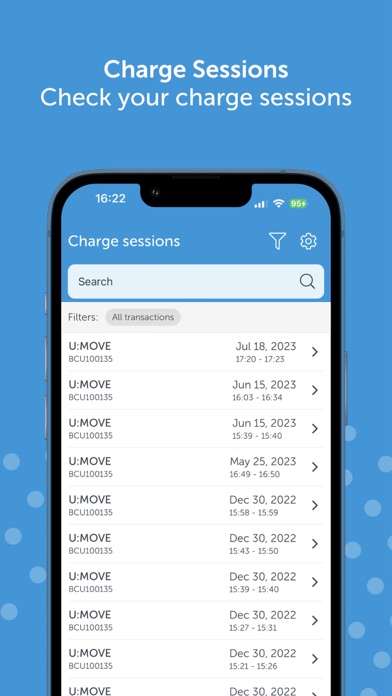
With the Blue Current App you can operate your Blue Current charge point. Start/stop a charging session or adjust the settings to your wishes. Charge Functionalities: • Start and stop charging sessions • Charging with or without a charging card • View the current status of your charge point • View charging sessions • Insight into CO₂ savings Energy Functionalities: • Insight into gas and electricity rates per day, week, month, or year • Insight into gas and electricity consumption in units (kWh/m³) and in euros, per day, week, month, or year • Installation flow for the WattsOn P1 reader to provide insight into usage Change Charge Point Settings: • Restart your charge point • Make your charge point unavailable • Paid charging for guests • Publish charge point for others • Set capacity tariff (Belgium only) • Add, remove and personalize charging cards and charge points • Provide feedback about the app Community: Our entire team works hard every day to make the app better and more complete for you. We now have a close-knit community with thousands of active users in the Netherlands and Belgium. If you have any questions, visit https://help.bluecurrent.nl If you have any tips and suggestions for improvements to the app, please let us know at samen@bluecurrent.nl The app requires a Blue Current account. More functionalities to support the energy transition coming soon For more information about Blue Current, visit www.bluecurrent.nl
Latest release
What’s New
In this update: • Added: Easy insight into your gas and electricity usage. • Added: A WattsOn installation flow. Go to the Energy tab, open your Usage screen, and tap Install the WattsOn. • Added: The option to submit direct feedback through the Give Feedback button in the Settings menu. • Changed: The text underneath the Prices bar chart in the Energy tab. Price data is now available in 15-minute segments, so hourly prices are calculated averages. We've added a link to more details in our FAQ. • Fixed: Linked Charging Cards displaying 0 even when cards were available. • Fixed: Various visual artefacts, stability issues, and other minor bugs. Thanks for using our app – your feedback helps us prioritize what comes next. Share your thoughts through the new feedback form or email us at samen@bluecurrent.nl!
Audience growth
Ratings growth
Baseline captured. Growth appears after the crawler observes a changed rating count.
Momentum comes from crawler snapshots for the tracked storefront. “Viral growth signal” means unusually fast recent rating gains; it is an indicator, not download data.
Price tracking
Price intelligence
First snapshot captured. The trend line starts after the next crawler price observation.
- First observed Aug 16, 2026 · 10:43 AM Free
Screenshots