About this app
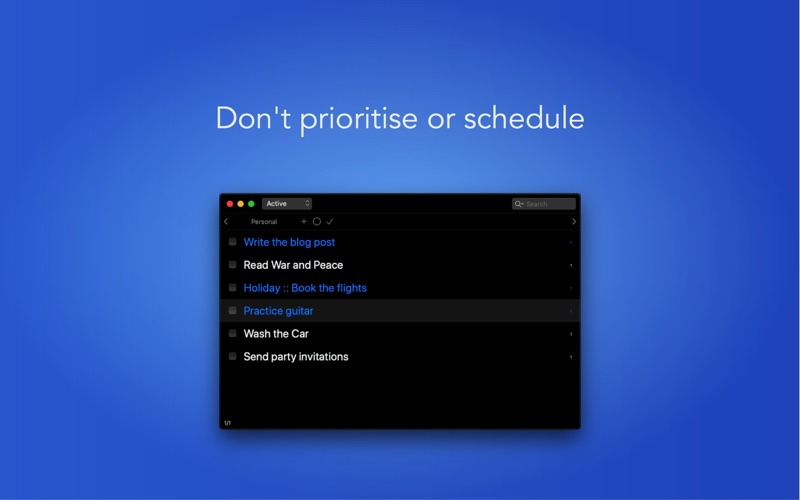
This is a lite version of Dalo the long-list task manager. It was created to help you take full advantage of one of the most effective productivity methods invented by Mark Forster. The beauty of Mr. Forster’s method lies in the combination of how simple it is to use and how well it uses certain aspects of our psychology to make us more productive. The 'lite' version works with the exactly the same methodology as the premium one, even if it does have some restrictions. THE ISSUE Sometimes we get mental resistance towards working on tasks that seem time-consuming, tedious or difficult. This resistance makes us try to avoid doing this work, usually by means of procrastination, until the very last moment. Or we don't even make an attempt, leaving stale tasks in our to-do lists. We may well have sorted our tasks by priority or due dates, grouped them into projects, but if we are not psychologically ready to do the task that’s in front of us, it may be all for nought. So, how to avoid this resistance and how to be psychologically ready for the time-consuming, tedious or difficult tasks? THE SOLUTION Trust yourself that you subconsciously already know what needs to be worked on. Then rely on your subconsciousness and select the tasks from your list which stick out for you. Find one that you actually want to do now and start there. Only do as much work as you want on each selected task. You don’t have to finish it in one go. These simple principles can help eliminate procrastination as there is no pressure to finish or to work for too long. Even the smallest step will do. THE METHOD • Write all your tasks into one long list • Scan the list and select the tasks that stick out (Helper question: What do I want to do more than the previous task I selected?) When you find the task that you want to do now, choose the Selected in the status combo box The last selected task (and the first to do) is at the top Do some work on each of the selected tasks • Only do as much work as you want, you don’t have to complete the task If the task is not finished, complete a step, and another step is added for you to the end of the list Make a new selection, repeat (Any new tasks are always added to the end of the list) FEATURES • Automatically adds new step, when previous completed • Pages mimicking the original paper-based method • Minimal, keyboard-shortcut driven interface, focusing on speed and efficiency • Differentiate task status (active, completed, selected…) by colour • Schedule tasks for the future (perhaps unorthodox for the method but useful in practice) • Sync via iCloud with other Macs, iPhones or iPads (Full version only) • Fast navigation and search • Stats and graphs (Full version only) • Automatic archiving of completed pages
Latest release
What’s New
• Improvements to the bookmark functionality • Add multiple tasks without closing the edit view in between • Re-activate inactive tasks • Added first and last page buttons (in addition to keyboard shortcuts) and few other shortcuts and improvements
Audience growth
Ratings growth
Baseline captured. Growth appears after the crawler observes a changed rating count.
Momentum comes from crawler snapshots for the tracked storefront. “Viral growth signal” means unusually fast recent rating gains; it is an indicator, not download data.
Price tracking
Price intelligence
First snapshot captured. The trend line starts after the next crawler price observation.
- First observed Oct 10, 2026 · 1:07 AM Free
Screenshots