About this app
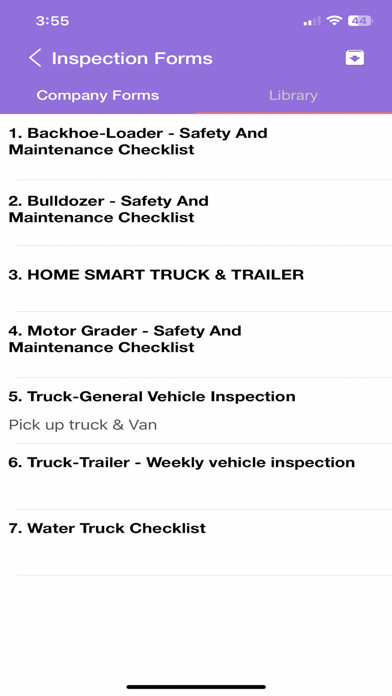
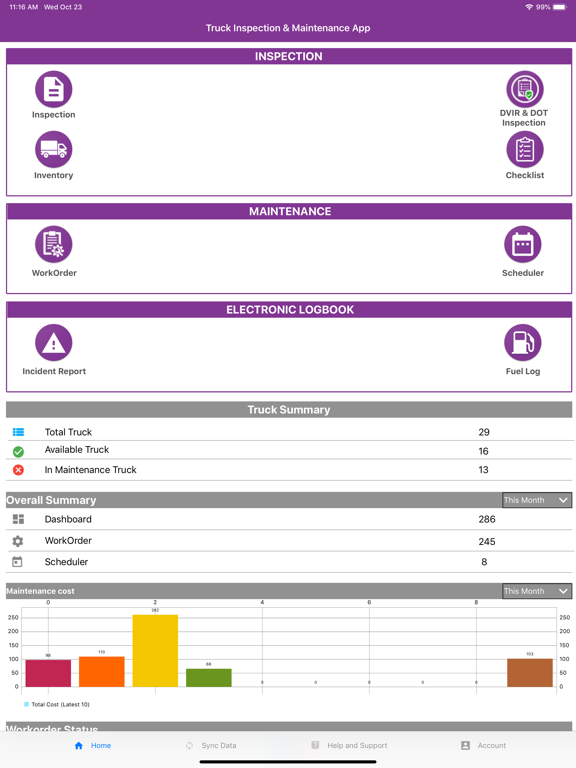
Truck Inspection App (formerly Fleet Rabbit) is a Fleet & Truck Inspection and Maintenance app that empowers every fleet member to manage your truck fleet digitally — with free iOS app-based access. Rated #1, our DOT-compliant truck inspection and maintenance software is built for commercial vehicles. Your fleet team can work together on day-to-day fleet inspections and auto-scheduled preventive maintenance. Easily submit inspection reports, report issues, and request maintenance. Transition to paper-free digital record keeping on a secure private cloud for your trucks and trailers. Generate signed PDF inspection reports for all types of trucks. DIGITALLY TRANSFORM YOUR BUSINESS- * Boost trust in truck inspections with visual evidence presented in a professional PDF report. * Digital collaboration and secure cloud-based record keeping with all past DOT truck inspection and fleet maintenance info. * Easy for operators and technicians to record technical discrepancy reports and request maintenance in a few clicks, and share with the back office immediately. * Conduct OSHA inspections of truck condition, audits, and safety reports. * Fleet management workflow with Work Orders generated from an inspection report, and full tracking of the entire maintenance process. * Digitized fleet management — anywhere, anytime truck information for every piece of equipment in your fleet. KEY FEATURES Inspection PDF Report – Generate PDF inspection reports in real time with truck information, pictures, and notes. Detailed inspections with inspector signature. DOT truck inspection items are defined in checklists. Inventory – Maintain DOT trucks and track parts inventory. Complete truck logs with continuous meter reading updates and vehicle status information. Maintenance Work-Order – Generate Work Orders based on truck inspection tracking, now with a brand-new, redesigned view. Get a complete picture of consumed parts, track your trucks & trailers with real-time status updates on each work order item, and maintain a log of repairs and total cost. Tire Management – Add and manage tires per vehicle, track fitment and readings, and keep your tire inventory organized. Vehicle Documents – Store, organize, and track important truck documents, and stay ahead of expirations. Incidents – Record and manage vehicle incidents and keep a clear history for every truck. Truck Health & Analytics – See a single health score for each truck and graphical management reports on overall trucking statistics, including total repairs performed across every machine. Checklist Manager – Maintain multiple editable checklists. Convert paper sheets to digital checklists for daily walk-throughs, routine upkeep, and maintenance. Maintain inspection reports for technical condition surveys, annual appraisals, sale & purchase condition, collision surveys, and accident-damage safety checklists. Specific Requirement – Customized software to fit your fleet needs. Schedule a call by sending your contact information and preferred call time to contact@jrsinnovation.com Privacy policy: https://jrsinnovation.com/legal/privacy-policy.html Terms of use (EULA): https://jrsinnovation.com/legal/end-user-license-agreement.html
Latest release
What’s New
• NEW modules to easily manage Tires, Vehicle Documents, and Incidents. • NEW Truck Health dashboard — one health score per truck, worst issues first. • NEW Fleet Analytics — your whole fleet's health at a glance. • Brand-new, redesigned Work Order experience. • Easy checklist creation and parts analytics. • Scan a QR code to instantly start an Inspection, DVIR, Work Order, or Fuel Log — even from iPhone search. • Real fuel mileage from your fill-ups and distance. • A fresh, enhanced UI and performance improvements throughout.
Audience growth
Ratings growth
Baseline captured. Growth appears after the crawler observes a changed rating count.
Momentum comes from crawler snapshots for the tracked storefront. “Viral growth signal” means unusually fast recent rating gains; it is an indicator, not download data.
Price tracking
Price intelligence
First snapshot captured. The trend line starts after the next crawler price observation.
- First observed Aug 19, 2026 · 11:32 AM Free
Screenshots