About this app
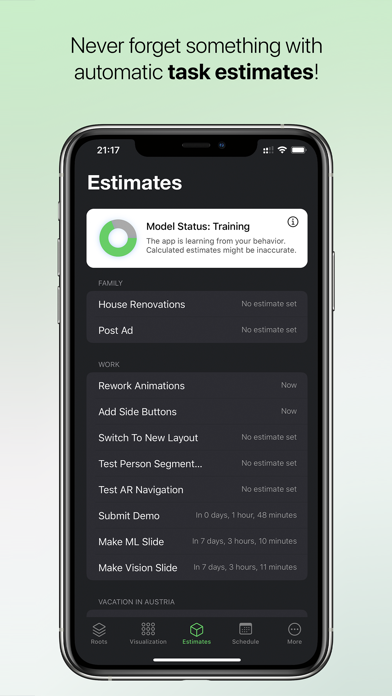
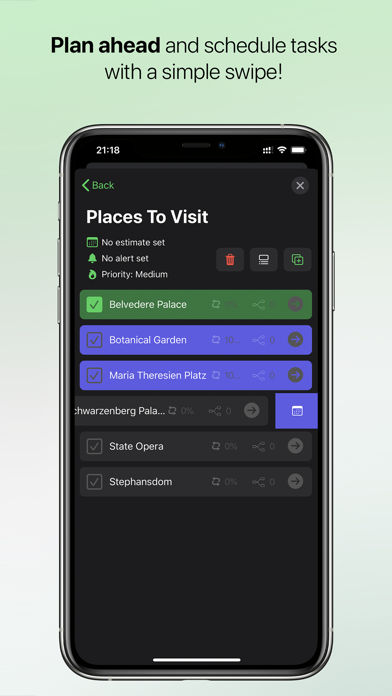
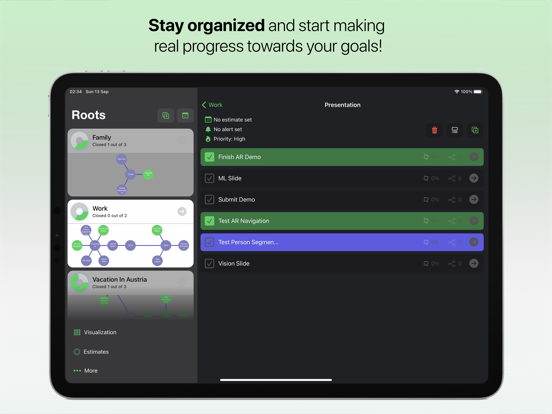
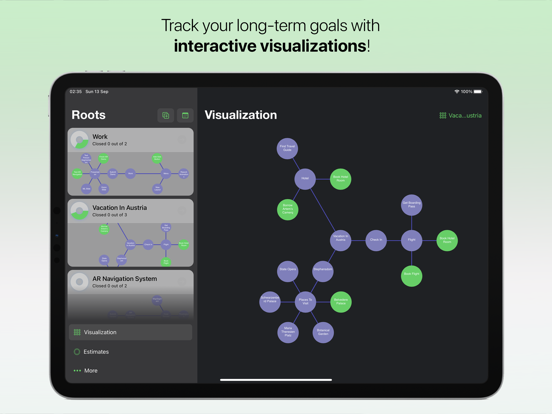
Equilibrium helps you reach your goal by dividing it into a list of small steps recursively. Then each step can be divided into a list of easier steps that can be divided again and so on ad infinitum, creating a graph of the easiest tasks to your final goal. It will give you an organized visualization of the entire task-graph, allowing you to see the whole picture, instead of a traditional list. It’s easy to use. Within a few minutes, you will see the entire graph – from small steps to your final goals – in a nice, organized, and interactive form. KEY FEATURES - Recursive Tasks and Events Tasks and Events are basic building blocks that represent an action or a small step toward your goals. Tasks can be used as a root for other sub-tasks and Events can be used to notify you about scheduled events. - Roots Root is a centralized block for a task-graph, that serve as a root-task – any big goal, project, or sphere of life, such as Family and Work – that can contain its own list of sub-tasks. Each such sub-task can contain its own list of smaller sub-tasks, and so on ad infinitum. The app will show a recursive percentage of the fulfillment of each task, a branch of tasks, or the entire Root. - Task-Graph Visualization The app will give you an organized visualization of the entire task-graph, allowing you to see the whole picture, instead of a traditional list. - Automatic Estimates Once you mark an item as done, the app will remember the difference between the time when you did this and your provided estimate for it. Also, it will use other information (like item's priority, creation time, number of sub-items, etc) to learn from your schedule and habits. Over time, the app will build a behavioral model to suggest the right time for each item and to warn you when giving wrong estimates. - Recursive Scheduling You can schedule a task for easy access during the day, the app will search all its sub-tasks recursively to find the smallest steps you need to make to accomplish this task. They will appear in the Scheduled tab. When you mark all of them as done, their root-item will be marked as done automatically.
Latest release
What’s New
Bugfixes and performance improvements.
Audience growth
Ratings growth
Baseline captured. Growth appears after the crawler observes a changed rating count.
Momentum comes from crawler snapshots for the tracked storefront. “Viral growth signal” means unusually fast recent rating gains; it is an indicator, not download data.
Price tracking
Price intelligence
First snapshot captured. The trend line starts after the next crawler price observation.
- First observed Aug 23, 2026 · 10:56 AM Free
Screenshots