About this app
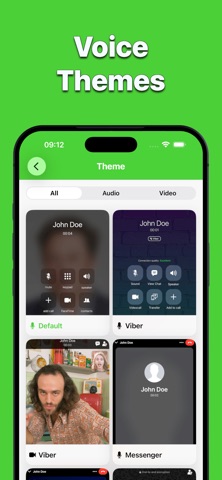
Simulate incoming voice and video calls in a controlled and safe environment. This app allows you to create and preview simulated call scenarios for entertainment, testing, and demonstration purposes. All calls generated by the app do NOT connect to real phone services or messaging platforms. How it works: 1. Open the app 2. Choose a call scenario 3. Schedule and preview the simulated call You can customize: • Caller name and avatar • Ringtone selection or import • Vibration and sound behavior • Pre-recorded or imported voice messages • Video call previews • Visual appearance of the call screen Themes & visual styles: Enjoy a variety of visual call themes inspired by modern communication interfaces: • Audio & Video call styles • Multiple visual layouts • Customizable UI behavior Premium Features Upgrade to unlock advanced tools: • Unlimited simulated calls • Contact-based caller profiles • Voice and video message editor • Full behavior customization • Extended visual themes Important Notice: This app does NOT make real phone calls and does NOT connect to any real communication services. All call simulations are intended for role-play, demonstrations, UI previews, and entertainment in a clearly simulated environment. The app must NOT be used to mislead, impersonate, or deceive other people.
Latest release
What’s New
Thank you for actively using "Faker 3"! This version contains: - New Liquid Glass look (iOS 26+ users only); - Dark Theme; - New Supported Languages; - Stability and UI improvements. Enjoy!
Audience growth
Ratings growth
Baseline captured. Growth appears after the crawler observes a changed rating count.
Momentum comes from crawler snapshots for the tracked storefront. “Viral growth signal” means unusually fast recent rating gains; it is an indicator, not download data.
Price tracking
Price intelligence
First snapshot captured. The trend line starts after the next crawler price observation.
- First observed Aug 14, 2026 · 1:06 AM Free
Screenshots