About this app
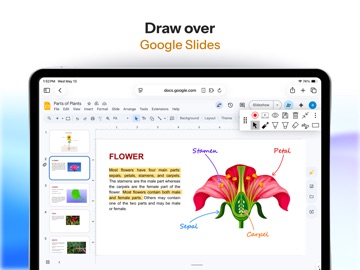
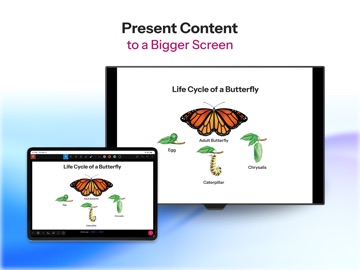
Annotate brings together all the tools that you need to teach effectively and efficiently in a simple and intuitive user interface, so you can focus on what really matters…engaging your students! You’ll be able to annotate web pages, mark-up PDFs, and draw over Google Slides. Annotations are tracked for every page and remain sticky and in place as you zoom, scroll, and navigate across web pages, PDFs, and Google slides. Save your annotations in your account for review later. Share them with students or come back and continue working from where you left off. Export¹ annotations back to Google Drive and download annotated PDFs. Present content to a classroom display or interactive TV and keep your audience engaged with live annotations during classroom instruction and remote learning sessions. Capture screenshots of marked up pages and insert them directly into your Annotate notebook. All this as you share your entire screen, an application, or just a single tab with a projector/ interactive TV and multiple student devices². You also have the ability to control other applications on your computer and annotate over them while using the Remote Desktop² feature. Let students feel empowered by taking an active role in their learning when they annotate content and present their work using the "Pass Control" feature. Students are also able to take personal notes on your content for better understanding and review later. Use popular question types to transform your paper worksheets into fully digital, interactive, and automatically graded assignments. Or use any of the several question types to add interactivity to any content and gain valuable insights on student understanding and performance. Discussion boards enable you to leverage real-time student collaboration as you work you work together on a topic. Students can contribute using text, images, audio notes, videos and camera recordings, and annotations. Key features available to teachers: 1. Import content from PDFs, Google Docs, and SMART Notebooks 2. Annotation tools (pen, highlighter, eraser, laser pointer, text, shapes, screen-shade, timer, ruler, protractor) to be leveraged with your imported content 3. Project content to an interactive tv or classroom display 4. iPad Screen Sharing to an external display and multiple student devices 5. Remote Desktop Control 6. Record your lessons and create annotation videos 7. Add audio notes and video feedback to any document 8. Infinite canvas and document camera support 9. Full feature graphing calculator and multi-line equation editor 10. Export annotations as PDFs Key features when used with students: 1. Create courses and invite students 2. Publish and share content with students 3. Create, assign, and grade Google Classroom assignments with Annotate 4. Students are able to take notes on content 5. Students can present their work to a classroom display 6. Screen sharing to student devices with audio and video conferencing for remote instruction 7. Gain real-time insights into student understanding and progress with formative assessments 8. Enhance collaboration and participation using discussion boards where every student gets a chance to contribute using text, audio, annotations, and video. 9. Review student work in real time and provide feedback 10. Gradebook to track student progress We have explainer videos for all of our features in the Professional Development folder of your Annotate web account. Terms of Use: https://www.apple.com/legal/internet-services/itunes/dev/stdeula/ ¹ Some features may require purchasing a Pro plan. ² Some features require the Annotate Mirror Client or the Annotate Chrome Client Lite running on the PC/ Mac/ Chromebox connected to your projector.
Latest release
What’s New
Bug fixes.
Audience growth
Ratings growth
Baseline captured. Growth appears after the crawler observes a changed rating count.
Momentum comes from crawler snapshots for the tracked storefront. “Viral growth signal” means unusually fast recent rating gains; it is an indicator, not download data.
Price tracking
Price intelligence
First snapshot captured. The trend line starts after the next crawler price observation.
- First observed Aug 19, 2026 · 11:32 AM Free
Screenshots