About this app
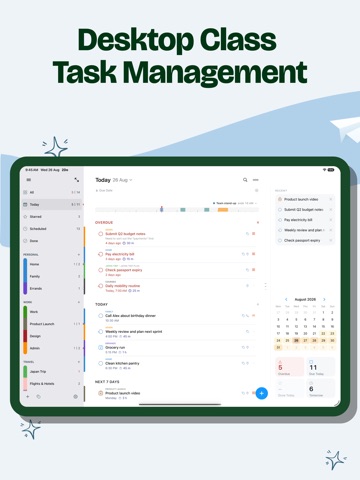
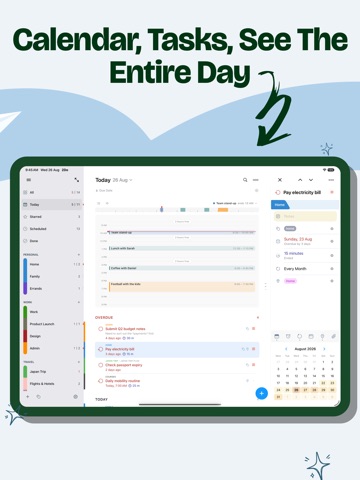
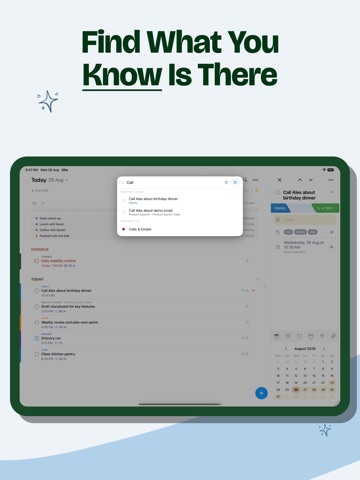
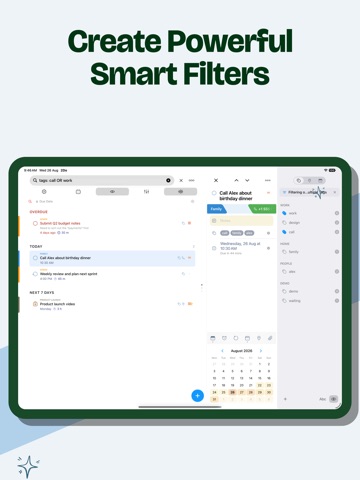
"2Do adapts to my needs, not the other way around. 2Do gets me." — MacStories 2Do lets you take a completely different approach to managing your tasks. With a simple, fluid interface wrapped around a deep and flexible set of features, it lets you focus on what matters most: your life. There is no wrong way of using 2Do, and unlike other to-do apps, it won't force you into a particular task management methodology. Rebuilt from the ground up as a true desktop-class iPad app — and a one-time purchase. No subscriptions, no account to create, no strings attached. DESKTOP GRADE TASK MANAGEMENT • Your lists, your tasks, the task you're editing and a utility panel with Tags, Nearby and Calendar Events — all on one screen, all within reach • The editor lives in its own panel beside your list and follows as you move task to task; no sheets in the way • Open a second window, keep Today in view while you plan a project beside it, and drag tasks between the two • Full keyboard support with the iPadOS menu bar: capture, navigate, schedule and review without lifting your hands • Split View, Slide Over, drag & drop, pinch to zoom — everything the iPad does well, 2Do does too BRING YOUR OWN SYNC Most apps decide where your data lives. 2Do thinks that's your call: • iCloud — uses the account already on your device; syncs tasks, Smart Lists, tags, groups and attachments • Apple Reminders — your tasks live in Reminders too, so Siri and everything else that reads Reminders can see them • Todoist — connect your account and run your Todoist projects right inside 2Do • Dropbox, Toodledo, Fastmail, or any CalDAV server you trust — including one you run yourself • When two devices meet, 2Do can merge them instead of making you pick a winner CAPTURE ANYTHING, FAST • Quick Add: touch & hold [+] and file task after task, with dates, tags and lists as you type • Mail to 2Do: your device gets a private email address — anything you send it lands as a task, checklist and all • Siri & Shortcuts, widgets and Control Center, and a GTD® Inbox for everything not yet sorted SIMPLE TASKS, OR AS MUCH MORE AS YOU NEED • Start with a task, grow it into a checklist or a project with sub-tasks • Notes in Markdown, styled as you type, with links collected for you — even link one task from another's notes • Flexible repeats, start dates that hide tasks until relevant, durations, and actions that make the next step one tap away SMART LISTS: SAVED SEARCHES WITH SUPERPOWERS • Search across titles, notes, tags and dates — sounds-like matching finds it even when you can't spell it • Save any search as a one-tap view: your weekly review, stalled projects, errands nearby • Focus filter: set a rule per list and one tap hides everything that can wait TAGS THAT SORT EVERYTHING • One tap on a tag filters your day to that context; Tag Groups keep big collections tidy • Pause a tag and every task carrying it steps out of view — hidden, not deleted — until you're ready NEVER MISS A THING • Stack multiple alerts and let 2Do nag until it's done — on iPadOS 26.1+, an alert can even ring like a Clock alarm, through Silent mode, until you answer • Nearby: location alerts that fire when you're close enough to actually do the task • See your calendar events right above your tasks, so plans never collide • Batch edit and drag & drop: defer, tag or move a whole stack of tasks in one go YOURS, PRIVATELY • Lock individual lists or the whole app • Automatic backups, with single-list restore for the day something goes wrong • Share lists over Wi-Fi with other 2Do users nearby — no cloud in between • Independent light and dark themes 2Do has been refined over years of careful work. Use it as a simple list, or push it into full GTD® territory — on iPad, it spreads out and feels like the desktop app it truly is.
Latest release
What’s New
· [NEW] Auto-Prioritize tasks with Apple Intelligence. Use from the Priority option in Batch Edit mode to automaticaly assign a priority to your selected tasks · [NEW] Siri AI support on iOS 27 to create, update, complete, move, and delete tasks using natural requests · [NEW] Added on-screen awareness so Siri can identify tasks you’re viewing in the task list or editor · [NEW] Improved integration with Siri and Spotlight for finding your tasks on iOS 27 · [NEW] Task list sections, when sorting by Lists, use the list color instead of all appearing black · Appearance Display Mode setting no longer syncs to all your devices, it’s now per-device · Fixed bug where the share sheet from Safari would not pick the default list correctly · Ongoing stability and performance enhancements
Audience growth
Ratings growth
Baseline captured. Growth appears after the crawler observes a changed rating count.
Momentum comes from crawler snapshots for the tracked storefront. “Viral growth signal” means unusually fast recent rating gains; it is an indicator, not download data.
Price tracking
Price intelligence
First snapshot captured. The trend line starts after the next crawler price observation.
- First observed Sep 11, 2026 · 6:25 PM $19.99
Screenshots