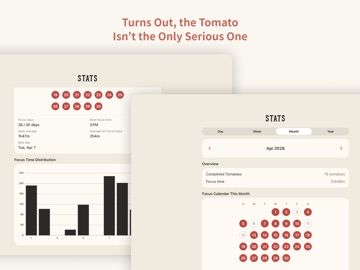
About this app
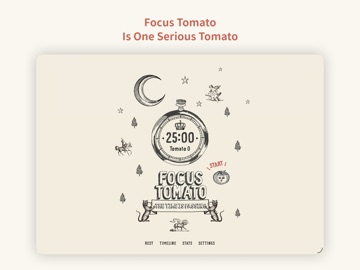
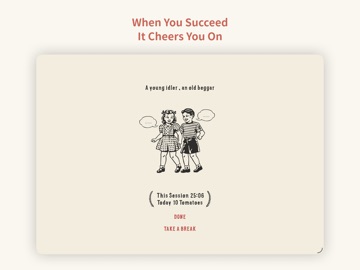
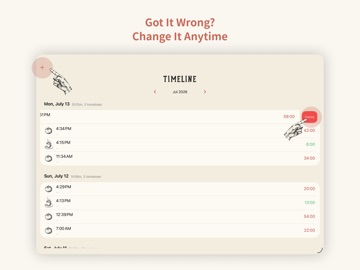
## App Of The Day - Apple ## New Apps We Love - Apple ## Try These Out - Apple ## Student App of the Month - The App Brewery (London) Focus Tomato is a serious tomato helping you stay focused. Cheer you up when you succeed. —— Recommended consuming order —— Step 1: Goal setting If the goal is too big, break it down. Step 2: only focus for 25 minutes * Only focus on one thing * Avoid distraction; make efforts to keep the Tomato running (ex. if someone hits you up, tell him/her getting back to you shortly!) * Better to watch the timer counting Step 3: Rest for 5 minutes * Not suitable for mental consuming tasks * Light activities that are good for your mind and body * Pause your work momentarily can help you view things from another perspective and avoid couldn't see the forests for the trees. Step 4: Repeat 4 times, then take a more extended rest for 15 to 30 minutes Repeat the previous two steps for 4 times, and take a 15 to 30 minutes long rest —— After taking it, you can gain the following benefits on top of straight As —— * Prevent distracting and stay focused more easily: counting down timer brings good stress * Reduce interruptions: postpone other tasks; most things can wait for 25 minutes * Avoid procrastinating: when the timer is running, it means the declaration of a focused time frame * Endure longer: with adequate rest, you can run further —— Features of “Focus Tomato” —— Based on the Pomodoro method with new spice-ups and improvements. * Do not force stop; keep the flow Classical Promodoro clock asks you to stop working asap when time is up; Focus Tomato only notifies you with sound and does not force you to stop. You can keep staying in the zone and running the timer. * Fractional time is allowed Classical Promodoro clock requires to maintain 25 minutes duration. Focus Tomato freely lets you count the fractional time as long as it starts running. * Modifiable Timeline It is usual to forget to stop the timer. Focus Tomato allows you to modify the Timeline and make adjustments afterward. * Do Not Disturb mode is available Distracted by too many notifications? Do Not Disturb mode can be enabled when Focus Tomato is running. * Integrate smoothly with other work methods and/or apps Because the app only applies the timing part of the Promodoro technique, in addition to the original Promodoro method, you can also use the Reminder, Trello, or physical notebooks along with it. Good tomato, why not eat it?
Latest release
What’s New
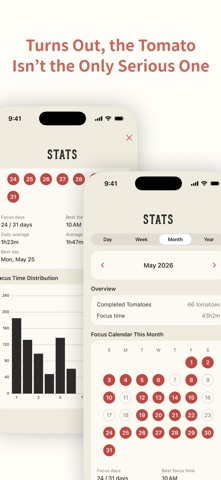
• Weekly and monthly calendars now show each day's focus time at a glance. • Brought back four App Icon choices: Top Hat, Lady Focus, Lazy Tomato, and Flat Tomato. • Refined focus-completion notifications for a more natural tone. • Added a Tomato Daily entry in Settings, offering another way to separate study, work, and life with focus tags and keep them synced through iCloud.
Audience growth
Ratings growth
Baseline captured. Growth appears after the crawler observes a changed rating count.
Momentum comes from crawler snapshots for the tracked storefront. “Viral growth signal” means unusually fast recent rating gains; it is an indicator, not download data.
Price tracking
Price intelligence
- First observed Oct 8, 2026 · 1:11 AM Free
Screenshots