About this app
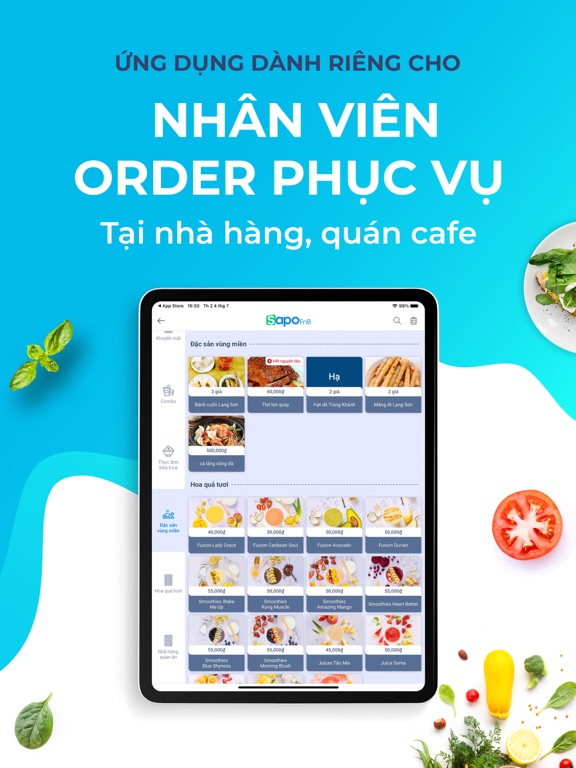
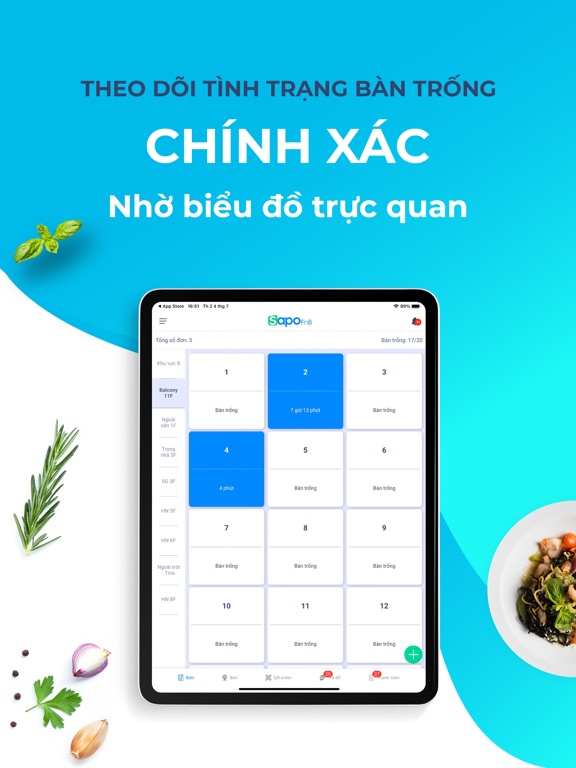
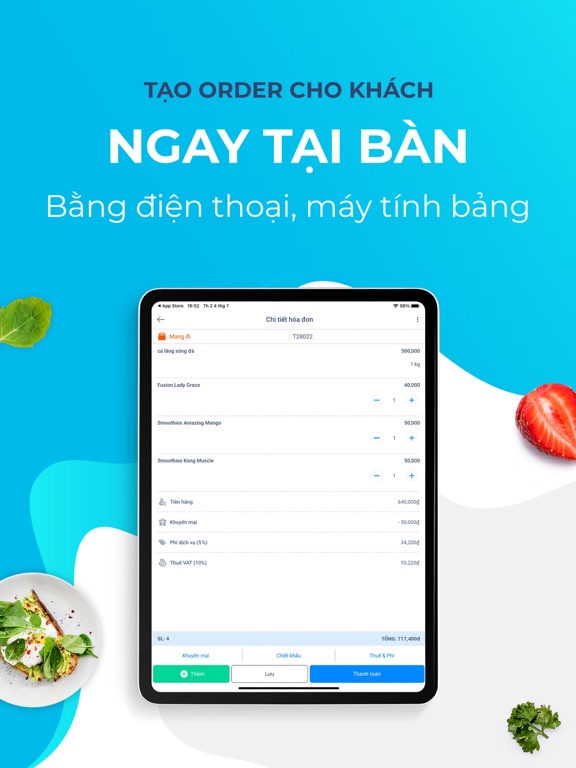
With Sapo - Order an entire process of staff ordering, serving at the restaurant will be optimized, helping to place orders for customers quickly, increasing working efficiency by 70%. At the same time, eliminating errors in the service process such as late ordering, not remembering the price of the dish, wrong processing, returning the wrong table, and so on Let's explore the outstanding features that Sapo - Order brings: CONTROL THE BOOKING ACCURATELY With an intuitive table map for each room and floor, the Sapo Order application helps you easily check the status of the table in use or empty so that you can arrange tables for guests quickly and conveniently. ORDER BY PHONE/TABLET With a friendly and easy-to-use interface, the service staff only need to choose the dishes ordered on the menu list on the screen without manually taking paper notes, reducing customer ordering mistakes. OUT OF INGREDIENTS ITEMS WARNING With Sapo Order, items that run out of ingredients will be alerted to help service staff easily navigate customers to choose other dishes. TRANSFER ORDER TO KITCHEN/BAR QUICKLY As soon as the customer completes the selection of the dishes, the order will automatically be transferred directly and printed at the kitchen/bar so staff does not need to move around. RECEIVE ORDER REQUESTS FROM QR ORDER When customers scan the QR code to open the menu on customer's smartphones and order, the waiter will receive a notification of the order request at the customer's table, as well as payment request, and staff request, and view the details note from the customer on service staff's devices (this feature is now available for restaurants using Pro package). CREATE QUICK ORDER WITH DEFAULT ITEM LIST Buffet, and karaoke business models often have items that customers often order. Sapo supports adding default items in the order so that the service becomes quick. Service staff only need to manipulate the addition and subtraction of the items’ quantity in order. OPTIMIZED ON MOBILE PHONES Sapo Order is optimally designed for any mobile device. All information and images are displayed extremely easy to see. DOWNLOAD AND EXPERIENCE NOW! CONTACT INFORMATION: - Hotline: 1900 6750 - Email: support@sapo.vn
Latest release
What’s New
- Bug fixes and performance improvements
Audience growth
Ratings growth
Baseline captured. Growth appears after the crawler observes a changed rating count.
Momentum comes from crawler snapshots for the tracked storefront. “Viral growth signal” means unusually fast recent rating gains; it is an indicator, not download data.
Price tracking
Price intelligence
First snapshot captured. The trend line starts after the next crawler price observation.
- First observed Aug 16, 2026 · 11:01 PM Free
Screenshots