About this app
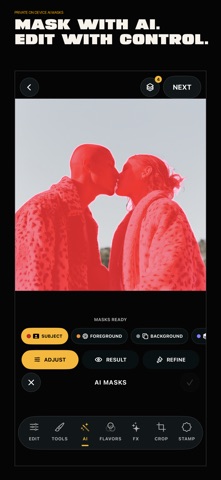
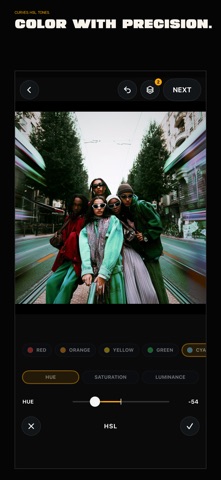
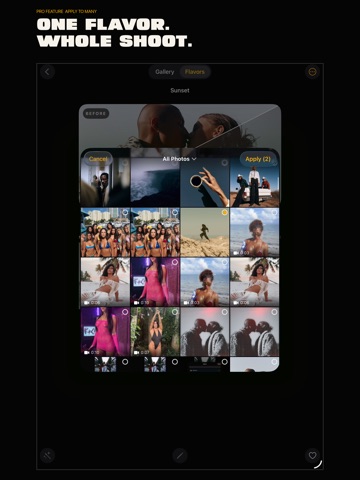
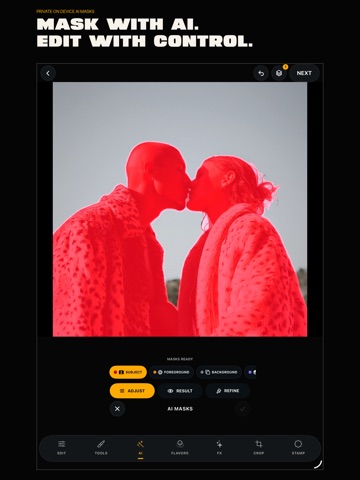
YOUR PHOTOS AND VIDEO, WITH A SIGNATURE. Ohrangutang Studio is a non-destructive photo and video editor for creators who want a consistent look that feels like their own. Build a bold edit. Save it as a Flavor. Apply it across the whole shoot. MORE THAN A PRESET Start with 112 built-in Flavors or create your own. A Flavor is an editable recipe for color, light, texture, grain, effects, crop, and more. Refine every layer, adjust its intensity, reorder your choices, and return to any step without flattening your edit. ONE FLAVOR. A WHOLE SHOOT. Use Apply to Many to carry one signature across a set of photos and videos. Save and favorite your Flavors, then export, import, or share them through Files, AirDrop, Messages, Mail, and other iOS destinations. PRIVATE AI. ON DEVICE. • AI Masks for Subject, Foreground, Background, and Depth • Clean Up for precise object removal and retouching • Cutout for isolated subjects and layered compositions • High Resolution for photos enhanced up to 4x AI processing happens on your device. Your work stays yours until you choose to export or share it. BUILT FOR THE DETAILS • 21 controls for light, color, detail, and atmosphere • RGB Curves, selective HSL, and three-way color toning • Chroma, Shift, Grain, Lights, Dust, Double Exposure, and animated video textures • Crop and transform tools, plus Trim for video • Frame, Date, and Cover stamps • Non-destructive layers, history, visibility, intensity, and ordering • JPEG, PNG, and TIFF photo export • H.264 and HEVC video export • Built for iPhone and iPad START FREE. TAKE THE WHOLE STUDIO WITH PRO. Use the core photo editor and standard photo export for free. Preview every built-in Flavor, AI tool, and premium effect before upgrading. Ohrangutang Studio Pro unlocks every built-in Flavor, advanced color and effect tools, private AI, Flavor creation, Apply to Many, all video exports, full-resolution photo exports, and format and resolution controls. Choose Monthly, Annual, or Pro Lifetime. The Annual plan includes a 7-day free trial for eligible subscribers. Monthly and Annual subscriptions renew automatically unless canceled at least 24 hours before the end of the current period. Manage or cancel subscriptions in your Apple Account settings. Pro Lifetime is a one-time purchase. Privacy Policy: https://ohrangutangstudio.com/legal/privacy Terms of Use: https://ohrangutangstudio.com/legal/terms Subscription Terms: https://ohrangutangstudio.com/legal/subscriptions Support: https://ohrangutangstudio.com/contact
Latest release
What’s New
VERSION FIVE. THE NEW STUDIO. Ohrangutang Studio has been rebuilt for iPhone and iPad. • A new non-destructive photo and video editor • 112 built-in Flavors and editable Flavor layers • Apply to Many across an entire shoot • Private on-device AI Masks, Clean Up, Cutout, and High Resolution • 21 precision adjustments, RGB Curves, selective HSL, and color toning • Analog photo effects and animated video textures • New Crop, Trim, Frame, Date, and Cover workflows • Redesigned gallery, onboarding, export, and Pro experience Create your signature. Take it across the whole shoot.
Audience growth
Ratings growth
Baseline captured. Growth appears after the crawler observes a changed rating count.
Momentum comes from crawler snapshots for the tracked storefront. “Viral growth signal” means unusually fast recent rating gains; it is an indicator, not download data.
Price tracking
Price intelligence
First snapshot captured. The trend line starts after the next crawler price observation.
- First observed Sep 4, 2026 · 5:33 AM Free
Screenshots