About this app
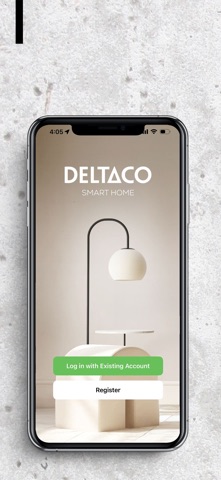
The official DELTACO SMART HOME app for controlling and customizing all your smart DELTACO products directly from your Smartphone. The app gives you increased control of your life - check what your kids are doing, turn on / off the lights or regulate the temperature. No matter where you are, at work, vacation or just everyday life at home – you can manage lighting, temperature, plugs and surveillance at will. Smart, huh? YOUR HOME, YOUR WAY Remote control Manage via the app, when your lamps or plugs are to be switched on / off Timer Function Turn off your devices, at the selected time Grouping Connect your products in the app and decide, e.g. if / when all lamps should be switched on / off simultaneously Scheduling Program your devices to switch on / off, at the selected time Energy Consumption Measure your energy consumption by day, week, month or year Scenes Create smart scenarios in the app to control and manage the products in the selected event process, to maximize home automation New products and features are constantly being developed to make your life at home simpler. Discover more on: www.deltaco.se/Sidor/deltacosmarthome.aspx
Latest release
What’s New
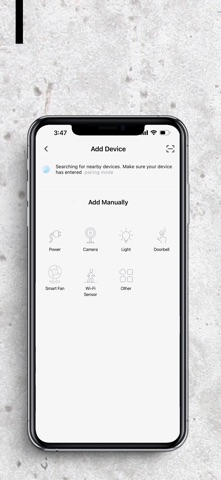
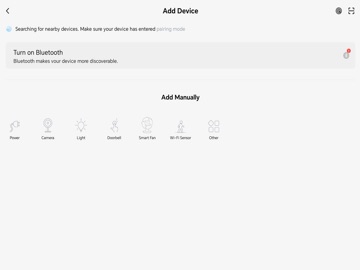
We’ve introduced a brand-new design to make your smart home experience smoother, faster, and more intuitive. New & improved: • Fresh App Design – Enjoy a modern look with improved navigation and usability. • Customizable Home Page – Personalize your dashboard by adding or removing cards to match your needs. • Direct Camera Access – View your cameras instantly from the Home Page. • New “Room” Tab – Control devices by room for easier management. • Updated Navigation – Tabs have been reorganized for a more intuitive experience: º “Smart” is now Scenes º “Multi-video camera view” is now Features • Enhanced Features Tab – Now includes Multi-camera View, Privacy Mode, Cozy Home, and Virtual Trial Center. • Improved ME Page – Access the App Guide, manage your account, and view Cloud services in one place. • Location change for Sunset Automation – Now available through ”Schedule” instead of ”Weather”
Audience growth
Ratings growth
Baseline captured. Growth appears after the crawler observes a changed rating count.
Momentum comes from crawler snapshots for the tracked storefront. “Viral growth signal” means unusually fast recent rating gains; it is an indicator, not download data.
Price tracking
Price intelligence
First snapshot captured. The trend line starts after the next crawler price observation.
- First observed Sep 4, 2026 · 5:40 AM Free
Screenshots