About this app
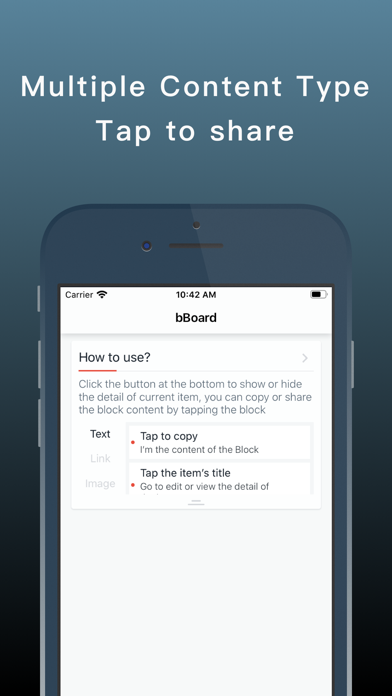
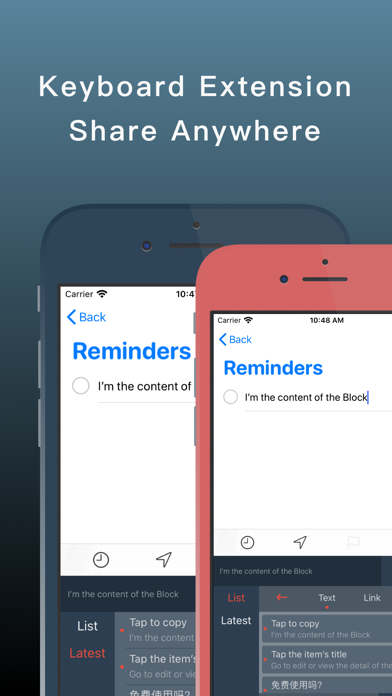
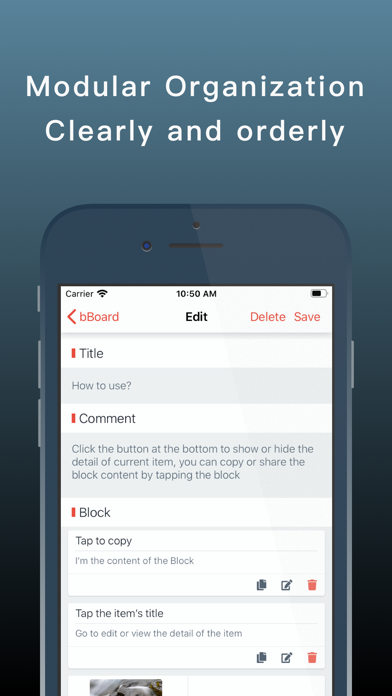
#Introduction bBoard is an efficient application that focuses on quickly sharing and sending frequently used materials. It has a built-in special custom keyboard. Users can quickly share content through this keyboard, which greatly saves users time. #Features * Supports multiple content formats The formats currently supported are: text, link, picture, and more will be supported in the follow-up. Welcome to ask for your needs here. * Block content block supports custom sorting * One-click sharing and custom keyboard * Built-in web page preview function in keyboard * Support Simplified Chinese, English With one click, you can copy text or call a share operation. If you switch to the custom keyboard smart plug-in extension, you can instantly input large paragraphs of text (common shortcut phrases) with a single click, which saves a lot of time compared with the traditional selection of text. #Suitable for * Operator * Wechat * Customer Service * And any users who need to send or process the same content in their daily work In these user groups, daily work inevitably requires the sending of various profile information, and most of these profile information are repeatedly entered. In the operation, you need to send relevant information or answer questions to users. These are basically duplicates. You can use bBoard to organize them so that they can be processed quickly when the same needs arise. There may be more repetitive labor in the daily work of WeChat and customer service, such as product introductions, business address and telephone contact information. With bBoard, this information can be easily organized together, and you can directly switch to a customized keyboard when needed Send to customer.
Latest release
What’s New
New Features: 1. support items sorting 2. UI adjustment
Audience growth
Ratings growth
Baseline captured. Growth appears after the crawler observes a changed rating count.
Momentum comes from crawler snapshots for the tracked storefront. “Viral growth signal” means unusually fast recent rating gains; it is an indicator, not download data.
Price tracking
Price intelligence
First snapshot captured. The trend line starts after the next crawler price observation.
- First observed Aug 16, 2026 · 7:39 PM Free
Screenshots