About this app
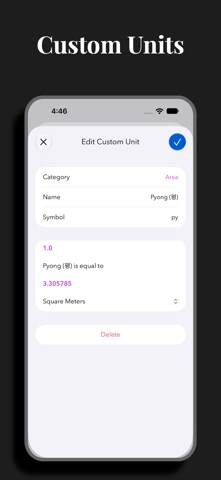
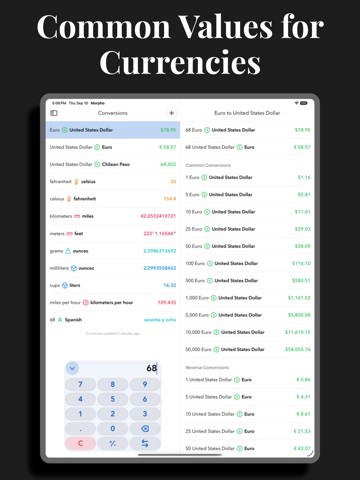
Morpho is a new take on conversions, focused on speed. Open, type a number, and instantly see all your favorite conversions. No fiddling. Add all of your most-used conversions to the home screen so that you see what you want–and only what you want. • Choose from 311 units and 174 currencies in 24 categories. • Countries: view and add common units of measure from 256 countries and regions. Quickly view electrical information, calling codes, driving side, languages, and time zones to help plan your trip. • Custom Units: Define specialized units for your profession or hobby, or add an uncommon unit that is not yet officially supported. • Speak results: Select from 38 languages in Settings. Long-press a conversion and choose a language to have the result spoken to you. • It's universal: iPhone, iPad, Mac, and Apple Watch. We have you covered no matter where you need a conversion. • Long press for more: copy result, copy the full text of the conversion, or quickly add a reverse conversion. • Conversions widget: new, interactive widget lets you convert your favorites instantly. • Currency widget: use the currency widget to stay on top of changes throughout the day from your Home Screen or Lock Screen. • Complications: launch Morpho from a complication, or use a currency complication to always have the latest exchange rate. • Weather: instant temperature, wind speed, and precipitation amount conversions with Weather integration. • Siri: get the full list of conversions using your voice. • Shortcuts: work currency conversions into your custom shortcuts. • Quick Notes: add values or countries to your Quick Notes. • Keyboard support: make full use of your hardware keyboard. • Hand Off, URL schemes, and multiple windows: enjoy. • Support for dynamic type sizes and VoiceOver. If you choose to purchase a Morpho Pro subscription, payment will be charged to your iTunes account, and your account will be charged for renewal 24 hours prior to the end of the current period. Auto-renewal may be turned off at any time by going to your settings in the iTunes Store after purchase. Terms of use: https://thinktapwork.com/tos.html
Latest release
What’s New
Updated for iOS 27 and macOS 27. • Built and optimized for iOS 27/macOS 27. • Updated icons. • New Duration units: Month, Decade, and Century. • Pace and Feet conversions will now display their formatted values in the conversion row. • New Mac menu bar option to show current weather in Celsius and Fahrenheit. • Removed current location icon from smaller weather widgets to limit text truncation. • Improved interface when there are no search results. • Fixed issue where Settings would not respect interface style choice on iPhone. • Fixed issue where context menu might display a different conversion than the one you selected. • Fixed issue where some custom units may have an incorrect conversion. • Fixed issue where custom currency units would report as unavailable. • Fixed some crashes. • Lots of other bug fixes. • Performance improvements.
Audience growth
Ratings growth
Momentum comes from crawler snapshots for the tracked storefront. “Viral growth signal” means unusually fast recent rating gains; it is an indicator, not download data.
Price tracking
Price intelligence
- First observed Aug 18, 2026 · 3:15 PM Free
Screenshots